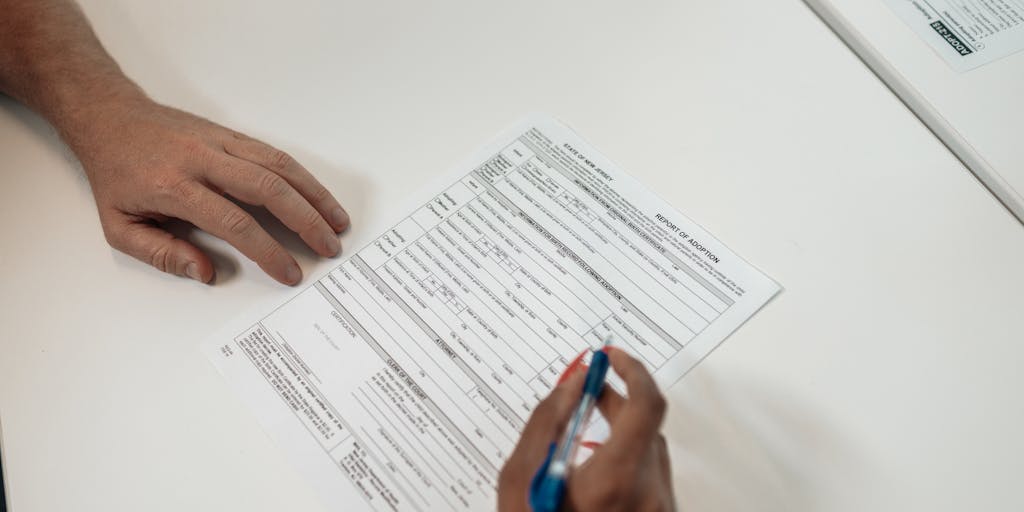
Child support is a critical aspect of ensuring that children receive the financial support they need from both parents, regardless of their living arrangements. But what happens if you find yourself unable or unwilling to pay child support? The consequences can be severe and far-reaching, affecting not just your finances but also your relationship with your child and the legal system. Let’s explore the implications of non-payment and what you can do if you’re struggling.
Consequences for Non-Payment of Child Support
A split image showing two contrasting scenes: on one side, a joyful child playing with toys in a well-furnished room, and on the other side, the same child looking sad and neglected in a sparsely furnished space. This visual representation highlights the impact of child support on a child’s well-being.
Failing to pay child support can lead to a variety of serious consequences. It’s important to understand that child support is not just a suggestion; it’s a legal obligation. Here are some of the potential repercussions:
Wage Garnishment: One of the most common consequences is wage garnishment, where a portion of your paycheck is automatically deducted to cover child support payments.
Interest Accrual: Unpaid child support can accrue interest, meaning the amount you owe can grow significantly over time.
Loss of Tax Refunds: The government can intercept your tax refunds to cover unpaid child support, which can be a significant financial blow.
License Suspension: In some states, failure to pay child support can lead to the suspension of your driver’s license or professional licenses, making it harder to work and earn money.
Legal Action: The custodial parent can take legal action against you, which may result in court appearances and additional legal fees.
Contempt of Court: If you continue to ignore child support obligations, you may be held in contempt of court, which can lead to fines or even jail time.
These consequences can create a cycle of financial instability, making it even harder to meet your obligations. If you’re facing challenges in making payments, it’s crucial to communicate with the other parent and seek legal advice. You might find resources like Arizona’s Child Support Services helpful in navigating your situation.
Can You Go to Jail for Not Paying Child Support in Arizona?
In Arizona, the short answer is yes; you can go to jail for not paying child support. However, it’s not as straightforward as it may seem. The court must determine that you have the ability to pay but willfully chose not to. This is often referred to as “willful non-compliance.” Here’s how it typically works:
Legal Proceedings: If you fail to pay child support, the custodial parent can file a motion with the court. This can lead to a hearing where you’ll need to explain your non-payment.
Proving Ability to Pay: The court will look at your financial situation. If you can demonstrate that you genuinely cannot afford to pay, you may avoid jail time.
Potential Sentences: If the court finds you in contempt for willful non-payment, you could face fines or even jail time, depending on the severity of the situation.
It’s essential to stay proactive. If you’re struggling, consider reaching out to legal professionals who can guide you through the process. Resources like The Valley Law Group provide insights into handling unpaid child support in Arizona.
Ultimately, the best course of action is to communicate openly about your financial situation and seek modifications to your child support order if necessary. Remember, the goal is to support your child, and there are often solutions available to help you meet your obligations without facing severe penalties.
Child support is a critical aspect of ensuring that children receive the financial support they need from both parents. But what happens if you find yourself unable to pay? The consequences can be severe and far-reaching, affecting not just your finances but also your relationship with your child and the legal system. Let’s explore the potential repercussions of failing to meet your child support obligations.
What Other Consequences Could I Face for Unpaid Child Support?
A close-up shot of a broken piggy bank with coins scattered around, symbolizing financial struggles. In the background, a blurred image of a court building can be seen, representing the legal implications of not paying child support.
When child support payments are missed, the consequences can escalate quickly. You might think that simply not paying is a personal issue, but it can lead to significant legal and financial troubles. Here are some of the most common consequences:
Wage Garnishment: One of the first actions taken by the court may be to garnish your wages. This means a portion of your paycheck will be automatically deducted to cover your child support payments.
Tax Refund Interception: The government can intercept your tax refunds to cover unpaid child support. This can be a shocking surprise during tax season.
Loss of Licenses: In many states, failure to pay child support can result in the suspension of your driver’s license or professional licenses, making it difficult to work or commute.
Credit Score Impact: Unpaid child support can be reported to credit bureaus, negatively affecting your credit score and making it harder to secure loans or credit in the future.
Legal Action: You may face legal action, including being taken to court for contempt, which can lead to fines or even jail time.
Understanding these potential consequences can help you realize the importance of addressing child support issues proactively. If you’re struggling to make payments, it’s crucial to communicate with the court or your child’s other parent to find a solution.
Avoiding a Contempt Charge
An emotional portrait of a parent looking worried while holding a letter from the court regarding child support. The background is slightly blurred, focusing on the parent’s expression, conveying the stress and anxiety that comes with legal issues related to child support.
One of the most serious repercussions of not paying child support is the risk of being held in contempt of court. This charge can lead to severe penalties, including jail time. So, how can you avoid this situation? Here are some steps you can take:
Communicate: If you’re facing financial difficulties, reach out to the court or your child’s other parent. Open communication can sometimes lead to a modification of your payment plan.
Document Your Situation: Keep records of your financial situation, including income changes or unexpected expenses. This documentation can be vital if you need to request a modification.
Seek Legal Advice: Consulting with a family law attorney can provide you with options and strategies to manage your child support obligations without facing contempt charges.
By taking these proactive steps, you can often avoid the harsh penalties associated with contempt of court. Remember, the goal is to support your child, and finding a way to meet your obligations is essential.
Other Penalties
A conceptual image of a scale tipped heavily to one side, with money on one side and a child’s drawing on the other. This symbolizes the balance between financial obligations and the emotional needs of a child, illustrating the consequences of neglecting child support.
In addition to the legal and financial consequences already mentioned, there are other penalties that can arise from failing to pay child support. These can include:
Increased Payment Amounts: If you fall behind on payments, the amount you owe can increase due to interest and penalties, making it even harder to catch up.
Public Embarrassment: Child support cases can become public, leading to potential embarrassment and social stigma.
Impact on Future Custody Arrangements: Failing to pay child support can negatively affect your chances of gaining custody or visitation rights in the future.
It’s clear that the implications of not paying child support extend beyond just financial penalties. They can affect your personal life, relationships, and even your future. If you find yourself in this situation, consider seeking help from resources like federal child support enforcement or local legal aid services.
Ultimately, the best course of action is to stay informed and proactive about your child support obligations. By doing so, you can avoid the pitfalls of unpaid child support and ensure that your child receives the support they need.
Child support is a critical aspect of ensuring that children receive the financial support they need from both parents. But what happens if you find yourself unable or unwilling to pay? The consequences can be severe and far-reaching, affecting not just your finances but also your relationship with your child. Let’s explore the enforcement of unpaid child support and what you can expect if you fall behind.
Enforcement of Unpaid Child Support
When child support payments are missed, the enforcement mechanisms can kick in quickly. The law takes these obligations seriously, as they are designed to protect the welfare of children. If you don’t pay child support, you may face a variety of consequences, including:
Wage Garnishment: One of the most common enforcement methods is wage garnishment, where a portion of your paycheck is automatically deducted to cover unpaid support.
Tax Refund Interception: The government can intercept your tax refunds to apply them toward your child support debt.
License Suspension: In some cases, your driver’s license or professional licenses may be suspended until you fulfill your payment obligations.
Contempt of Court: Failing to pay can lead to a court finding you in contempt, which may result in fines or even jail time.
Credit Impact: Unpaid child support can negatively affect your credit score, making it harder to secure loans or credit in the future.
These measures are not just punitive; they are also designed to encourage compliance and ensure that children receive the support they need. It’s essential to understand that the system is set up to prioritize the child’s best interests.
How Can You Enforce Child Support in Arizona?
If you are a custodial parent in Arizona and are struggling to receive the child support owed to you, there are steps you can take to enforce the order. The Arizona Department of Economic Security (DES) provides resources and assistance for parents in this situation. Here’s how you can initiate enforcement:
Contact the Child Support Services Division: This division can help you locate the non-custodial parent and initiate enforcement actions.
File a Motion in Court: If informal attempts to collect support fail, you may need to file a motion in court to compel payment.
Utilize Legal Assistance: Consulting with a family law attorney can provide you with tailored advice and representation in court.
Understanding the enforcement process can empower you to take action and ensure that your child receives the support they deserve. For more detailed information, you can check out resources from Arizona Family Law Attorneys.
What Arizona Agency Enforces the Payment of Child Support?
In Arizona, the primary agency responsible for enforcing child support payments is the Arizona Department of Economic Security (DES). This agency plays a crucial role in managing child support cases, including:
Establishing Paternity: They help establish paternity when necessary, which is essential for enforcing child support.
Collecting Payments: DES collects and distributes child support payments, ensuring that custodial parents receive the funds they are owed.
Enforcement Actions: The agency can take various enforcement actions, such as wage garnishment and license suspensions, to ensure compliance.
By working with DES, custodial parents can navigate the complexities of child support enforcement more effectively. If you want to learn more about the consequences of not paying child support in Arizona, you can read about it on Phoenix Law Team.
In conclusion, understanding the implications of unpaid child support is vital for both custodial and non-custodial parents. The enforcement mechanisms are designed not only to penalize but also to ensure that children receive the support they need. If you find yourself in a situation where you cannot pay, it’s crucial to seek help and explore your options rather than ignoring the problem. After all, the well-being of your child is at stake.
Child support is a critical aspect of ensuring that children receive the financial support they need from both parents, regardless of their living arrangements. But what happens if you find yourself unable to pay or simply neglect to do so? The consequences can be severe and far-reaching, affecting not just your finances but also your relationship with your child. Let’s explore the implications of child support arrears and what you can do if you find yourself in this situation.
Child Support Arrears
Child support arrears refer to the unpaid child support that has accumulated over time. If you miss a payment, it doesn’t just disappear; it adds up, creating a financial obligation that can haunt you. The state takes these obligations seriously, and the repercussions can escalate quickly. For instance, if you fail to pay, you may face legal actions, including wage garnishment, tax refund interception, and even the suspension of your driver’s license.
Imagine being unable to drive because of unpaid child support. It’s a frustrating situation that can affect your ability to work and provide for yourself, let alone your child. According to legal experts, the government can intervene in various ways to ensure that child support payments are made, which can lead to a cycle of debt and legal troubles.
What Are Some Ways of Recovering Back Child Support?
If you find yourself in arrears, it’s essential to know that there are ways to recover back child support. Here are some common methods:
Payment Plans: Many states allow parents to set up payment plans to catch up on missed payments. This can ease the financial burden and help you avoid further legal action.
Modification Requests: If your financial situation has changed significantly, you can request a modification of your child support order. This may lower your monthly payments and make it easier to stay current.
Legal Assistance: Consulting with a family law attorney can provide you with tailored advice and strategies for managing your arrears effectively.
State Assistance Programs: Some states offer programs to help parents who are struggling to pay child support. These programs can provide resources and support to help you get back on track.
It’s crucial to take action as soon as you realize you’re falling behind. Ignoring the problem will only make it worse, leading to more severe consequences down the line. For more insights on the legal ramifications of not paying child support, you can check out this informative article on The Law Dictionary.
What Happens When Back Child Support Payments Are Paid in Full in Arizona?
In Arizona, once you pay off your back child support, you might think that everything is resolved. However, it’s important to understand that the implications of your past arrears can linger. Paying off your debt can lead to the following outcomes:
Restoration of Rights: Once your arrears are cleared, you may have the opportunity to restore certain rights, such as the ability to travel freely or regain your driver’s license.
Impact on Credit Score: While paying off your arrears may not immediately improve your credit score, it can prevent further damage and show future creditors that you are taking responsibility.
Potential for Modification: After clearing your arrears, you can also seek a modification of your child support order, which may reflect your current financial situation more accurately.
It’s a relief to finally be free of that burden, but remember that maintaining open communication with your co-parent and staying current on future payments is essential. If you’re curious about the broader implications of child support and the responsibilities of parents, you might find this discussion on Quora enlightening.
In conclusion, understanding the consequences of not paying child support is crucial for any parent. Whether you’re facing arrears or have successfully paid them off, staying informed and proactive can help you navigate this challenging aspect of parenthood. Remember, the goal is to support your child and ensure their well-being, which ultimately benefits everyone involved.
Child support is a critical aspect of ensuring that children receive the financial support they need from both parents, even after separation or divorce. But what happens if you find yourself unable to make those payments? Understanding the implications and options available can help you navigate this challenging situation.
Child Support Modification
Life is unpredictable, and sometimes circumstances change in ways that make it difficult to meet child support obligations. Whether it’s a job loss, medical emergency, or other financial strain, you might wonder if there’s a way to adjust your payments. The good news is that child support orders can often be modified to reflect your current situation.
What Should I Do If I Can’t Afford My Child Support Payments?
If you find yourself struggling to afford your child support payments, the first step is to communicate openly with your ex-partner. It’s essential to approach this conversation with honesty and a willingness to find a solution together. You might be surprised at how understanding they can be, especially if you explain your situation clearly.
Next, consider documenting your financial situation. Gather evidence of your income, expenses, and any changes that have occurred since the original child support order was established. This documentation will be crucial when you seek a modification. You can then file a motion with the court to request a modification of your child support order. Courts typically require a substantial change in circumstances to approve such requests, so be prepared to explain why your situation has changed.
Remember, failing to pay child support can lead to serious consequences, including wage garnishment, loss of licenses, or even jail time. Therefore, taking proactive steps to modify your payments is vital.
Modify a Child Support Order
Modifying a child support order is a legal process that can seem daunting, but it’s essential to ensure that your payments are manageable. To initiate this process, you’ll need to file a petition with the court that issued the original order. This petition should include your reasons for requesting a modification and any supporting documentation.
Once your petition is filed, a court hearing will typically be scheduled. During this hearing, both you and your ex-partner will have the opportunity to present your cases. It’s wise to consider seeking legal advice or representation to navigate this process effectively. An attorney can help you understand the specific laws in your state and ensure that your rights are protected.
In some cases, mediation may be an option to resolve disputes amicably without going to court. This can be a less adversarial approach and may lead to a more satisfactory outcome for both parties.
Ultimately, the goal of modifying a child support order is to ensure that the financial needs of the child are met while also considering the financial realities of both parents. If you’re facing challenges with your current payments, don’t hesitate to take action. You can also explore resources like best Instagram advertising agencies or best Pinterest marketing agencies to help boost your income through social media marketing.
Requesting a Modification
Life is unpredictable, and sometimes circumstances change in ways we never anticipated. If you find yourself struggling to meet your child support obligations, it’s crucial to know that you have options. Requesting a modification of your child support order can be a viable solution. But how do you go about it?
First, you’ll need to demonstrate a significant change in your circumstances. This could be due to a job loss, a decrease in income, or even an increase in your child’s needs. The process typically involves filing a petition with the court that issued the original order. It’s essential to gather documentation that supports your claim, such as pay stubs, tax returns, or medical bills.
Once your petition is filed, a hearing will be scheduled where both you and the other parent can present your cases. It’s advisable to consult with a family law attorney to navigate this process effectively. They can help you understand the specific requirements in your state and ensure that your rights are protected.
Remember, the goal of child support is to ensure the well-being of your child. By seeking a modification, you’re taking a responsible step to align your obligations with your current situation.
Arizona Child Support FAQs
Child support can be a complex topic, especially in Arizona where laws and regulations can vary. If you’re navigating this system, you might have several questions. Here are some frequently asked questions that can help clarify your understanding.
How is child support calculated in Arizona? Child support in Arizona is typically calculated using a formula that considers both parents’ incomes, the number of children, and other factors like healthcare costs.
Can child support be modified? Yes, if there’s a significant change in circumstances, either parent can request a modification of the child support order.
What happens if I can’t pay child support? Failing to pay child support can lead to serious consequences, including wage garnishment, loss of driving privileges, and even jail time.
How can I enforce a child support order? If the other parent is not paying, you can seek enforcement through the court, which may involve various legal actions.
What Happens if You Don’t Pay Child Support in Arizona?
Not paying child support can have significant repercussions, especially in Arizona. If you find yourself in a situation where you’re unable to make payments, it’s essential to understand the potential consequences. Ignoring your child support obligations can lead to a series of legal actions against you.
Initially, the state may take steps to enforce the order. This can include wage garnishment, where a portion of your paycheck is automatically deducted to cover your child support payments. Additionally, the Arizona Department of Economic Security can suspend your driver’s license or professional licenses, making it even more challenging to maintain employment.
In more severe cases, failure to pay child support can result in contempt of court charges. This could lead to fines or even jail time, which is a situation no one wants to face. It’s important to remember that the court views child support as a legal obligation, and they take non-payment very seriously.
If you’re struggling to keep up with payments, it’s better to address the issue proactively. Consider reaching out to the court to discuss your situation or consult with a legal professional who can guide you through the process of requesting a modification. Taking action can help you avoid the more severe consequences of non-payment and ensure that your child’s needs are still being met.
Child support is a critical aspect of ensuring that children receive the financial support they need from both parents, even after separation or divorce. But what happens if you find yourself unable to pay or simply choose not to? The consequences can be serious and far-reaching, affecting not just your finances but also your relationship with your child and the legal system. Let’s explore the implications of not paying child support, particularly in Arizona.
Arizona Child Support Services
In Arizona, the Child Support Services (CSS) program plays a vital role in enforcing child support orders. They help establish paternity, set support amounts, and ensure that payments are made. If you’re struggling with child support payments, it’s essential to understand how CSS operates and what resources are available to you. They can assist in modifying your support order if your financial situation changes, which is a crucial step to avoid falling behind.
How Far Behind in Child Support Before a Warrant Is Issued in Arizona?
Have you ever wondered how much you can fall behind in child support before facing legal repercussions? In Arizona, the threshold for issuing a warrant can vary, but generally, if you are more than 30 days late on your payments, you may start to face serious consequences. The state takes child support obligations seriously, and if you accumulate arrears, the court may issue a warrant for your arrest. This can happen if you are significantly behind, often around three months of missed payments, which can lead to a court hearing and potential jail time.
It’s important to note that the court can also take other actions, such as suspending your driver’s license or seizing your tax refunds. These measures are designed to encourage compliance with child support orders. If you find yourself in this situation, it’s crucial to communicate with the court and seek legal advice to explore your options.
How Can I Report Someone Not Paying Child Support?
If you’re a custodial parent and you suspect that the other parent is not fulfilling their child support obligations, you might be wondering how to address this issue. Reporting someone for not paying child support can be done through the Arizona Child Support Services. You can file a complaint, and they will investigate the matter. This process can lead to enforcement actions against the non-paying parent, which may include wage garnishment or even legal penalties.
Additionally, you can also seek legal counsel to discuss your options. Sometimes, a simple conversation can resolve misunderstandings about payments. However, if the situation doesn’t improve, taking formal action may be necessary to ensure your child receives the support they need.
In conclusion, understanding the implications of not paying child support is crucial for both parents. It’s not just about the financial aspect; it’s about the well-being of your child. If you’re facing challenges with payments, reach out to Arizona Child Support Services or consult with a legal expert to find a solution that works for you and your family.
Child support is a critical aspect of ensuring that children receive the financial support they need from both parents. But what happens if you find yourself unable to pay? The consequences can be serious, and understanding your options is essential. Let’s explore some key areas related to child support obligations, including forgiveness programs, factors that may disqualify you from relief, and what to do if you can’t afford your payments.
Arizona Child Support Arrears Forgiveness
If you’re in Arizona and struggling with child support arrears, you might be wondering if there’s any way to alleviate your financial burden. Arizona has specific programs aimed at helping parents who have fallen behind on their payments. The state offers a Child Support Arrears Forgiveness Program that can provide relief under certain conditions.
To qualify for this program, you typically need to demonstrate a genuine effort to pay your child support and show that your financial situation has changed significantly. For instance, if you lost your job or faced unexpected medical expenses, these factors could be taken into account. It’s important to gather documentation that supports your case, as this can make a significant difference in the outcome.
Many parents have found success in reducing their arrears through this program, allowing them to start fresh and focus on their children’s needs. If you’re interested in learning more about this option, consider reaching out to a local family law attorney or visiting the Arizona Department of Economic Security’s website for detailed information.
What Factors Do Not Qualify You for Relief of Child Support?
While there are avenues for relief, not all situations will qualify for forgiveness or reduction of child support obligations. Understanding these factors can help you navigate your circumstances more effectively. For example, simply claiming financial hardship without substantial proof may not be enough. Courts typically look for evidence of a significant change in circumstances, such as:
Job loss or significant reduction in income
Medical emergencies that impact your ability to pay
Changes in custody arrangements that affect your financial responsibilities
On the other hand, factors that generally do not qualify for relief include:
Voluntary unemployment or underemployment
Refusal to seek employment or improve your financial situation
Increased expenses that are not directly related to the child’s needs
It’s crucial to approach the court with a well-documented case. If you’re unsure about your situation, consulting with a family law expert can provide clarity and guidance tailored to your specific needs.
What Happens If You Cannot Afford to Pay Child Support?
Finding yourself unable to pay child support can be a daunting experience. The first thing to remember is that ignoring the problem will not make it go away. In fact, failing to pay can lead to serious legal consequences, including wage garnishment, loss of your driver’s license, or even jail time in extreme cases. So, what should you do if you’re in this situation?
Communication is key. Reach out to the court or your child support agency as soon as you realize you can’t make a payment. Many jurisdictions allow for modifications to child support orders based on changes in financial circumstances. You may need to file a motion to modify your support obligations, which can help adjust the amount you owe based on your current income.
Additionally, consider exploring resources that can assist you during tough times. For instance, local non-profits or community organizations may offer financial counseling or support services. Remember, you’re not alone in this, and there are people and resources available to help you navigate these challenges.
Ultimately, staying proactive and informed about your rights and responsibilities can make a significant difference in managing your child support obligations. If you’re looking for more insights on related topics, check out our articles on Best YouTube Marketing Agencies or Best Digital Marketing Podcasts for additional resources that might help you in your journey.
Understanding child support in Texas can feel overwhelming, especially if you’re navigating it for the first time. Whether you’re a parent seeking support or someone who needs to pay it, knowing the ins and outs of Texas child support laws is crucial. So, how much can you expect to pay or receive? Let’s dive into the details.
Texas Child Support Laws
A split image showing two contrasting scenes: on one side, a parent happily spending time with their child at a park, and on the other side, a parent looking stressed while reviewing financial documents at a kitchen table. This visual representation highlights the emotional and financial aspects of child support in Texas.
Texas child support laws are designed to ensure that children receive the financial support they need from both parents, regardless of their living arrangements. The state follows specific guidelines that help determine the amount of support based on the non-custodial parent’s income. But what does that really mean for you?
In Texas, child support is typically calculated using a percentage of the non-custodial parent’s income. This percentage varies depending on the number of children involved:
1 child: 20% of the non-custodial parent’s income
2 children: 25%
3 children: 30%
4 children: 35%
5 or more children: 40%
These percentages are based on the net income of the parent, which is the income after taxes and other deductions. It’s important to note that these guidelines are just that—guidelines. Courts can adjust the amount based on various factors, such as the needs of the child, the financial situation of both parents, and any special circumstances.
If you’re curious about how these calculations work in practice, you can use the Texas Child Support Calculator to get a clearer picture of what you might expect.
How Much Is Child Support in Texas?
An artistic representation of a Texas map made up of various family-related icons, such as a piggy bank, a gavel, and a heart. This image symbolizes the connection between Texas laws and child support, emphasizing the importance of financial support for children.
So, how much is child support in Texas? The answer isn’t always straightforward. While the percentages provide a baseline, the actual amount can vary significantly based on individual circumstances. For instance, if the non-custodial parent has other children to support, this may affect the amount they are required to pay for your child.
Additionally, the court may consider other factors such as:
Healthcare costs for the child
Educational expenses
Childcare costs
Any special needs the child may have
It’s also worth noting that child support payments are typically made until the child turns 18 or graduates from high school, whichever comes later. However, if the child has special needs, support may continue beyond this age.
Many parents find themselves confused about the nuances of these laws. For a deeper understanding, you might want to check out resources like Cordell & Cordell’s Texas Child Support Resource or read about how child support is calculated in detail at GB Family Law.
In conclusion, while the guidelines provide a framework, the actual amount of child support can vary widely based on personal circumstances. If you’re facing a child support situation, it’s always a good idea to consult with a legal expert who can help you navigate the complexities of Texas law. Remember, the goal is to ensure that your child’s needs are met, and understanding your rights and responsibilities is the first step in that process.
Calculating Texas Child Support
A close-up shot of a calculator, a notepad with child support calculations, and a Texas flag in the background. This image conveys the practical side of determining child support amounts, showcasing the financial planning involved.
Understanding how child support is calculated in Texas can feel overwhelming, but it’s essential for ensuring that children receive the financial support they need. Have you ever wondered how the state determines the amount one parent should pay to the other? Let’s break it down together.
How Is Child Support Calculated In Texas?
In Texas, child support calculations are primarily based on the non-custodial parent’s income. The state uses a percentage of this income to determine the monthly support obligation. The basic formula is straightforward:
20% of the non-custodial parent’s income for one child
25% for two children
30% for three children
35% for four children
40% for five or more children
These percentages apply to the net income, which is the income after taxes and other mandatory deductions. However, it’s important to note that the court can adjust these amounts based on various factors, such as the needs of the child, the financial resources of both parents, and any special circumstances that may arise. For a deeper dive into the nuances of these calculations, you might find this article on Texas child support insightful.
What Is the Average Child Support Payment in Texas?
So, what can you expect when it comes to the average child support payment in Texas? While the amount can vary widely based on individual circumstances, studies suggest that the average payment hovers around $400 to $500 per month for one child. This figure can fluctuate based on the non-custodial parent’s income and the number of children involved.
It’s also worth considering that many parents may face challenges in meeting these obligations, especially if their income is lower than average. If you’re curious about how child support works for lower-income families, check out this resource on child support and lower incomes.
Ultimately, understanding these calculations can empower you to navigate the complexities of child support in Texas. Whether you’re a parent seeking support or someone trying to understand the system, being informed is your best ally. If you want to explore tools that can help you estimate child support payments, the Texas child support calculator is a great place to start.
How Much Child Support Do You Get for One Child in TX?
When it comes to child support in Texas, understanding the financial obligations can feel overwhelming. If you’re a parent navigating this system, you might be wondering, “How much child support do I actually receive for one child?” In Texas, the guidelines are fairly straightforward, but they can vary based on several factors.
Generally, the state uses a percentage of the non-custodial parent’s income to determine the amount of child support. For one child, the typical guideline is 20% of the non-custodial parent’s net resources. This means if the non-custodial parent earns $5,000 a month, the child support payment would be around $1,000. However, this is just a baseline; actual payments can be influenced by additional factors such as medical expenses, childcare costs, and any special needs the child may have.
It’s also important to note that Texas has a cap on the amount of income that can be considered for child support calculations. As of now, the maximum monthly net resources considered is $9,200, which means the maximum child support for one child could be around $1,840 per month. For more detailed insights, you can check out this resource on maximum child support in Texas.
How Much Child Support for 1 Kid in Texas?
So, how does this translate into real-life scenarios? Let’s say you’re the non-custodial parent making $4,000 a month. Based on the 20% guideline, you would owe $800 in child support. But what if your income fluctuates? Texas allows for modifications to child support orders if there’s a significant change in circumstances, such as a job loss or a substantial increase in income.
Additionally, if you’re the custodial parent, you might be curious about how to ensure you receive the correct amount. Keeping thorough records of the non-custodial parent’s income and any additional expenses related to the child can be crucial. You can also utilize tools like the Texas child support calculator to estimate potential payments based on various income levels.
How Much Child Support for 2 Kids in Texas?
Now, what if you have two children? The calculation changes slightly. In Texas, the guideline for two children is typically 25% of the non-custodial parent’s net resources. So, if the same non-custodial parent from our earlier example earns $4,000 a month, the child support obligation would increase to $1,000 per month for two children.
It’s essential to remember that these percentages are just guidelines. Courts can adjust the amount based on the specific needs of the children or the financial situation of the parents. For instance, if one child has special needs that require additional financial support, the court may decide to increase the child support amount accordingly.
In conclusion, understanding child support in Texas can help you navigate your responsibilities and rights as a parent. Whether you’re receiving or paying support, being informed is key. If you want to dive deeper into the specifics of your situation, consider consulting with a family law attorney who can provide personalized guidance. For more information on child support obligations, you might find this article on how much you have to pay particularly helpful.
Understanding child support in Texas can feel overwhelming, especially if you’re navigating the complexities of family law for the first time. Whether you’re a parent seeking support or someone who needs to pay it, knowing the ins and outs can help you make informed decisions. Let’s dive into the specifics of child support in Texas, starting with the percentage guidelines.
What Is the Percentage of Child Support in Texas?
In Texas, child support is primarily calculated based on a percentage of the non-custodial parent’s income. This percentage varies depending on the number of children involved. For instance:
1 child: 20% of the non-custodial parent’s income
2 children: 25%
3 children: 30%
4 children: 35%
5 or more children: 40%
These percentages are designed to ensure that children receive adequate financial support. However, it’s important to note that these figures are based on the net income of the paying parent, which means that certain deductions, such as taxes and health insurance premiums, may apply. Have you ever wondered how these percentages were determined? They aim to reflect the financial needs of children while also considering the parent’s ability to pay.
What Is the Max Child Support in Texas?
While the percentages provide a general guideline, you might be curious about the maximum amount of child support that can be ordered in Texas. As of now, the Texas Family Code sets a cap on the amount of income that can be considered for child support calculations. Specifically, if a non-custodial parent earns more than $9,200 per month, the court may only consider this amount for child support purposes. This means that even if a parent earns significantly more, the support obligation will be calculated based on this cap.
For example, if a parent makes $15,000 a month, the court will still use $9,200 to determine the child support amount. This cap is in place to ensure that child support remains fair and manageable for parents while still providing for the children’s needs. Have you thought about how this cap might affect high-income earners differently than those with lower incomes?
Factors Affecting Child Support Amounts
Child support isn’t a one-size-fits-all situation; several factors can influence the final amount. Understanding these factors can help you anticipate what to expect in your case. Here are some key considerations:
Income of Both Parents: The combined income of both parents plays a crucial role in determining child support. Courts will look at both parents’ financial situations to ensure a fair arrangement.
Number of Children: As mentioned earlier, the number of children directly affects the percentage of income that will be allocated for support.
Health Care Costs: If a child has special medical needs or requires health insurance, these costs can be factored into the support calculations.
Child’s Educational Needs: Expenses related to education, such as tuition or extracurricular activities, may also influence the support amount.
Custody Arrangements: The amount of time each parent spends with the child can impact the support obligations. More time spent with the child may reduce the amount of support required.
It’s essential to approach child support discussions with a clear understanding of these factors. If you’re facing a child support case, consider consulting with a legal expert who can provide tailored advice based on your unique situation. Have you ever thought about how these factors might change as children grow and their needs evolve?
In conclusion, navigating child support in Texas involves understanding the percentages, maximum limits, and various influencing factors. By staying informed and proactive, you can ensure that the best interests of your children are prioritized while also considering your financial realities. If you’re interested in learning more about related topics, check out our articles on Best YouTube Marketing Agencies or Best Digital Marketing Podcasts for insights that can help you in other areas of your life.
Understanding child support in Texas can feel overwhelming, especially if you’re navigating the complexities of family law for the first time. Whether you’re a parent seeking support or someone who needs to pay it, knowing how the system works is crucial. Let’s break it down together.
Support Order Determination
When it comes to determining child support in Texas, the court considers several factors to ensure that the needs of the child are met. The primary guideline is based on the non-custodial parent’s income. But how does this actually translate into a support order?
Texas uses a percentage-based formula to calculate child support. For instance, if you have one child, the non-custodial parent typically pays 20% of their net resources. This percentage increases with the number of children:
One child: 20%
Two children: 25%
Three children: 30%
Four children: 35%
Five or more children: 40%
But what exactly are “net resources”? This term includes not just salary, but also bonuses, commissions, and even certain government benefits. It’s essential to have a clear understanding of what counts as income to ensure fair calculations.
Additionally, the court may consider other factors such as the child’s needs, the parents’ financial situations, and any special circumstances that might affect the child’s well-being. For example, if a child has special medical needs, the court might adjust the support amount accordingly.
Children in this Action
When a support order is established, it specifically addresses the children involved in that legal action. This means that if you have children from multiple relationships, the support order will only apply to the children named in that particular case. It’s important to keep this in mind, as it can affect how much support you might owe or receive.
For instance, if you have two children from one relationship and one from another, the support order will only consider the two children from the first relationship unless a separate order is established for the third child. This can lead to confusion, especially if you’re trying to manage multiple support obligations.
Children outside this Action
What happens when there are children not included in the current support order? In Texas, the law allows for adjustments to be made based on the number of children a parent is responsible for. If you have children from different relationships, the court will take into account your total number of children when calculating support obligations.
This means that if you’re already paying support for other children, it could potentially lower the amount you owe for the children in the current action. However, it’s crucial to document all existing support orders and provide this information to the court to ensure accurate calculations.
In conclusion, navigating child support in Texas requires a clear understanding of how support orders are determined and the implications for children both within and outside the current action. If you find yourself in this situation, consider consulting with a family law attorney who can provide personalized guidance tailored to your circumstances. Remember, the goal is to ensure that the needs of the children are met while also considering the financial realities of both parents.
Support Order Calculations
Understanding how child support is calculated in Texas can feel overwhelming, but it’s essential for ensuring that children receive the financial support they need. In Texas, child support is primarily determined using a formula based on the non-custodial parent’s income. This formula considers the number of children requiring support and the parent’s net resources.
For instance, if you have one child, the guideline suggests that 20% of the non-custodial parent’s net resources should be allocated for child support. If there are two children, that percentage increases to 25%. These percentages are designed to provide a baseline, but they can vary based on specific circumstances.
To illustrate, let’s say a parent earns $5,000 a month. The calculation for one child would be:
Monthly Income: $5,000
Child Support (20%): $1,000
This straightforward calculation helps ensure that children’s needs are met, but it’s important to remember that other factors can influence the final amount, such as medical expenses or educational costs.
For a deeper dive into how these calculations work, you might find it helpful to explore resources that break down the process further, like best Amazon marketing agencies that can provide insights into financial planning.
Can There Be Deviation From the Child Support Guidelines?
While the Texas child support guidelines provide a solid framework, there are circumstances where deviations can occur. You might wonder, “What if my situation doesn’t fit neatly into the guidelines?” This is a common concern, and the law does allow for adjustments based on specific needs.
For example, if the non-custodial parent has extraordinary medical expenses or if the child has special needs that require additional financial support, the court may consider these factors when determining the final child support amount. Additionally, if the parent has other children to support, this can also lead to a deviation from the standard calculations.
It’s crucial to document any reasons for requesting a deviation thoroughly. Courts will look for evidence that supports your case, so having clear records can make a significant difference. If you’re navigating this process, consider consulting with a legal expert who can guide you through the nuances of child support modifications.
For those interested in marketing strategies that can help manage finances better, exploring the best Twitter marketing agencies might provide some useful insights.
When Does Child Support End in Texas?
As a parent, you might be curious about when child support obligations come to an end. In Texas, child support typically continues until the child turns 18 or graduates from high school, whichever comes later. This means that if your child is 17 and still in high school, you may be required to continue support until they graduate, even if they turn 18 before that time.
However, there are exceptions. If a child becomes emancipated or if the custodial parent remarries, this can also affect child support obligations. It’s essential to stay informed about these changes, as they can significantly impact your financial responsibilities.
Additionally, if you’re considering how to manage your finances as your child approaches adulthood, it might be beneficial to look into resources that can help you plan effectively. For instance, understanding the role of marketing in financial planning can be enlightening, and you might want to check out the best Instagram advertising agencies for innovative ideas.
Monthly Child Support Calculator
A candid photo of a family lawyer discussing child support with a client in an office setting, with legal books and documents in the background. This scene captures the professional aspect of navigating child support laws in Texas.
Understanding how much child support you might owe or receive can feel overwhelming, but it doesn’t have to be. In Texas, child support calculations are based on a percentage of the non-custodial parent’s income, which can vary depending on the number of children involved. Have you ever wondered how these calculations work?
The Texas child support guidelines provide a clear framework. For one child, the non-custodial parent typically pays 20% of their net resources. For two children, it increases to 25%, and so on, up to a maximum of 40% for five or more children. This percentage is applied to the parent’s net income, which includes wages, bonuses, and other sources of income, minus certain deductions like taxes and health insurance premiums.
To make it easier, you can use a monthly child support calculator available online. These tools can help you estimate your obligations based on your specific financial situation. Just input your income and the number of children, and you’ll get a rough estimate of what you might expect to pay.
It’s important to remember that these calculations can be influenced by various factors, including additional expenses like medical costs or educational fees. So, while the calculator gives you a starting point, consulting with a legal expert can provide clarity tailored to your unique circumstances.
Can Child Support Be Ordered Retroactively in TX?
Have you ever thought about whether child support can be applied retroactively? In Texas, the answer is yes, but there are specific conditions. If a parent has not been paying child support, the court can order retroactive payments, which can go back to the date of the initial filing for support. This means that if you’ve been waiting for a support order, you might be able to receive payments for the time leading up to the order.
However, there are limits. The court typically will not go back more than four years from the date of the order. This is crucial to understand, especially if you’re in a situation where you’ve been financially supporting your child without formal support orders. It’s a good idea to keep records of any payments made or expenses incurred during this time.
Additionally, if you’re the one seeking retroactive support, you’ll need to demonstrate that the other parent had the ability to pay during that time. This can sometimes lead to complex legal discussions, so having a knowledgeable attorney can be invaluable in navigating these waters.
Can a Child Support Order Be Challenged or Changed?
Life is full of changes, and sometimes those changes can affect child support arrangements. You might be wondering, can a child support order be challenged or changed? The short answer is yes, but it requires a legal process. In Texas, either parent can request a modification of the child support order if there has been a significant change in circumstances.
Common reasons for seeking a modification include changes in income, job loss, or changes in the needs of the child. For instance, if the custodial parent has incurred new expenses related to the child’s education or health, this could warrant a review of the current support order. On the flip side, if the non-custodial parent has lost their job or had a significant decrease in income, they may also seek a reduction in their payments.
It’s essential to approach this process thoughtfully. You’ll need to file a motion with the court and provide evidence supporting your request. This is where having a legal expert can make a difference, as they can help you gather the necessary documentation and present your case effectively.
Texas Child Support Calculator
When it comes to understanding child support in Texas, the Texas Child Support Calculator is an invaluable tool. Have you ever wondered how much you might owe or receive in child support? This calculator simplifies the process, providing a clear estimate based on your specific circumstances. It takes into account various factors, including income, number of children, and custody arrangements, making it easier for parents to navigate this often complex system.
Using the calculator can help you set realistic expectations and prepare for discussions with your co-parent or legal counsel. It’s not just about numbers; it’s about ensuring that your child’s needs are met while also considering your financial situation. By inputting your monthly gross income and other relevant details, you can get a clearer picture of what child support payments might look like.
Monthly Gross Income of Non-custodial Parent
One of the key components in calculating child support is the monthly gross income of the non-custodial parent. This figure includes all sources of income before taxes, such as wages, bonuses, and even certain benefits. Have you ever thought about how your income impacts your child’s well-being? It’s crucial to be transparent about your earnings, as this will directly influence the support amount.
In Texas, the guidelines suggest a percentage of the non-custodial parent’s income based on the number of children involved. For instance, if you have one child, the guideline is typically 20% of your monthly gross income. For two children, it increases to 25%. This structured approach aims to ensure that children receive adequate financial support while also considering the parent’s ability to provide.
How to Calculate Child Support in Texas with Our Calculator
Calculating child support in Texas can seem daunting, but with our calculator, it becomes a straightforward process. Start by gathering your financial information, including your monthly gross income and any other relevant expenses. Once you have these figures, simply input them into the calculator.
As you go through the process, you might find it helpful to think about the broader implications of child support. It’s not just a financial obligation; it’s a commitment to your child’s future. The calculator will provide you with an estimate, but remember that actual court orders may vary based on additional factors, such as healthcare costs and educational expenses.
Ultimately, understanding how child support is calculated can empower you to make informed decisions. Whether you’re the paying or receiving parent, knowing your rights and responsibilities is essential. If you have further questions or need personalized advice, consider reaching out to a family law attorney who can guide you through the nuances of Texas child support laws.
Understanding child support in Texas can feel overwhelming, especially when you’re trying to navigate the financial implications of raising children after a separation or divorce. The amount of child support you may be required to pay or receive is determined by several factors, including income, deductions, and the number of children involved. Let’s break down the process step by step to give you a clearer picture.
1. Enter Your Income Information
The first step in calculating child support is to determine your income. This includes not just your salary, but also any additional sources of income you might have. Think about:
Your gross income from all sources, including wages, bonuses, and commissions.
Income from self-employment or business ownership.
Any rental income or investment earnings.
Other sources like unemployment benefits or social security payments.
In Texas, the law typically uses the net income to calculate child support, which means you’ll need to account for taxes and other mandatory deductions. It’s essential to be as accurate as possible here, as this figure will directly impact the support amount. If you’re unsure about what qualifies as income, consulting with a financial advisor or a legal expert can provide clarity.
2. Add Your Deductions
Once you have your income figured out, the next step is to consider any deductions that may apply. Deductions can significantly affect your net income and, consequently, the child support calculation. Common deductions include:
Health insurance premiums for the children.
Mandatory retirement contributions.
Union dues or other job-related expenses.
Child support payments for other children, if applicable.
It’s important to keep in mind that not all deductions are automatically accepted, so you may need to provide documentation to support your claims. This is where keeping organized records can save you a lot of hassle. If you’re feeling lost, don’t hesitate to reach out to a professional who can help you navigate these deductions effectively.
3. Input Details About the Children Involved
The final piece of the puzzle is to input details about the children involved. The number of children you are supporting plays a crucial role in determining the total amount of child support. In Texas, the guidelines provide a percentage of your net income based on the number of children:
1 child: 20% of your net income.
2 children: 25% of your net income.
3 children: 30% of your net income.
4 children: 35% of your net income.
5 or more children: 40% of your net income.
Additionally, factors such as the children’s needs, the custodial parent’s income, and any special circumstances can influence the final amount. It’s essential to consider these aspects carefully, as they can lead to adjustments in the standard calculations. If you’re unsure how to approach this, resources like legal advice can be invaluable.
In conclusion, calculating child support in Texas involves a detailed look at your income, deductions, and the specific needs of your children. By understanding these components, you can better prepare for the financial responsibilities that come with parenting after separation. Remember, you’re not alone in this process, and seeking help can make a significant difference.
4. Calculate Your Estimated Child Support
Understanding how much child support you might owe or receive can feel overwhelming, especially when navigating the complexities of Texas law. Fortunately, Texas has a straightforward formula to help you estimate child support obligations. The calculation primarily hinges on your income and the number of children you are supporting.
In Texas, the basic guideline is that the non-custodial parent pays a percentage of their net income. For one child, this is typically 20%, for two children it’s 25%, and it continues to increase with additional children. However, this is just the starting point. Factors such as medical expenses, childcare costs, and other special needs can also influence the final amount.
To get a clearer picture, you can use online calculators that many legal websites offer. These tools can provide a rough estimate based on your specific financial situation. Remember, though, that these are just estimates; the final amount can be adjusted by the court based on various circumstances.
Have you considered how your unique situation might affect these calculations? For instance, if you have other dependents or significant medical expenses, these factors can lead to adjustments in your child support obligations.
Child Support and Lower Incomes
When it comes to child support, many parents worry about how their financial situation will impact their obligations. If you’re earning a lower income, you might be wondering if the standard guidelines still apply to you. The good news is that Texas law does take income levels into account, and there are provisions in place to help ensure that child support obligations are fair and manageable.
In cases where a parent has a lower income, the court may consider this when determining the amount of child support. This means that if you’re struggling financially, you might not be held to the same percentage of income as someone with a higher salary. It’s essential to communicate your financial situation clearly during the legal process, as this can lead to a more favorable outcome.
Have you thought about how your current financial challenges might affect your ability to provide for your child? It’s crucial to keep the lines of communication open with your co-parent and the court to ensure that your child’s needs are met without placing undue strain on your finances.
Are there different child support guidelines if my income is low?
Yes, there are different considerations for parents with lower incomes in Texas. The state recognizes that not all parents can afford the same level of support, and as such, the courts have the discretion to adjust child support amounts based on individual circumstances. If your income is significantly lower than the average, you may be eligible for a reduction in the standard percentage.
Additionally, if you can demonstrate that your financial situation has changed—perhaps due to job loss or medical issues—the court may be willing to revisit your child support order. It’s important to gather documentation that supports your claims, such as pay stubs, tax returns, and any relevant medical bills.
Have you considered seeking legal advice to navigate this process? Consulting with a family law attorney can provide you with insights tailored to your situation, ensuring that you understand your rights and obligations. They can help you present your case effectively, which is crucial in achieving a fair outcome.
Ultimately, the goal of child support is to ensure that children receive the financial support they need while also considering the realities of each parent’s financial situation. By understanding how the guidelines work and advocating for your circumstances, you can help create a more balanced approach to child support in Texas.
What are the low-income child support guidelines?
When it comes to child support in Texas, understanding the low-income guidelines is crucial for many families. These guidelines are designed to ensure that child support obligations are fair and manageable, especially for parents who may be struggling financially. In Texas, the low-income child support guidelines apply to noncustodial parents whose income falls below a certain threshold, which is adjusted periodically.
The Texas Attorney General’s office provides a formula that helps determine the amount of child support based on the noncustodial parent’s income. For those earning less than $1,500 per month, the guidelines suggest a minimum support amount, which is typically around 20% of the parent’s net income for one child, and increases with additional children. This approach aims to balance the needs of the child with the financial realities of the parent.
It’s important to note that these guidelines are not set in stone. Courts have the discretion to deviate from them based on specific circumstances, such as the needs of the child or the financial situation of the parent. If you’re navigating this process, it might be beneficial to consult with a legal expert who can provide tailored advice based on your situation.
Example: Calculating child support for two children under low-income guidelines.
Let’s break down how child support is calculated for two children under the low-income guidelines in Texas. Imagine a noncustodial parent who earns $1,200 a month. According to the guidelines, the calculation would typically start with determining the percentage of income that should go towards child support.
For two children, the guideline suggests that the noncustodial parent would pay approximately 25% of their net income. In this case, 25% of $1,200 amounts to $300 per month. This amount is intended to cover the basic needs of the children, including food, clothing, and shelter.
However, if the noncustodial parent has other financial obligations or debts, the court may consider these factors when determining the final amount. It’s also worth noting that if the parent’s income fluctuates, the child support amount can be adjusted accordingly. This flexibility is essential for ensuring that the support remains fair and manageable.
What if the noncustodial parent has other children?
One common question that arises in child support cases is how the presence of other children affects the support obligations for the children in question. In Texas, if a noncustodial parent has other children, the court will take this into account when calculating child support. This is done to ensure that the parent can provide for all of their children without facing undue financial strain.
When determining the amount of child support, the court may adjust the percentage of income that goes towards support based on the number of children the noncustodial parent is responsible for. For instance, if the parent has two children from a previous relationship, the court may reduce the percentage of income allocated for the current children to ensure that the parent can meet all of their obligations.
This approach recognizes the importance of supporting all children while also considering the financial realities of the parent. If you find yourself in this situation, it’s advisable to seek legal guidance to navigate the complexities of child support calculations effectively. Understanding your rights and obligations can help you make informed decisions that benefit your family.
If the child support payor has a very low income, and children in more than one household, how do you calculate child support?
Calculating child support can become quite complex, especially when the payor has a low income and is responsible for children in multiple households. In Texas, the law recognizes that a parent’s financial obligations can vary significantly based on their circumstances. So, how do we navigate this?
First, it’s essential to understand that Texas uses a guideline formula to determine child support, which is primarily based on the payor’s income. However, when a parent has a very low income, the court may consider several factors:
Income Verification: The court will look at the payor’s actual income, which may include wages, bonuses, and other sources of income. If the income is below a certain threshold, the court may set a minimum support amount.
Multiple Obligations: If the payor has children in more than one household, the court will take this into account. The support obligation for each child will be calculated proportionally based on the payor’s income and the number of children they are responsible for.
Needs of the Children: The needs of the children in each household will also play a role. The court aims to ensure that all children receive adequate support, which may mean adjusting the amounts based on the specific needs of each child.
Ultimately, the goal is to balance the financial realities of the payor with the needs of the children involved. If you find yourself in this situation, consulting with a family law attorney can provide clarity and help you navigate the complexities of child support calculations.
What income is included when calculating guideline child support?
When it comes to calculating guideline child support in Texas, understanding what constitutes “income” is crucial. You might be surprised to learn that the definition of income is broader than just your paycheck. So, what exactly is included?
In Texas, the following sources of income are typically considered:
Wages and Salaries: This includes your regular paycheck, overtime, and any bonuses you receive.
Self-Employment Income: If you own a business or work as a freelancer, your net income after expenses is included.
Investment Income: Earnings from stocks, bonds, and other investments are also counted.
Rental Income: If you own rental properties, the income generated from these properties is considered.
Social Security Benefits: Any Social Security benefits received, including disability payments, are included in the calculation.
It’s important to note that the court will look at your income over a period of time, typically the last six months, to get an accurate picture of your financial situation. This comprehensive approach helps ensure that child support obligations are fair and reflective of your actual ability to pay.
What isn’t included in “monthly net resources”?
While it’s essential to know what is included in the calculation of child support, it’s equally important to understand what isn’t counted as part of your “monthly net resources.” This can significantly affect the amount of child support you may owe.
In Texas, the following items are generally excluded from the calculation:
Public Assistance: Any government assistance programs, such as food stamps or welfare, are not included.
Child Support Payments: If you are already paying child support for other children, those payments are deducted from your income when calculating your obligation for additional children.
Health Insurance Premiums: If you pay for your child’s health insurance, those premiums can be deducted from your income.
Retirement Contributions: Contributions to retirement accounts, such as 401(k)s, are typically not included in the calculation.
Understanding these exclusions can help you better prepare for discussions about child support and ensure that you are not overburdened by obligations that do not accurately reflect your financial situation. If you have questions about your specific circumstances, it may be beneficial to consult with a legal expert who can provide tailored advice.
Will the judge always order guideline child support?
When it comes to child support in Texas, many parents wonder if a judge will always adhere to the established guidelines. The short answer is: not necessarily. While Texas has a set of guidelines that provide a framework for calculating child support based on the non-custodial parent’s income, judges have the discretion to deviate from these guidelines under certain circumstances.
For instance, if the non-custodial parent has significant financial obligations, such as caring for other children or paying for medical expenses, the judge may adjust the support amount. Additionally, if the custodial parent has a higher income or if the child has special needs that require additional financial support, these factors can also lead to a deviation from the standard guidelines.
It’s essential to understand that the primary goal of child support is to ensure the child’s well-being. Therefore, judges will consider what is in the best interest of the child when making their decisions. If you find yourself in a situation where child support is being discussed, it might be beneficial to consult with a legal expert who can provide guidance tailored to your specific circumstances.
Legal Consequences of Not Paying Child Support
Failing to pay child support in Texas can lead to serious legal repercussions. Many parents may think that missing a payment here and there won’t have significant consequences, but the reality is quite different. The state takes child support obligations seriously, and there are several legal actions that can be taken against those who fail to comply.
One of the most immediate consequences is the potential for wage garnishment. The Texas Child Support Division can directly deduct payments from your paycheck, which means you might not even see the money before it goes to your child. Additionally, if you continue to miss payments, you could face penalties such as:
**Contempt of court**: This can lead to fines or even jail time.
**Loss of licenses**: Your driver’s license or professional licenses may be suspended.
**Credit damage**: Unpaid child support can negatively impact your credit score.
**Tax refund interception**: The state can intercept your tax refunds to cover unpaid support.
It’s crucial to communicate with the court if you’re facing financial difficulties. In some cases, you may be able to modify your child support order to reflect your current situation. Ignoring the issue will only exacerbate the problem, so proactive steps are essential.
Texas Child Support FAQ
Child support can be a complex topic, and many parents have questions about how it works in Texas. Here are some frequently asked questions that might help clarify some common concerns:
How is child support calculated in Texas? The state uses a percentage of the non-custodial parent’s income, which varies based on the number of children. For one child, it’s typically 20% of the parent’s net resources.
Can child support be modified? Yes, if there is a significant change in circumstances, such as a job loss or a change in the child’s needs, you can request a modification through the court.
What happens if the custodial parent moves out of state? If the custodial parent relocates, the child support order may still be enforceable in Texas, but it can complicate matters. It’s advisable to seek legal counsel in such situations.
Are there tax implications for child support payments? Child support payments are not tax-deductible for the payer, nor are they considered taxable income for the recipient.
Understanding these aspects of child support can help you navigate the system more effectively. If you have more specific questions or need personalized advice, consider reaching out to a legal professional who specializes in family law. They can provide insights tailored to your unique situation.
HOW DO I CHANGE MY CHILD SUPPORT AMOUNT IF I LOSE MY JOB?
Facing job loss can be a daunting experience, especially when you have child support obligations. You might be wondering, “What happens to my child support payments now?” The good news is that Texas law allows for modifications to child support orders under certain circumstances, including job loss.
First, it’s essential to understand that child support is calculated based on your income. If you lose your job, your income decreases, which can justify a modification of your child support payments. However, simply losing your job doesn’t automatically change your obligations; you must take action.
Here’s a step-by-step approach to modifying your child support:
Document Your Job Loss: Keep records of your termination, including any correspondence from your employer. This documentation will be crucial when you file for a modification.
File a Motion for Modification: You’ll need to file a motion with the court that issued your original child support order. This motion should clearly state your reasons for requesting a change, including your job loss and any new financial circumstances.
Provide Financial Evidence: Be prepared to present evidence of your current financial situation. This may include pay stubs from your last job, unemployment benefits documentation, and any other income sources.
Attend the Court Hearing: After filing, a court date will be set. It’s important to attend this hearing, as the judge will review your case and make a decision based on the evidence presented.
Stay Informed: Keep in mind that if you find new employment, you may need to revisit the child support amount again. Texas courts can adjust child support based on changes in income, so staying proactive is key.
Remember, communication is vital. If you’re facing financial difficulties, consider discussing your situation with your ex-partner. They may be more understanding than you expect, and you could reach an agreement outside of court.
Understanding child support in Texas can feel overwhelming, but it’s crucial for ensuring that your child’s needs are met. In Texas, child support is typically calculated based on a percentage of the non-custodial parent’s income. The state has established guidelines that help determine the amount, which can vary depending on the number of children and the income level of the paying parent.
For instance, if you have one child, the guideline suggests that 20% of your net resources should go towards child support. This percentage increases with additional children. However, these are just guidelines; the court can adjust the amount based on various factors, including the child’s needs, the parent’s financial situation, and any special circumstances.
It’s also important to note that Texas does not consider the custodial parent’s income when calculating child support. This means that the focus is solely on the non-custodial parent’s ability to pay. If you’re navigating this process, it’s beneficial to consult with a legal expert who can provide personalized advice based on your situation.
In conclusion, whether you’re facing job loss or simply trying to understand your obligations, being informed about child support in Texas is essential. If you have further questions or need assistance, consider reaching out to professionals who specialize in family law.
When it comes to child support, many parents wonder about the rules and regulations surrounding payments, especially as their children grow older. One common question is: at what age can child support be paid directly to the child? Understanding this can help parents navigate their responsibilities and ensure that their children receive the support they need.
Child Support in New York
A thoughtful teenager sitting at a desk, surrounded by school books and a laptop, reviewing financial documents with a focused expression. The scene captures the essence of responsibility and maturity, symbolizing the age when child support can be directly received by the child.
In New York, child support is a legal obligation that one parent pays to the other for the financial support of their child. This support is crucial for covering everyday expenses such as food, clothing, and education. But as children reach certain ages, the dynamics of these payments can change significantly.
What is child support?
Child support is a court-ordered payment made by a non-custodial parent to the custodial parent to help cover the costs associated with raising a child. It is designed to ensure that children have the financial resources they need to thrive, regardless of their parents’ relationship status. In New York, child support is calculated based on a formula that considers both parents’ incomes and the number of children involved.
But what happens when a child reaches the age of majority? In New York, the age of majority is 18, but child support can continue until the child turns 21 if they are still in high school or if they have special needs. This raises an important question: can child support be paid directly to the child once they reach a certain age?
Generally, child support payments are made to the custodial parent, who is responsible for managing those funds for the child’s benefit. However, as children mature, they may be given more responsibility over their finances. In some cases, parents may agree to direct payments to the child, especially if the child is older and capable of managing their own expenses. This can be a great way to teach financial responsibility and independence.
If you’re navigating child support issues in New York, it’s essential to understand the legal framework. For more detailed information, you can check out the New York City Courts FAQ on Child Support. This resource provides insights into how child support works and what you need to know as your child approaches adulthood.
Ultimately, the decision to pay child support directly to the child should be made with careful consideration and, ideally, mutual agreement between parents. It’s also wise to consult with a legal expert to ensure that any changes to payment arrangements comply with court orders and state laws. For further guidance, you might find the information on child support in New York helpful.
Who gets child support?
A warm, candid moment of a young adult celebrating their birthday with family, holding a card that symbolizes financial independence. The atmosphere is joyful, highlighting the transition from childhood to adulthood and the implications of receiving child support directly.
Child support is a crucial aspect of ensuring that children receive the financial support they need from both parents, regardless of their living arrangements. Typically, the custodial parent, who is the one with whom the child primarily resides, receives child support payments. This arrangement is designed to cover essential expenses such as food, clothing, education, and healthcare. However, it’s important to note that child support is not just a financial obligation; it’s a commitment to the well-being of the child.
In some cases, the child may receive the support directly, especially as they approach adulthood. This can raise questions about the appropriateness of direct payments to the child. For instance, if a child is 18 and still in high school, should they start receiving payments directly? The answer often depends on state laws and the specific circumstances of the family. In New York, for example, child support typically continues until the child turns 21, but the dynamics can shift as the child matures. You can find more information on this topic in the Quora discussion.
How do I get child support?
An artistic shot of a child support payment check being handed over to a teenager in a park, with a blurred background of trees and sunlight filtering through. This image represents the concept of direct payments and the growing independence of the child.
Securing child support can sometimes feel like navigating a maze, but understanding the process can make it much easier. The first step is usually to establish paternity if the parents are not married. Once paternity is established, the custodial parent can file for child support through the local child support agency or the court system. This process often involves filling out forms and providing documentation of income and expenses.
It’s also beneficial to gather evidence of the child’s needs and the non-custodial parent’s financial situation. This can include pay stubs, tax returns, and any other relevant financial documents. If you’re unsure about the process, resources like the New York Courts Child Support Basics can provide valuable guidance.
Once the application is submitted, a court hearing may be scheduled where both parents can present their cases. The judge will then determine the amount of support based on various factors, including the income of both parents and the needs of the child. It’s a good idea to consult with a legal expert to ensure that you’re fully prepared for this process.
How does the court decide how much child support should be paid?
A split image showing a child on one side and the same child as a young adult on the other, with a timeline of milestones in between. This visual metaphor illustrates the journey of growing up and the age at which child support can be paid directly to the child.
The determination of child support amounts is not arbitrary; it’s based on a combination of state guidelines and the specific circumstances of the family. Courts typically consider several factors, including the income of both parents, the number of children involved, and the needs of the child. For instance, if one parent has significantly higher income, the court may order them to pay more to ensure that the child’s standard of living is maintained.
In many states, including New York, there are established formulas that help calculate the appropriate amount of child support. These formulas take into account the parents’ gross income and the percentage of time each parent spends with the child. This structured approach aims to create fairness and consistency in child support decisions.
Additionally, the court may consider special circumstances, such as medical expenses or educational needs, which can influence the final amount. If you’re interested in a deeper dive into the specifics of child support calculations, the New York City Child Support Guide offers comprehensive insights.
Ultimately, understanding how these decisions are made can empower you to advocate for your child’s needs effectively. As children grow older, the question of whether child support can be paid directly to them becomes increasingly relevant, especially as they approach adulthood and begin to take on more responsibilities.
What else is part of a support order?
When we think about child support, it’s easy to focus solely on the financial aspect. However, a support order can encompass much more than just monthly payments. Have you ever wondered what else might be included in these orders? Understanding the full scope can help you navigate the complexities of child support more effectively.
A typical support order may include:
Medical Expenses: This can cover health insurance premiums, out-of-pocket medical costs, and even dental and vision care. It’s crucial to ensure that your child’s health needs are met.
Childcare Costs: If you’re a working parent, the order might stipulate that the other parent contributes to childcare expenses, which can be a significant financial burden.
Educational Expenses: This can include tuition for private schools, college funds, and other educational costs. It’s important to discuss how these expenses will be handled as your child grows.
Extracurricular Activities: Participation in sports, music lessons, or other activities can also be part of the support order, ensuring that your child has opportunities to explore their interests.
Each support order is unique, tailored to the specific needs of the child and the circumstances of the parents. If you’re curious about how these elements are determined, you might find it helpful to consult resources like TTN Law for more insights.
What happens if a parent does not pay child support?
Imagine relying on a financial commitment that suddenly disappears. That’s the reality for many custodial parents when child support payments are missed. What can happen in these situations? Understanding the consequences can empower you to take action if needed.
When a parent fails to pay child support, several repercussions can occur:
Legal Consequences: The custodial parent can file a motion with the court to enforce the support order. This could lead to wage garnishment, where the owed amount is deducted directly from the non-paying parent’s paycheck.
Interest Accrual: Unpaid child support often accrues interest, meaning the amount owed can grow significantly over time.
License Suspensions: In some states, failure to pay child support can result in the suspension of driver’s licenses or professional licenses, adding another layer of difficulty for the non-paying parent.
Contempt of Court: If the non-paying parent continues to ignore the order, they may be held in contempt of court, which can lead to fines or even jail time.
It’s essential to address missed payments promptly. If you’re facing this situation, consider seeking legal advice or exploring resources like LawJaw to understand your options.
How do I pay my child support?
Paying child support might seem straightforward, but there are various methods and considerations to keep in mind. Have you thought about the best way to ensure your payments are timely and properly documented? Let’s explore the options available to you.
Here are some common methods for paying child support:
Direct Payments: Some parents choose to pay directly to the other parent. While this can be convenient, it’s crucial to keep detailed records of each transaction to avoid disputes later.
State Disbursement Unit: Many states require child support payments to be made through a state disbursement unit. This method ensures that payments are tracked and documented, providing a clear record for both parents.
Online Payment Systems: Some jurisdictions offer online portals for making payments, which can be a quick and efficient way to handle your obligations.
Payroll Deductions: In some cases, child support can be deducted directly from your paycheck, ensuring that payments are made consistently and on time.
Choosing the right method can help you stay organized and avoid potential issues. If you’re looking for more detailed guidance, resources like New York State OTDA provide comprehensive information on payment processes.
PAYING CHILD SUPPORT DIRECTLY TO THE CHILD
When it comes to child support, many parents wonder about the appropriate age for payments to be made directly to their children. This topic can be a bit complex, as it often depends on various factors, including state laws and the specific circumstances of the family. So, at what age can child support be paid directly to the child? Let’s explore this together.
Typically, child support is intended to cover the needs of the child until they reach adulthood, which is generally considered to be 18 years old in most states. However, there are instances where payments can be made directly to the child, especially if they are older and capable of managing their own finances. For example, if a child is 16 or 17 and demonstrating responsibility, a court may allow direct payments. This can empower the child and teach them financial responsibility.
It’s important to note that the decision to pay child support directly to the child should ideally involve discussions between both parents. Open communication can help ensure that the child’s needs are met while also respecting the intentions behind the support payments. If you’re considering this option, it might be wise to consult with a legal expert to understand the implications and ensure that any changes are documented properly.
In some cases, parents may wonder how to change their child support arrangements. This can be a straightforward process, but it often requires a formal request to the court. If you find yourself in this situation, you might want to check out resources like this guide on stopping child support payments in New York State for more information.
How do I change my child support?
Changing child support can feel daunting, but it’s a common process that many parents navigate. If you believe that your financial situation has changed significantly—whether due to a job loss, a raise, or changes in the child’s needs—you may want to consider modifying your child support order. The first step is to gather documentation that supports your case, such as pay stubs, tax returns, or any relevant expenses related to the child.
Once you have your documentation, you can file a petition with the court that issued the original child support order. This petition will outline your reasons for requesting a change. It’s crucial to be clear and honest about your situation. Courts typically look for substantial changes in circumstances before approving modifications. If you’re unsure about the process, seeking legal advice can be incredibly beneficial.
Additionally, if you’re in New York, you might find it helpful to read about when child support ends in New York State, as this can provide context for your situation.
When does child support end?
Understanding when child support ends is crucial for both parents. Generally, child support obligations continue until the child reaches the age of majority, which is 18 in most states. However, there are exceptions. For instance, if the child is still in high school, support may continue until graduation, or if the child has special needs, support may extend beyond the age of 18.
It’s also worth noting that if a child becomes financially independent before reaching adulthood, support may end sooner. This can include situations where the child is employed full-time or has moved out of the parent’s home. Each case is unique, so it’s essential to stay informed about your specific obligations and rights.
In conclusion, navigating child support can be complex, but understanding the rules around direct payments to children, how to change support arrangements, and when support ends can empower you to make informed decisions. Remember, open communication with your co-parent and seeking legal advice when necessary can make a significant difference in managing these responsibilities effectively.
CAN MORRIS COUNTY CHILD SUPPORT BE PAID DIRECTLY TO THE CHILD?
When it comes to child support, many parents wonder about the logistics of payments, especially as their children grow older. In Morris County, the question arises: can child support be paid directly to the child? The answer is nuanced and often depends on various factors, including the age of the child and the specific circumstances surrounding the support agreement.
Typically, child support is intended to cover the needs of the child until they reach adulthood, which is generally considered to be 18 years old in New Jersey. However, there are instances where payments can be made directly to the child, particularly if they are older and capable of managing their own finances. This can be particularly relevant for children who are attending college or living independently.
It’s essential to consult with a legal expert or family law attorney to understand the specific regulations in Morris County. They can provide guidance on whether direct payments are appropriate in your situation and help navigate any necessary modifications to existing support agreements.
HOW OLD IS THE SUPPORTED CHILD?
The age of the child plays a crucial role in determining how child support is managed. In New Jersey, child support typically continues until the child turns 19, provided they are still in high school. However, once a child reaches the age of 18, the dynamics of support can shift significantly.
For instance, if a child is 18 and has graduated high school, they may be considered an adult in the eyes of the law. This can open the door for direct payments to the child, especially if they are financially independent or pursuing higher education. It’s important to note that while the law allows for this, it doesn’t mean that all parents will choose to make payments directly to their child. Many still prefer to funnel support through the custodial parent to ensure that the funds are used appropriately.
Understanding the age-related nuances of child support can help parents make informed decisions. If you’re navigating this transition, consider discussing your options with a family law professional who can provide tailored advice based on your circumstances.
HAVE CHILD SUPPORT PAYMENTS HISTORICALLY BEEN REGULAR AND TIMELY?
One of the most pressing concerns for custodial parents is whether child support payments are made regularly and on time. Historically, this has been a mixed bag. While many parents fulfill their obligations diligently, others may struggle, leading to gaps in support that can affect the child’s well-being.
In New Jersey, the state has implemented various measures to ensure that child support payments are made consistently. For example, the New Jersey Child Support Program offers services to help parents collect overdue payments, which can include wage garnishment and other enforcement actions. However, the effectiveness of these measures can vary, and some parents may still experience delays.
It’s essential to keep communication open between parents regarding support payments. If you’re facing issues with timely payments, it may be beneficial to seek legal advice or mediation to address the situation. Remember, the goal is to ensure that the child’s needs are met, and sometimes that requires proactive steps to ensure compliance with support agreements.
When Can I Stop Paying Child Support in New York State?
Understanding when child support obligations can end is crucial for many parents navigating the complexities of family law. In New York State, the rules surrounding child support are quite specific, and knowing these can help you plan your financial future. So, when can you actually stop paying child support?
In general, child support in New York continues until the child reaches the age of 21. However, this can vary based on certain circumstances. For instance, if the child becomes emancipated before turning 21, the obligation to pay child support may cease. Emancipation can occur in several ways, such as through marriage, joining the military, or becoming financially independent.
It’s important to keep in mind that even if a child turns 21, if they are still in high school, support may continue until they graduate or turn 22, whichever comes first. This can often lead to confusion, so staying informed about your specific situation is key.
WHAT IS THE AGE OF EMANCIPATION IN NEW YORK STATE?
The age of emancipation in New York is typically 18 years old. However, this doesn’t mean that child support automatically ends at this age. Emancipation is a legal status that can be granted by the court, and it signifies that a child is no longer under the care and control of their parents. This can happen when a child moves out, supports themselves financially, or gets married.
For many parents, the question of emancipation can be a bit murky. You might wonder, “What if my child is still living at home but is working?” or “Does going to college affect their status?” These are valid concerns. In New York, simply turning 18 does not automatically terminate child support obligations. The court will consider various factors, including the child’s living situation and financial independence.
CAN CHILD SUPPORT END BEFORE THE CHILD TURNS 21?
Yes, child support can indeed end before a child turns 21, but this typically requires a formal process. If a child becomes emancipated, as mentioned earlier, the obligation to pay child support may cease. Additionally, if the child is no longer living with the custodial parent or is financially independent, you may have grounds to petition the court for a modification or termination of support.
It’s also worth noting that if the child is receiving a full scholarship to college or has joined the military, these factors can influence the court’s decision regarding child support. Each case is unique, and the court will look at the specific circumstances surrounding the child’s situation.
As you navigate these waters, it’s wise to consult with a family law attorney who can provide guidance tailored to your situation. They can help you understand your rights and responsibilities, ensuring that you are making informed decisions.
In conclusion, while the age of 21 is a common benchmark for child support in New York, various factors can influence when payments can cease. Staying informed and proactive can help you manage your obligations effectively.
Child And/Or Spousal Support
When we think about child support, it often conjures images of monthly payments made from one parent to another. But the reality is much more nuanced. Child support is not just about financial transactions; it’s about ensuring that children have the resources they need to thrive. This support can come in various forms, including direct payments, health insurance, and even educational expenses. Understanding the intricacies of child support can help you navigate this often complex landscape.
In many cases, child support is determined by state guidelines, which take into account the income of both parents, the needs of the child, and other factors. But what happens when a child reaches a certain age or decides to take a significant step, like attending college? This is where things can get a bit tricky.
WHAT IF MY CHILD DECIDES TO ATTEND COLLEGE?
As your child approaches college age, you might wonder how child support obligations change. In many states, child support typically continues until the child turns 18 or graduates from high school, whichever comes later. However, if your child decides to attend college, the situation can shift. Some parents may be required to continue providing support during college, depending on the terms set forth in the divorce decree or separation agreement.
It’s essential to have open conversations with your ex-partner about expectations regarding college expenses. Will you split tuition costs? What about living expenses? These discussions can help prevent misunderstandings and ensure that your child has the support they need during this critical time. Additionally, some states allow for modifications to child support agreements to account for college expenses, so it’s worth exploring your options.
Until What Age Is a Parent Obligated to Support a Child?
This question often arises in discussions about child support. Generally, parents are obligated to support their children until they reach the age of majority, which is typically 18 in most states. However, this can vary based on specific circumstances, such as the child’s educational status or special needs. For instance, if a child has a disability, support may continue beyond the age of 18.
It’s also important to note that some states have laws that extend child support obligations if the child is still in high school or pursuing higher education. This means that even if your child is technically an adult, you may still be responsible for supporting them financially during their college years. Understanding these nuances can help you plan better and ensure that you’re meeting your obligations while also preparing your child for independence.
In conclusion, navigating child support can feel overwhelming, but it’s crucial to stay informed and proactive. Whether it’s discussing college expenses or understanding your obligations, open communication and a clear understanding of the law can make a significant difference. If you’re looking for more insights on related topics, consider checking out our articles on Best YouTube Marketing Agencies or Best Digital Marketing Podcasts for additional resources that can help you in your journey.
Understanding child support can feel overwhelming, especially when it comes to the nuances of when payments can be made directly to the child. This topic is crucial for both custodial and non-custodial parents, as it impacts financial responsibilities and the well-being of the child. So, at what age can child support be paid directly to the child? Let’s explore this together.
Who May File a Petition for Child Support?
When it comes to child support, the question of who can file a petition is fundamental. Generally, either parent can initiate a child support case. This means that if you are a custodial parent seeking support, or even a non-custodial parent wanting to modify an existing order, you have the right to file. But what does this process look like?
In many states, including New York, the custodial parent—who is the one with whom the child primarily resides—often files for support. However, non-custodial parents can also file for a modification if they believe the current support amount is unfair or if their financial situation has changed. It’s essential to understand that the court will consider various factors, including the child’s needs and the parents’ financial situations, when making decisions about support.
Have you ever wondered how these decisions are made? Courts typically look at the income of both parents, the child’s needs, and any special circumstances that may apply. This ensures that the support amount is fair and adequate for the child’s upbringing.
Can the Order Be Changed?
Life is full of changes, and sometimes those changes necessitate a reevaluation of child support orders. You might be asking yourself, “Can I change my child support order?” The answer is yes, but there are specific conditions that must be met.
To modify a child support order, you generally need to demonstrate a significant change in circumstances. This could include a job loss, a substantial increase in income, or changes in the child’s needs, such as medical expenses or educational costs. It’s important to gather evidence to support your claim, as the court will require proof of these changes.
For instance, if you’ve lost your job and can no longer afford the current payments, you’ll need to present documentation of your unemployment. On the other hand, if your income has increased significantly, the other parent may seek to increase the support amount. It’s a delicate balance, and understanding the legal framework can help you navigate these waters more effectively.
What If a Custodial Parent Is Seeking Support from a Parent Who Lives Outside of New York State, or in a County in New York State That Is Far from the Child’s Home County?
When a custodial parent seeks support from a non-custodial parent who lives out of state or far away, it can complicate matters. You might be wondering how jurisdiction works in these cases. The good news is that there are established processes to handle such situations.
In the United States, the Uniform Interstate Family Support Act (UIFSA) provides a framework for enforcing child support orders across state lines. This means that if you live in New York and the other parent resides in another state, you can still file for child support. The court in your state will work with the court in the other state to ensure that the support order is enforced.
However, if the non-custodial parent lives in a different county within New York State, the process is generally more straightforward. You can file your petition in your local family court, and they will handle the case, ensuring that the non-custodial parent is notified and has the opportunity to respond.
It’s essential to stay informed about your rights and the processes involved. Seeking legal advice can be beneficial, especially when navigating the complexities of interstate support issues.
Can a Petition Be Filed Against a Husband or Wife for Spousal Support?
When relationships dissolve, the financial implications can be daunting. One of the most pressing questions that often arises is whether a petition can be filed against a spouse for spousal support. This is a crucial topic, especially for those who may have sacrificed their careers or financial independence for the sake of the family. So, let’s dive into this complex issue.
Spousal support, also known as alimony, is designed to provide financial assistance to a lower-earning or non-working spouse after a divorce. The idea is to help them maintain a standard of living similar to what they had during the marriage. But how does one go about securing this support? Can you simply file a petition, or are there specific conditions that must be met?
In most jurisdictions, you can indeed file a petition for spousal support. However, the process and requirements can vary significantly depending on where you live. Generally, the court will consider several factors, including:
Length of the marriage: Longer marriages often result in more substantial support obligations.
Financial needs: The requesting spouse must demonstrate a genuine need for support.
Ability to pay: The court will assess the paying spouse’s financial situation to determine if they can afford to provide support.
Standard of living: Courts typically aim to maintain a similar standard of living for both parties post-divorce.
It’s important to note that spousal support is not guaranteed. Courts have discretion in these matters, and they will weigh the circumstances of each case carefully. If you’re considering filing a petition, it may be beneficial to consult with a family law attorney who can guide you through the process and help you understand your rights and obligations.
Additionally, if you’re navigating the complexities of social media marketing while dealing with these personal issues, you might find it helpful to explore resources like Best Instagram Advertising Agencies or Best Twitter Marketing Agencies to help you maintain your business presence during challenging times.
Ultimately, the decision to file a petition for spousal support is a significant one, and it’s essential to approach it with a clear understanding of your situation and the potential outcomes. Have you considered how this might impact your future? It’s a conversation worth having, both with yourself and with a trusted advisor.
Understanding when child support ends can be a complex issue for many parents. It’s not just about the age of the child; various factors come into play that can affect the duration of support. If you’re navigating this topic, you might be wondering: what age does child support actually end? Let’s dive into the specifics, especially focusing on Arizona, to clarify this important aspect of family law.
The Age When Child Support Ends in Arizona
A split image showing two scenes: on one side, a young child playing with toys, and on the other side, a teenager studying for exams. The transition between the two ages symbolizes the journey of childhood and the eventual end of child support. The background can include a calendar marking important ages.
In Arizona, child support typically ends when the child turns 18 years old. However, there are nuances to this rule that can affect when support actually ceases. For instance, if the child is still attending high school at that age, support may continue until they graduate or turn 19, whichever comes first. This provision is designed to ensure that children have the necessary financial support to complete their education.
It’s essential to understand that child support is not just a simple cutoff at a specific age. The court considers various factors, including the child’s educational status and any special needs they may have. If you’re in a situation where you’re unsure about your obligations, it’s wise to consult with a legal expert who can provide guidance tailored to your circumstances. For more detailed information, you can check out resources like Hildebrand Law.
Affect of Reaching 18 Years of Age on Child Support in Arizona
When a child reaches 18, many parents assume that child support automatically ends. However, this isn’t always the case. If the child is still in high school, support may continue until graduation. This can be a point of confusion for many parents, especially if they are not aware of the stipulations surrounding educational status. It’s crucial to keep communication open with your co-parent and to stay informed about your child’s educational journey.
Additionally, if a child has special needs or disabilities, support may continue beyond the age of 18. Courts often take these factors into account to ensure that the child’s needs are met adequately. If you find yourself in a situation where you need to modify or terminate child support, it’s advisable to seek legal counsel to navigate the process effectively. Resources like Arizona Law Group can provide valuable insights.
In summary, while the age of 18 is a significant milestone in the context of child support, it’s not the definitive end for everyone. Understanding the specific laws and how they apply to your situation can help you make informed decisions. If you’re looking for more information on when child support ends, consider visiting AZ Legal for comprehensive guidance.
Understanding when child support payments come to an end can be a complex issue for many parents. It often depends on various factors, including the number of children involved and the specific laws in your state. Let’s dive into the details to clarify this important topic.
End Date for Child Support for a Single Child Versus Multiple Children
When it comes to child support, the end date can vary significantly based on whether you are supporting a single child or multiple children. For a single child, child support typically ends when the child reaches the age of majority, which is usually 18 in most states. However, if the child is still in high school, support may continue until graduation or until the child turns 19, whichever comes first.
On the other hand, if you have multiple children, the situation can become more complicated. Generally, child support obligations for each child may end at different times, depending on their individual circumstances. For instance, if one child turns 18 while another is still in school, the support for the younger child may continue. This can lead to a situation where parents are paying support for several years, even after one child has aged out of the system. It’s essential to keep track of these dates and understand how they interact with each other.
Presumptive End Dates for Child Support in Arizona
In Arizona, the presumptive end date for child support is generally when the child turns 18. However, there are exceptions to this rule. For example, if the child is still attending high school, support may continue until they graduate or turn 19. This is a common scenario that many parents face, and it’s crucial to be aware of these stipulations to avoid any surprises.
Additionally, Arizona law allows for modifications to child support agreements under certain circumstances, such as changes in income or the needs of the child. If you find yourself in a situation where your financial circumstances have changed, it’s advisable to consult with a legal expert to explore your options.
Child Support End Dates in Arizona When You Have Multiple Children
When dealing with multiple children in Arizona, the end dates for child support can become even more intricate. Each child’s support obligation may end at different times, depending on their individual situations. For instance, if one child turns 18 while another is still in high school, the parent may still be required to pay support for the younger child until they reach the age of majority or graduate.
This can lead to a prolonged financial obligation, which is why it’s essential to have a clear understanding of your child support agreement. If you’re unsure about how these rules apply to your situation, consider reaching out to a family law attorney who can provide guidance tailored to your circumstances. You can find more information on child support laws in Arizona through resources like FindLaw or Women’s Law.
Ultimately, understanding the nuances of child support can help you navigate this challenging aspect of parenting. Whether you’re dealing with a single child or multiple children, being informed can empower you to make the best decisions for your family’s future.
Motion to Terminate Child Support After Child Support Ends in Arizona
Have you ever wondered what happens when a child reaches the age where child support is no longer required? In Arizona, the process to terminate child support is quite straightforward, but it’s essential to understand the legal framework surrounding it. Generally, child support obligations end when the child turns 18, or graduates from high school, whichever comes later. However, if you’re a parent looking to stop payments, you may need to file a motion to terminate child support.
This motion is a formal request to the court, and it’s crucial to provide evidence that the child has reached the age of majority or has met other conditions that warrant the termination of support. For instance, if your child is now self-sufficient or has moved out, these factors can support your case. It’s always wise to consult with a family law attorney to navigate this process effectively and ensure that all legal requirements are met.
For more insights on child support laws in Arizona, you can check out this resource.
Child Support Beyond the Age of Majority
A close-up shot of a pair of hands, one belonging to a parent and the other to a young adult, shaking hands. This symbolizes the transition from dependency to independence, highlighting the end of child support as the young adult steps into adulthood.
Did you know that child support can extend beyond the age of majority in certain circumstances? While most people think that child support automatically ends when a child turns 18, that’s not always the case. In fact, many states allow for continued support under specific conditions, such as if the child is still in high school or has special needs.
For example, if your child is pursuing higher education, you might be wondering if you’re still responsible for financial support. This is where things can get a bit complicated. Some parents agree to provide support while their child is in college, which can be formalized in a legal agreement. This arrangement can help ease the financial burden of tuition and living expenses, ensuring that your child has the resources they need to succeed.
It’s important to note that not all states have the same laws regarding post-majority support. In Arizona, for instance, the court may order support for a child who is enrolled in college, but this is not guaranteed. Therefore, it’s essential to have open discussions with your co-parent and possibly seek legal advice to clarify your obligations.
If you’re curious about how long child support lasts, you might find this article helpful.
College Support
As we dive deeper into the topic of child support, let’s talk about college support specifically. Many parents find themselves asking, “Am I required to pay for my child’s college education?” The answer can vary significantly based on your state’s laws and any agreements made during the divorce or custody proceedings.
In some cases, parents voluntarily agree to cover college expenses, which can include tuition, books, and living costs. This agreement can be beneficial for both parties, as it sets clear expectations and helps the child focus on their studies without the added stress of financial uncertainty. However, it’s crucial to document these agreements legally to avoid misunderstandings later on.
Moreover, some states have laws that mandate support for college expenses, while others leave it entirely up to the parents. If you’re navigating this situation, consider discussing it with your child and your co-parent to reach a consensus that works for everyone involved. Remember, open communication can often lead to the best outcomes.
For a broader understanding of child support and its implications, you might want to explore this informative piece that outlines various scenarios and considerations.
Support for Special Needs
When it comes to child support, the conversation can become more complex if the child has special needs. You might wonder, does child support end when a child turns 18, or does it continue longer for those who require ongoing assistance? In many jurisdictions, child support obligations can extend beyond the typical age limit if the child has a disability or special needs that necessitate continued financial support.
For instance, if a child has a developmental disability that impacts their ability to live independently, courts may mandate that support continues for as long as the child requires care. This can include costs related to education, therapy, and daily living expenses. It’s essential to consult with a legal expert who understands the nuances of family law in your area to navigate these situations effectively.
Moreover, parents often find themselves in discussions about how to best support their child’s future. This can lead to questions about trusts or other financial arrangements that ensure the child’s needs are met long-term. Have you considered how your financial planning might change if your child has special needs?
Child Support Modification
An artistic representation of a clock with its hands pointing at different ages (0, 18, 21) around the face. Each hour can have small images representing milestones in a child’s life, illustrating the timeline of child support and its eventual conclusion.
Life is unpredictable, and sometimes circumstances change, leading to the need for a child support modification. Whether it’s a job loss, a significant change in income, or a shift in the child’s needs, understanding how to modify child support can be crucial. You might be asking yourself, “How do I even start this process?”
Typically, modifications can be requested through the court system. You’ll need to provide evidence of the change in circumstances. For example, if you’ve lost your job, you may need to show your recent pay stubs or a termination letter. On the other hand, if the other parent’s income has significantly increased, they might also seek a modification to increase their support obligations.
It’s important to remember that modifications aren’t just about reducing payments; they can also involve increasing support if the child’s needs have grown. Have you ever thought about how changes in your life could impact your child’s financial support? Staying proactive and informed can help you navigate these changes smoothly.
Child Support and Alimony/Spousal Support
A conceptual photo of a graduation cap and a baby bottle placed side by side on a table. This juxtaposition represents the end of child support as the child grows up and graduates into adulthood, symbolizing achievement and independence.
When discussing child support, it’s easy to overlook the relationship between child support and alimony or spousal support. You might wonder, how do these two financial obligations interact? Understanding this relationship can help clarify your financial responsibilities and rights.
In many cases, child support is separate from alimony. Child support is intended to cover the child’s needs, while alimony is meant to support a former spouse. However, the two can influence each other. For instance, if one parent is paying a significant amount in child support, it may affect their ability to pay alimony, and vice versa.
Additionally, courts often consider the overall financial situation of both parents when determining support amounts. If you’re navigating a divorce or separation, it’s wise to consult with a legal professional who can help you understand how these obligations will impact your financial future. Have you thought about how your financial responsibilities might change after a divorce?
Understanding when child support ends can be a complex issue for many parents. It’s not just about the age of the child; various factors come into play, including state laws and individual circumstances. Let’s dive into the specifics of how child support works and what you need to know about its termination.
Procedure for Ending Child Support
Ending child support typically involves a formal process, and it’s essential to follow the legal steps to avoid complications. In most cases, child support automatically ends when the child reaches the age of majority, which is 18 in many states, including Arizona. However, there are exceptions and additional considerations that can affect this timeline.
To officially terminate child support, you usually need to:
File a petition with the court that issued the original child support order.
Provide evidence that the child has reached the age of majority or has become emancipated.
Attend a court hearing if required, where a judge will review your case.
It’s crucial to keep in mind that simply stopping payments without a court order can lead to legal repercussions. Always consult with a legal professional to ensure you’re following the correct procedure.
Other Frequently Asked Questions About When Child Support Ends in Arizona:
Many parents have questions about the nuances of child support, especially regarding specific situations. Let’s explore some common queries.
Do you still have to pay child support if the child goes to college in Arizona?
This is a question that often stirs up debate among parents. In Arizona, the obligation to pay child support typically ends when the child turns 18, regardless of whether they are attending college. However, there are exceptions. If the child is still in high school or has special needs, support may continue beyond the age of majority.
It’s also worth noting that while parents are not legally required to support their children through college, many choose to do so voluntarily. This can be a point of negotiation during divorce proceedings or custody arrangements. If you’re considering this option, it’s wise to discuss it with your ex-partner and possibly include it in your child support agreement.
For more insights on child support obligations, you might find it helpful to read about the duration of child support payments and how they can vary based on circumstances.
In conclusion, understanding when child support ends is crucial for both parents and children. By staying informed and following the proper legal channels, you can navigate this process more smoothly. If you have further questions or need assistance, consider reaching out to a family law attorney who can provide personalized guidance.
Understanding when child support obligations end can be a complex issue for many parents. It’s essential to know the laws in your state, as they can vary significantly. In this article, we’ll explore some common questions and myths surrounding child support, particularly focusing on when it typically ends.
Does Arizona child support automatically stop at 18?
If you’re a parent in Arizona, you might wonder if child support automatically ceases when your child turns 18. The answer is a bit nuanced. In Arizona, child support does indeed end when the child reaches the age of 18, but there are exceptions. For instance, if your child is still in high school, support may continue until they graduate or turn 19, whichever comes first. This means that if your child is close to finishing their education, you may still have financial obligations for a little while longer.
It’s also important to note that if your child has special needs, support may continue beyond the age of 18. This can be a significant consideration for parents who are navigating the complexities of child support and educational needs. For more detailed information, you can check out this Quora discussion that dives deeper into the legal aspects of child support in Arizona.
Will the Wage Assignment for child support automatically stop when my child support obligation ends?
Many parents are surprised to learn that a wage assignment, which is a legal order to withhold child support directly from a parent’s paycheck, does not automatically stop when the child support obligation ends. In fact, it’s crucial for parents to take proactive steps to ensure that the wage assignment is terminated. If you fail to do so, you might continue to see deductions from your paycheck even after your obligation has ended.
To avoid this situation, it’s advisable to communicate with your employer and the court that issued the wage assignment. Keeping records of your child support obligations and any changes in your circumstances can also be beneficial. This way, you can ensure that your financial responsibilities are accurately reflected and that you’re not paying more than necessary.
Child support can be a topic filled with misconceptions. Let’s debunk some of the most common myths that often lead to confusion and frustration among parents.
Myth 1: Child support automatically ends at 18. As discussed, this isn’t always the case, especially if the child is still in school.
Myth 2: Only the non-custodial parent pays child support. In some cases, custodial parents may also have to pay support, depending on income levels and custody arrangements.
Myth 3: Child support is only for basic needs. Child support can cover a range of expenses, including education, healthcare, and extracurricular activities.
Myth 4: If I lose my job, I can’t change my child support obligation. You can request a modification if your financial situation changes significantly.
Myth 5: Child support payments are optional. Failing to pay can lead to serious legal consequences, including wage garnishment and even jail time.
Myth 6: Child support is a punishment for the non-custodial parent. It’s intended to ensure that children receive the financial support they need to thrive.
By understanding these myths, you can navigate the child support landscape more effectively. It’s always a good idea to consult with a legal expert if you have specific questions or concerns about your situation.
Understanding when child support obligations end can be a complex issue for many parents. It often depends on various factors, including state laws, the child’s circumstances, and the specifics of the custody agreement. In this article, we will explore the age at which child support typically ends, particularly focusing on Arizona, and provide resources to help navigate this important topic.
Arizona State Resources
If you are a parent in Arizona, it’s essential to familiarize yourself with the state’s specific laws regarding child support. In Arizona, child support generally continues until the child turns 18 years old. However, there are exceptions. For instance, if the child is still in high school, support may continue until they graduate or turn 19, whichever comes first. This provision ensures that children have the necessary financial support to complete their education.
Additionally, if a child has special needs or disabilities, support may continue beyond the age of 18. It’s crucial to consult with a legal expert to understand how these factors may apply to your situation. Resources such as the Arizona Department of Economic Security (DES) can provide valuable information and assistance.
DES Resources
The Arizona Department of Economic Security offers a wealth of resources for parents navigating child support issues. They provide information on how to establish, modify, and enforce child support orders. If you’re unsure about your obligations or rights, reaching out to DES can be a great first step.
Moreover, the DES website includes tools for calculating child support payments, which can help you understand what to expect financially. They also offer guidance on how to handle situations where a parent is not complying with support orders. By utilizing these resources, you can ensure that you are well-informed and prepared to address any challenges that may arise.
For personalized legal advice, consider consulting with a family law attorney, such as those at Ross & Calandrillo, LLC. They can provide insights tailored to your unique circumstances and help you navigate the complexities of child support laws in Arizona.
In conclusion, knowing when child support ends is crucial for both custodial and non-custodial parents. By understanding the laws and utilizing available resources, you can ensure that you are fulfilling your obligations while also supporting your child’s best interests. If you have further questions or need assistance, don’t hesitate to reach out to local resources or legal professionals.
Contact Us Today!
If you have questions about child support or need assistance navigating the complexities of family law, we’re here to help. Understanding when child support ends can be a significant concern for many parents. Whether you’re a custodial parent seeking clarity or a non-custodial parent wanting to ensure compliance, reaching out for guidance can make a world of difference.
Our team is dedicated to providing you with the information and support you need. We can help you understand the specific laws in your state, the factors that influence child support duration, and any potential modifications that may arise as your child grows. Don’t hesitate to contact us for personalized advice tailored to your situation.
We understand that every family is unique, and we’re committed to helping you find the best path forward. Let’s work together to ensure that you have the knowledge and resources necessary to navigate this important aspect of family life.
Have you ever wondered what really changes when child support arrears are finally settled? It’s a significant milestone for many parents, and understanding the implications can help you navigate the aftermath more smoothly. Paying off child support arrears can feel like lifting a heavy weight off your shoulders, but it also opens up a new chapter in your relationship with your child and the legal system.
What to Expect After Settling Child Support Arrears
A joyful reunion scene in a park where a parent and child embrace, symbolizing the relief and happiness that comes with the resolution of child support arrears. The background features vibrant greenery and a sunny sky, emphasizing a fresh start.
Once you’ve paid off your child support arrears, you might expect a sense of relief, but there are several practical changes that can occur. First and foremost, your legal obligations may shift. You’ll want to ensure that the court records reflect your payment status accurately. This is crucial because any discrepancies can lead to misunderstandings or further legal complications.
Additionally, you may notice changes in your interactions with your child’s other parent. For instance, if there was tension surrounding unpaid support, settling the arrears might ease some of that strain. It’s an opportunity to rebuild trust and focus on co-parenting effectively. However, it’s essential to approach this transition with open communication and a willingness to collaborate.
Moreover, once the arrears are settled, you may find that your credit score improves. Unpaid child support can negatively impact your credit, so clearing those debts can be a step toward financial recovery. If you’re curious about the broader implications of child support on finances, you might find insights in this detailed article.
Post-Child Support Arrears Settlement
A close-up shot of a hand holding a ‘Paid in Full’ stamp over a child support document, with a blurred background of a family celebrating together. This image captures the moment of financial relief and the positive impact on family dynamics.
After you’ve settled your child support arrears, it’s important to consider the next steps. One of the first things you should do is obtain a formal release or confirmation from the court that your arrears are paid in full. This document serves as proof and can be vital if any disputes arise in the future.
Additionally, you might want to revisit your current child support agreement. If your financial situation has changed significantly, it may be worth discussing a modification with your attorney or the court. This can ensure that your ongoing support payments are manageable and reflect your current circumstances.
It’s also a good time to focus on your relationship with your child. With the financial burden lifted, you may find it easier to engage in activities that strengthen your bond. Whether it’s planning a fun outing or simply spending quality time together, these moments can be incredibly rewarding.
Lastly, if you’re looking for resources on how to navigate post-arrears life, consider checking out the Re-Entering Parents Handbook. It offers valuable insights for parents looking to re-establish their roles after settling child support issues.
In conclusion, paying off child support arrears is a significant achievement that can lead to positive changes in your life and your child’s life. By understanding what to expect and taking proactive steps, you can ensure that this transition is as smooth as possible. Remember, it’s not just about settling debts; it’s about building a brighter future for you and your child.
Legal Ramifications of Child Support Arrears
An artistic representation of a broken chain being mended, symbolizing the end of financial burdens and the restoration of family relationships. The chain links are adorned with colorful ribbons representing hope and new beginnings.
Have you ever wondered what happens when someone finally pays off their child support arrears? It’s a significant milestone, but it can also lead to a complex web of legal ramifications. When child support payments are missed, it can create a ripple effect that impacts not just the parent who owes the money, but also the child and the custodial parent. Once the arrears are paid in full, several important changes can occur.
First and foremost, the legal obligation to pay child support does not simply disappear. While paying off the arrears may relieve some immediate financial pressure, it does not erase the history of non-payment. This can affect credit scores and lead to potential legal actions if the custodial parent decides to pursue further claims. Additionally, if there were any court orders related to the arrears, those may still need to be addressed even after payment.
Moreover, once the arrears are settled, it’s crucial to ensure that all records are updated. This includes notifying the court and any relevant child support agencies. Failure to do so can lead to misunderstandings or even further legal complications down the line. It’s always wise to keep documentation of payments and any correspondence regarding the child support case.
Child Support Arrears | Back Child Support in Texas
A celebratory scene at a dining table where a family is enjoying a meal together, with a ‘Thank You’ card placed prominently. The atmosphere is warm and inviting, showcasing the joy and togetherness that follows the resolution of child support issues.
In Texas, the issue of child support arrears is particularly nuanced. If you’re in a situation where back child support is owed, understanding the local laws can be incredibly beneficial. Texas has specific guidelines that dictate how child support is calculated, enforced, and modified. But what happens when those payments are finally made in full?
Back Child Support in Texas
When back child support is paid off in Texas, it can feel like a weight has been lifted. However, it’s essential to recognize that the journey doesn’t end there. For instance, even after the arrears are cleared, interest may still accrue on the unpaid balance, which can be a surprise to many. This is why it’s crucial to consult resources like the Versus Texas blog for detailed insights on managing child support obligations.
Additionally, if you’re curious about how to handle any lingering interest after paying off the arrears, you might find it helpful to watch this informative YouTube video that discusses the nuances of child support in Texas. It’s a great way to get a visual understanding of the process and what steps to take next.
For those who have questions about whether interest can be waived, the Texas Attorney General’s website provides valuable information on this topic. You can explore their resources here. Understanding your rights and obligations can empower you to navigate the complexities of child support more effectively.
In conclusion, while paying off child support arrears is a significant achievement, it’s essential to remain informed about the ongoing responsibilities and potential legal implications. By staying proactive and seeking out resources, you can ensure that you’re making the best decisions for yourself and your child.
What Happens if My Ex Owes Back Child Support?
When your ex owes back child support, it can feel like a heavy weight on your shoulders. You might wonder what options are available to you and how this situation can be resolved. The first thing to understand is that child support arrears are not just a financial issue; they can also have legal implications. If your ex has fallen behind on payments, you have the right to seek enforcement through the court system. This could involve wage garnishment, tax refund interception, or even the suspension of their driver’s license.
Once the arrears are paid in full, you might think the matter is settled, but it’s essential to know that the process doesn’t always end there. For instance, if there are still outstanding interest charges, you may need to address those separately. You can find more information on this topic in a detailed discussion on Quora.
What does arrears mean in Texas child support?
In Texas, the term “arrears” refers to the amount of child support that has not been paid by the obligated parent. This can accumulate over time, leading to significant financial obligations. Understanding arrears is crucial because it affects not only the custodial parent’s financial situation but also the non-custodial parent’s legal standing. If you’re in Texas and your ex owes you back child support, it’s important to know that the state has mechanisms in place to help you collect these payments. For instance, the Texas Attorney General’s office can assist in enforcing child support orders, which can include collecting arrears.
What is the punishment for not paying child support in Texas?
Not paying child support in Texas can lead to serious consequences. The state takes child support obligations very seriously, and failure to comply can result in various penalties. These can range from fines to jail time, depending on the severity and duration of the non-payment. For instance, if a parent willfully refuses to pay, they could face contempt of court charges, which may lead to incarceration.
Additionally, the state can take measures such as suspending professional licenses or even seizing assets to collect the owed amount. It’s a tough situation, and if you find yourself on either side of this issue, it’s wise to consult with a legal expert. You can read more about the implications of child support arrears on sites like McClure Law Group.
In conclusion, navigating the complexities of child support arrears can be daunting, but understanding your rights and the legal framework can empower you to take the necessary steps. Whether you’re the one owed support or the one making payments, being informed is your best strategy for resolution.
Do child support orders stop if the parent is incarcerated in Texas?
When a parent in Texas faces incarceration, it raises many questions about their obligations, particularly regarding child support. You might wonder, does the order simply pause, or does it continue to accrue? In Texas, child support obligations do not automatically stop when a parent is incarcerated. The law mandates that the support payments continue, regardless of the parent’s situation. This can lead to a significant accumulation of arrears, which can be overwhelming for the incarcerated parent.
It’s essential to understand that while incarceration does not halt child support payments, the parent can seek a modification of the order. This process involves demonstrating to the court that their ability to pay has been severely impacted by their incarceration. However, until a modification is granted, the original order remains in effect, and arrears can accumulate rapidly.
For those navigating this challenging situation, it’s crucial to stay informed and proactive. Seeking legal advice can help clarify options and rights. You can find more insights on this topic in discussions like those on Reddit’s legal advice forum.
How does Texas collect child support arrears?
Understanding how Texas collects child support arrears can feel daunting, but it’s essential for both custodial and non-custodial parents. The state employs several methods to ensure that child support payments are made, even when arrears accumulate. One of the primary methods is through wage garnishment, where a portion of the non-custodial parent’s paycheck is automatically deducted to cover child support payments.
Additionally, Texas can intercept tax refunds and lottery winnings to satisfy child support debts. This means that if you owe arrears, you might find your tax refund withheld to pay off that debt. The state also has the authority to suspend licenses, including driver’s and professional licenses, which can serve as a strong incentive for parents to stay current on their payments.
For parents struggling with arrears, it’s important to know that Texas has programs in place that may help. For instance, the state offers debt compromise policies that can assist in reducing the amount owed under certain circumstances. You can learn more about these policies by visiting the Administration for Children and Families website.
What is retroactive child support in Texas?
Retroactive child support can be a complex topic, but it’s crucial to understand its implications if you’re involved in a child support case in Texas. Essentially, retroactive child support refers to payments that are owed for a period before a formal child support order was established. This can happen in various situations, such as when a parent fails to pay support during a custody dispute or when a child is born out of wedlock.
In Texas, the court can order retroactive support back to the date of the child’s birth or the date the parents separated, depending on the circumstances. This means that if you’re a custodial parent seeking support, you might be entitled to a significant amount of back pay. However, it’s important to note that the court will consider several factors, including the non-custodial parent’s ability to pay during that time.
For many parents, understanding retroactive support can feel overwhelming, especially when trying to navigate the legal system. Seeking guidance from a legal professional can provide clarity and help ensure that your rights are protected. If you’re interested in learning more about related topics, check out our article on the best digital marketing podcasts for insights that can help you in various aspects of your life.
What is the statute of limitations on child support in Texas?
Understanding the statute of limitations on child support in Texas is crucial for both custodial and non-custodial parents. In Texas, the statute of limitations for collecting child support arrears is 10 years from the date the payment was due. This means that if a parent has not received child support payments, they have a decade to take legal action to collect those payments. After this period, the right to collect the arrears may be lost, which can be a significant concern for custodial parents relying on that support.
It’s important to note that the clock resets if a payment is made or if the non-custodial parent acknowledges the debt. This can create a complex situation where parents may feel uncertain about their rights and obligations. If you find yourself in this situation, consulting with a family law attorney can provide clarity and guidance tailored to your specific circumstances.
Is interest added to back child support in Texas?
When it comes to back child support in Texas, many parents wonder if interest is applied to the arrears. The answer is yes; Texas law does allow for interest to accrue on unpaid child support. Specifically, the interest rate is set at 6% per year on the unpaid balance. This means that if you owe back child support, the amount can grow significantly over time due to this interest.
For example, if you owe $10,000 in back child support, after one year, you could owe an additional $600 just in interest. This can create a heavy financial burden, making it even more critical for parents to stay current on their payments. If you’re struggling with child support payments, it’s wise to seek assistance or explore options for modification to avoid falling into arrears.
Can you sue for back child support in Texas?
If you’re a custodial parent who hasn’t received the child support owed to you, you might be wondering if you can take legal action. The good news is that yes, you can sue for back child support in Texas. This process typically involves filing a motion with the court to enforce the child support order. The court can then order the non-custodial parent to pay the arrears, and in some cases, they may also be required to pay attorney fees and court costs.
However, it’s essential to gather all necessary documentation, such as payment records and any communication regarding the support. This evidence will strengthen your case. Additionally, if the non-custodial parent has the means but refuses to pay, the court may impose penalties, including wage garnishment or even jail time in extreme cases. If you’re considering this route, consulting with a family law attorney can help you navigate the legal landscape effectively.
Is back child support available after age 18 in Texas?
When we think about child support, it’s easy to assume that once a child turns 18, the financial obligations simply vanish. However, in Texas, the situation is a bit more nuanced. You might wonder, what happens to those back child support payments once the child reaches adulthood? The good news is that back child support can still be pursued even after a child turns 18. This means that if a parent has fallen behind on payments, the custodial parent can still seek to collect those arrears.
It’s important to note that while the obligation to pay child support typically ends when the child turns 18 or graduates from high school (whichever comes later), any unpaid amounts from before that time remain due. This can lead to significant financial implications for the non-custodial parent, as they may face legal actions to recover those funds. If you’re navigating this situation, it’s wise to consult with a legal expert who can provide guidance tailored to your circumstances.
What are the factors Texas judges use to establish back child support?
Have you ever wondered how judges determine the amount of back child support owed? In Texas, several factors come into play when establishing these arrears. Judges consider the income of both parents, the needs of the child, and any special circumstances that may affect the family’s financial situation. For instance, if the non-custodial parent has had a significant change in income or employment status, this can influence the amount of support that is deemed appropriate.
Additionally, judges look at the original child support order and any modifications that may have occurred over time. They also take into account the time period during which the support was not paid. This means that if a parent was unable to pay due to job loss or other hardships, the court may consider these factors when determining the total amount owed. Understanding these elements can help you better prepare for discussions with legal professionals and ensure that your rights are protected.
How is back child support calculated in Texas?
Calculating back child support in Texas can feel like a daunting task, but it’s essential to understand how it works. The calculation typically starts with the original child support order, which outlines the monthly payment amount. From there, the total amount of arrears is determined by multiplying the monthly payment by the number of months the payment was missed. For example, if the monthly support was set at $500 and payments were missed for 12 months, the total arrears would amount to $6,000.
However, it’s not just a simple multiplication. Factors such as interest on unpaid amounts and any adjustments made to the support order can complicate the calculation. Texas law allows for interest to accrue on unpaid child support, which can significantly increase the total amount owed. If you find yourself in a situation where you need to calculate back child support, it’s advisable to seek assistance from a legal professional who can help ensure that all factors are accurately considered.
What are the Texas child support payment guidelines?
Understanding the Texas child support payment guidelines is crucial for both custodial and non-custodial parents. These guidelines are designed to ensure that children receive adequate financial support from both parents, regardless of their living arrangements. In Texas, child support is typically calculated based on the non-custodial parent’s income and the number of children requiring support.
The basic formula is straightforward: for one child, the non-custodial parent is expected to pay 20% of their net resources. This percentage increases with additional children, reaching up to 40% for five or more children. It’s important to note that “net resources” include wages, bonuses, and other income sources, but exclude certain deductions like taxes and health insurance premiums.
Additionally, Texas law allows for adjustments in child support payments based on specific circumstances, such as the needs of the child or changes in the parent’s financial situation. This flexibility can be beneficial, but it also means that parents should stay informed about their rights and responsibilities. If you’re navigating these guidelines, consider consulting with a legal expert to ensure you’re making informed decisions.
What is the child support evader program in Texas?
The child support evader program in Texas is an initiative aimed at addressing the issue of parents who fail to meet their child support obligations. This program is particularly important because unpaid child support can have significant consequences for children, affecting their quality of life and access to essential resources.
Through this program, the Texas Attorney General’s office actively seeks out parents who are delinquent in their payments. They utilize various tools, including public awareness campaigns and online databases, to locate these individuals. The goal is not just to enforce payments but also to encourage compliance and support for the children involved.
For parents who find themselves in this situation, it’s essential to understand that there are options available. Engaging with the program can lead to solutions that benefit both the parent and the child. If you’re facing challenges with child support, reaching out to a legal professional can provide guidance on how to navigate these waters effectively.
Aftermath of Settling Child Support Debt
So, what happens when you finally pay off your child support arrears? The relief can be immense, but the aftermath often brings a mix of emotions and practical considerations. First and foremost, you may feel a sense of accomplishment and freedom. No longer burdened by the weight of unpaid debts, you can focus on rebuilding your financial stability and strengthening your relationship with your child.
However, it’s essential to recognize that settling child support debt doesn’t automatically erase the past. You might still face lingering effects, such as a damaged credit score or ongoing legal obligations. It’s wise to check your credit report to ensure that all records reflect your current status accurately. If there are discrepancies, addressing them promptly can help you move forward.
Moreover, once your arrears are settled, you may want to revisit the child support agreement. Changes in your financial situation or the needs of your child could warrant a modification. Engaging in open communication with your co-parent can facilitate this process, ensuring that both parties are on the same page regarding future support.
Ultimately, paying off child support arrears is a significant step towards a healthier co-parenting relationship. It opens the door to new possibilities, allowing you to invest more in your child’s future. Whether it’s through education, extracurricular activities, or simply spending quality time together, the benefits of fulfilling your obligations can be profound.
Paying and Receiving Child Support
Child support is a crucial aspect of ensuring that children receive the financial support they need from both parents, regardless of their living arrangements. When one parent fails to meet their obligations, it can lead to a buildup of arrears, which can create significant stress for both the paying and receiving parties. But what happens when those arrears are finally paid in full? Let’s explore the implications and processes involved in paying and receiving child support.
How to Pay Child Support
Paying child support can sometimes feel overwhelming, especially if you’re dealing with arrears. However, understanding the process can make it more manageable. Here are some common methods for making payments:
Direct Payments: You can pay directly to the receiving parent, but it’s essential to keep records of these transactions to avoid disputes.
State Child Support Agency: Many states have agencies that facilitate child support payments. This method ensures that payments are documented and can help avoid issues with arrears.
Payroll Deductions: In some cases, child support payments can be automatically deducted from your paycheck, making it easier to stay current.
Regardless of the method you choose, it’s vital to communicate openly with the receiving parent. If you’re facing financial difficulties, discussing your situation can lead to a more amicable arrangement.
How to Receive Child Support
Receiving child support is equally important, as it directly impacts the well-being of your child. Here are some steps to ensure you receive the support you’re entitled to:
Establishing Paternity: If you’re not married to the child’s other parent, establishing paternity is crucial for securing child support.
Filing for Child Support: You can file for child support through your local child support agency or the court system. This process may involve providing financial information and proof of expenses related to your child.
Monitoring Payments: Once child support is established, keep track of payments. If you notice any discrepancies or missed payments, contact the appropriate agency for assistance.
It’s essential to stay informed about your rights and responsibilities regarding child support. If you’re unsure about the process, consider seeking legal advice to navigate the complexities.
Your Payment History
Have you ever wondered how your payment history impacts your child support obligations? When you pay child support, each payment is recorded meticulously, creating a history that can influence future decisions regarding your financial responsibilities. If you find yourself in a situation where you’ve paid your child support arrears in full, it’s essential to understand what this means for your payment history.
First, let’s consider the significance of a clean payment record. A consistent history of on-time payments can demonstrate your commitment to supporting your child, which may positively influence any future court decisions regarding custody or modifications to your support obligations. Conversely, a history filled with missed or late payments can lead to complications, including potential legal repercussions.
Once you’ve settled your arrears, it’s crucial to obtain documentation confirming that your payments are up to date. This documentation serves as proof that you’ve fulfilled your obligations, which can be beneficial if disputes arise in the future. Additionally, maintaining a good relationship with your state’s child support agency can help ensure that your payment history is accurately reflected in their records.
In essence, paying your child support arrears in full not only clears your financial slate but also enhances your standing as a responsible parent. It’s a step towards building a more positive future for both you and your child.
State Child Support Agencies With Debt Compromise Policies
Did you know that some state child support agencies offer debt compromise policies? These policies can be a game-changer for parents struggling with overwhelming child support arrears. Understanding how these policies work can provide you with options that may ease your financial burden.
Debt compromise policies allow parents to negotiate their child support debt, potentially reducing the total amount owed. This can be particularly beneficial if you’ve faced financial hardships, such as job loss or medical emergencies. By working with your state’s child support agency, you may be able to reach an agreement that allows you to pay a reduced amount, thus alleviating some of the stress associated with your financial obligations.
For instance, if you live in a state that participates in such a program, you might be able to propose a payment plan that fits your current financial situation. This not only helps you manage your debt but also shows your willingness to fulfill your responsibilities as a parent. It’s a win-win situation that can lead to a more manageable financial future.
However, it’s essential to approach this process with a clear understanding of the requirements and implications. Each state has its own guidelines, and it’s wise to consult with a legal expert or a financial advisor who can guide you through the process. You can also explore resources that discuss various marketing strategies, such as Best Instagram Advertising Agencies or Best Amazon Marketing Agencies, to help you navigate your financial landscape more effectively.
In conclusion, understanding your payment history and exploring debt compromise policies can empower you to take control of your child support obligations. By being proactive and informed, you can pave the way for a brighter financial future for both you and your child.
Understanding the legal implications of child support can be daunting, especially when it comes to the consequences of unpaid obligations. In Texas, the stakes can be particularly high, leading many to wonder: how much back child support is considered a felony? This question is crucial for both custodial and non-custodial parents, as it can significantly impact their lives and the well-being of their children.
Child Support in Texas
A dramatic close-up of a gavel striking a sound block, with a blurred background of a courtroom. The gavel symbolizes the legal consequences of failing to pay child support, while the courtroom setting emphasizes the seriousness of the issue. The image could include a faint overlay of legal documents related to child support.
Child support in Texas is designed to ensure that children receive the financial support they need from both parents, regardless of their living arrangements. The state has established guidelines that determine the amount of support based on the non-custodial parent’s income and the number of children involved. For instance, if a non-custodial parent earns a monthly income of $4,000 and has one child, they may be required to pay 20% of their income, which amounts to $800 per month.
However, the reality of child support can be more complex. Many parents face financial hardships that make it difficult to meet their obligations. This can lead to a cycle of unpaid support, which can have serious legal repercussions. If you’re curious about the specifics of child support calculations, you might find it helpful to explore resources like Love DuCote Law’s FAQs.
When Does Unpaid Child Support Become a Felony in Texas?
An artistic representation of a broken piggy bank with coins spilling out, symbolizing the financial burden of unpaid child support. The piggy bank could be placed on a table with a family photo in the background, highlighting the emotional impact of child support issues on families.
In Texas, unpaid child support can escalate from a civil matter to a criminal offense under certain conditions. Specifically, if a non-custodial parent fails to pay child support for six months or more, they may face felony charges. The law stipulates that if the total amount owed exceeds $5,000, it can be classified as a felony, which carries severe penalties, including potential jail time.
But what does this mean in practical terms? Imagine a father who has lost his job and struggles to make ends meet. If he falls behind on his payments and the total owed reaches that $5,000 threshold, he could find himself facing serious legal consequences. This situation highlights the importance of communication and seeking modifications to child support orders when financial circumstances change.
Moreover, the Texas Attorney General’s office actively pursues child support evaders, making it crucial for parents to stay informed about their obligations. For more information on enforcement actions, you can visit the Texas Attorney General’s website.
It’s also worth noting that the federal government has established laws to enforce child support payments, which can further complicate matters for those who fall behind. The U.S. Department of Justice provides resources that outline these federal laws and their implications.
In summary, if you or someone you know is struggling with child support payments, it’s essential to understand the legal framework in Texas. Seeking legal advice can help navigate these challenging waters and potentially avoid the severe consequences of felony charges. If you want to learn more about how far behind you can be before facing jail time, check out Affordable Legal Help’s insights.
Understanding the legal implications of failing to pay child support in Texas can be daunting. Many parents find themselves in difficult financial situations, but it’s crucial to recognize that neglecting child support obligations can lead to severe consequences. So, how much back child support can actually land you in felony territory in Texas? Let’s explore this topic in detail.
The Consequences of Failing to Pay Child Support
A split image showing two contrasting scenes: on one side, a parent happily playing with their child, and on the other side, a parent looking distressed while reviewing legal documents. This juxtaposition illustrates the emotional and financial divide caused by child support obligations.
When a non-custodial parent fails to pay child support, the repercussions can be significant. In Texas, if you owe more than $5,000 in back child support, it can be classified as a felony. This means that not only could you face hefty fines, but you could also be looking at jail time. The law is designed to ensure that children receive the financial support they need, and the state takes these obligations seriously.
But what does this really mean for you? Imagine being unable to pay your bills and then facing the added stress of potential legal action. It’s a situation that many parents dread, but understanding the consequences can help you navigate these waters more effectively.
Seizing Bank Accounts
One of the more immediate consequences of falling behind on child support payments is the potential for your bank accounts to be seized. In Texas, the Office of the Attorney General can take action to garnish your bank accounts if you owe back child support. This means that funds can be withdrawn directly from your account to cover the arrears.
Consider this: you might have been saving for a family vacation or a new car, only to find that your account has been drained to pay for child support. This can be a shocking and frustrating experience. It’s essential to stay informed about your obligations and communicate with the court if you’re facing financial difficulties. For more information on child support arrears, you can check out this detailed guide.
Withholding Income Tax Return
Another significant consequence of unpaid child support is the potential for your income tax return to be withheld. If you owe back child support, the state can intercept your tax refund to cover the arrears. This can be particularly distressing during tax season when many families rely on their refunds for essential expenses.
Imagine planning to use your tax return for a much-needed home repair or to pay off debts, only to discover that it has been taken to satisfy your child support obligations. This is a reality for many parents who fall behind. It’s crucial to understand that the state has the authority to take these actions, and being proactive about your payments can help you avoid such situations. If you’re curious about the legal ramifications of not paying child support, you might find this discussion on jail time insightful.
In conclusion, the stakes are high when it comes to child support in Texas. Falling behind can lead to severe financial and legal consequences, including felony charges. It’s essential to stay informed and seek help if you’re struggling to meet your obligations. Remember, communication with the court and understanding your rights can make a significant difference in navigating these challenges.
Seeking Legal Help for Child Support Cases
A conceptual image of a scale balancing money on one side and a child’s drawing on the other. This visual metaphor represents the balance between financial responsibilities and the emotional well-being of children affected by child support issues.
When it comes to navigating the complexities of child support, seeking legal help can be a game changer. You might be wondering, “Do I really need a lawyer?” The answer often lies in the specifics of your situation. Child support laws can be intricate, and having a knowledgeable advocate can help ensure that your rights are protected and that you understand your obligations.
In Texas, the legal framework surrounding child support is designed to prioritize the well-being of the child. However, this can sometimes lead to misunderstandings or disputes between parents. For instance, if you’re a non-custodial parent facing challenges in making payments, a lawyer can help you explore options such as modifying your support order based on changes in your financial situation.
Moreover, if you’re facing allegations of non-payment, it’s crucial to have legal representation. A skilled attorney can assist in negotiating with the other parent or the court, potentially avoiding severe consequences like license suspension or even jail time. If you’re curious about the potential repercussions of not paying child support, you can read more about it here.
Ultimately, the goal is to ensure that the child’s needs are met while also considering the financial realities of both parents. Engaging with a legal professional can provide clarity and peace of mind, allowing you to focus on what truly matters—your child.
License Suspension
Have you ever thought about how a missed child support payment could affect your daily life? In Texas, one of the serious consequences of falling behind on child support is the potential for license suspension. This can include your driver’s license, professional licenses, and even recreational licenses. Imagine not being able to drive to work or pursue your career because of unpaid child support. It’s a reality that many face.
The Texas Attorney General’s office has the authority to suspend licenses for parents who are significantly behind on their child support payments. This is not just a theoretical risk; it’s a real consequence that can impact your ability to earn a living. If you find yourself in this situation, it’s essential to act quickly. You may be able to negotiate a payment plan or seek a modification of your support order to avoid this drastic measure.
Understanding the implications of license suspension can help you make informed decisions. If you’re interested in learning more about the legal processes involved, you can check out this informative article on the statute of limitations for filing a child support case.
Can I Be Arrested For Not Paying Child Support?
This is a question that weighs heavily on many non-custodial parents. The short answer is yes, you can be arrested for not paying child support in Texas, but it’s important to understand the context. The law views child support as a legal obligation, and failing to meet this obligation can lead to serious legal repercussions.
In Texas, if you are found to be willfully avoiding your child support payments, the court may issue a warrant for your arrest. This is often a last resort, but it does happen. The courts take non-payment seriously, especially if it appears that the non-custodial parent has the means to pay but is choosing not to. If you’re facing this situation, it’s crucial to seek legal advice immediately. A knowledgeable attorney can help you navigate the complexities of your case and may be able to advocate for you in court.
Additionally, if you’re struggling to make payments due to financial hardship, it’s vital to communicate this to the court. Ignoring the problem will not make it go away, and being proactive can often lead to more favorable outcomes. For more insights on the potential consequences of non-payment, you can explore discussions on platforms like Reddit where others share their experiences.
Does Texas Have A Child Support Amnesty Program?
If you’re feeling overwhelmed by child support obligations, you might be wondering if there’s a way to ease that burden. In Texas, there is indeed a Child Support Amnesty Program designed to help parents who have fallen behind on their payments. This program allows non-custodial parents to pay off their back child support without facing the usual penalties, such as jail time or license suspensions.
The amnesty program typically runs for a limited time and can provide significant relief. For instance, if you owe a substantial amount, participating in this program can help you avoid the stress of legal repercussions while getting back on track with your payments. It’s a chance to reset and move forward positively.
However, it’s essential to stay informed about the specific dates and requirements of the program, as they can change. You can find more details on the Texas Attorney General’s website or consult with a family law attorney to understand how this program can work for you.
Can My Driver’s License Be Suspended For Not Paying Child Support In Texas?
Have you ever thought about how your financial responsibilities can impact your daily life? In Texas, failing to pay child support can lead to serious consequences, including the suspension of your driver’s license. This is a common enforcement tool used by the state to encourage compliance with child support orders.
When a non-custodial parent falls behind on payments, the Texas Child Support Division can initiate a process to suspend their driver’s license. This can create a cycle of hardship, as losing your license can make it even more challenging to find or maintain employment, which in turn can affect your ability to pay child support.
If you find yourself in this situation, it’s crucial to act quickly. You may be able to contest the suspension or negotiate a payment plan. Seeking legal advice can be beneficial, as an attorney can help you navigate the complexities of child support enforcement and potentially prevent the suspension from occurring.
What Can I Do If The Non-Custodial Parent Is Not Paying Child Support?
It’s frustrating when you’re relying on child support to provide for your child, and the non-custodial parent isn’t fulfilling their obligations. So, what can you do? First, it’s important to document everything. Keep records of missed payments and any communication you have with the non-custodial parent regarding support.
Next, you can contact the Texas Child Support Division. They have various enforcement tools at their disposal, including wage garnishment, intercepting tax refunds, and even pursuing jail time for chronic non-compliance. In fact, in some cases, a non-custodial parent can face jail time for not paying child support, as highlighted in this resource.
Additionally, consider seeking legal counsel. An attorney can help you understand your rights and options, and they can assist in filing a motion to enforce the child support order. Remember, you’re not alone in this; there are resources and support systems available to help you navigate these challenges.
Can A Lawyer Help Me If I Am Facing Felony Charges Due To Unpaid Child Support?
If you find yourself facing felony charges for unpaid child support in Texas, you might be wondering if hiring a lawyer is worth the investment. The short answer is yes, a lawyer can be an invaluable ally in navigating this complex situation. Child support laws can be intricate, and the consequences of non-payment can be severe, including potential jail time.
A skilled attorney can help you understand the specific charges against you and the potential penalties. They can also assist in negotiating a payment plan or modifying your child support obligations if your financial situation has changed. For instance, if you lost your job or faced unexpected medical expenses, a lawyer can present these circumstances to the court, advocating for a more manageable payment arrangement.
Moreover, having legal representation can help ensure that your rights are protected throughout the process. They can guide you through court appearances, help you gather necessary documentation, and even represent you in negotiations with the other parent. Ultimately, a lawyer can provide peace of mind, allowing you to focus on resolving the issue rather than getting overwhelmed by the legal complexities.
If I Can’t Afford To Pay My Current Child Support Amount, What Can I Do?
Feeling overwhelmed by child support payments that you can’t afford is a common concern for many parents. If you find yourself in this situation, it’s crucial to take proactive steps rather than ignoring the problem. First, consider reaching out to the court to request a modification of your child support order. In Texas, you can petition for a modification if you can demonstrate a significant change in circumstances, such as a job loss or a decrease in income.
Gathering evidence to support your case is essential. This might include pay stubs, tax returns, or documentation of any financial hardships you’re facing. Presenting a clear picture of your current financial situation can help the court understand your need for a modification.
Additionally, it’s wise to communicate with the other parent. Open dialogue can sometimes lead to an informal agreement that works for both parties. If you can come to a mutual understanding, you can then seek court approval to formalize the new arrangement. Remember, it’s always better to address the issue head-on rather than risk facing legal consequences for non-payment.
Who Are Considered Child Support Evaders?
Child support evaders are individuals who willfully fail to pay their court-ordered child support obligations. In Texas, this can lead to serious legal repercussions, including felony charges. But who exactly falls into this category? Generally, a child support evader is someone who has the financial means to pay but chooses not to, often ignoring court orders and communication attempts from the other parent or the state.
It’s important to note that not all parents who struggle to make payments are considered evaders. Many parents genuinely want to support their children but face financial hardships that make it difficult to meet their obligations. The distinction lies in the intent and ability to pay. For example, if someone is unemployed and actively seeking work, they may not be classified as an evader, especially if they are in communication with the court about their situation.
Understanding this distinction is crucial, as it can affect how the court views your case. If you find yourself labeled as a child support evader, it’s essential to seek legal advice to address the situation and work towards a resolution that prioritizes the well-being of your children.
Child Support Arrears | Back Child Support in Texas
Understanding child support can feel overwhelming, especially when it comes to back child support, also known as arrears. In Texas, if a parent fails to pay the ordered child support, they can accumulate significant arrears, which can lead to serious legal consequences. But what does this mean for you? Let’s break it down.
In Texas, child support is calculated based on a percentage of the non-custodial parent’s income. If payments are missed, the amount owed can quickly add up, leading to financial strain and potential legal action. The state takes child support obligations seriously, and failure to pay can result in penalties, including wage garnishment, loss of licenses, and even jail time in extreme cases.
It’s important to note that Texas law allows for retroactive child support, meaning that a parent can be ordered to pay support for periods prior to the court order. This can be particularly daunting for those who may not have been aware of their obligations. Understanding how these arrears are calculated and enforced is crucial for anyone navigating this complex system.
Can I Be Ordered To Pay Retroactive Child Support In Texas?
Yes, in Texas, you can be ordered to pay retroactive child support. This typically occurs when a parent has not been paying child support since the child’s birth or since the last court order. The court may determine the amount owed based on various factors, including the non-custodial parent’s income during that time and the needs of the child.
Imagine a scenario where a parent has been absent from their child’s life and suddenly faces a court order for child support. The court can look back and assess what the parent should have contributed, which can lead to a hefty sum. This is why it’s essential to stay informed about your obligations and seek legal advice if you find yourself in such a situation.
Additionally, if you believe that the retroactive support ordered is unfair or based on incorrect information, you have the right to contest it. Engaging with a knowledgeable attorney can help you navigate these waters and potentially reduce the amount owed.
Can I Make Partial Payments Toward My Child Support Obligation?
Yes, you can make partial payments toward your child support obligation in Texas, but it’s crucial to communicate with the court and the other parent. Making partial payments does not absolve you of your total obligation, and it’s important to ensure that these payments are documented properly. If you’re facing financial difficulties, it’s better to be proactive and discuss your situation with the court rather than simply missing payments.
For instance, if you’ve lost your job or are experiencing a temporary financial setback, you might consider filing a motion to modify your child support order. This can help you avoid accumulating more arrears and potentially facing legal repercussions. Remember, the goal is to support your child, and being transparent about your situation can lead to more favorable outcomes.
Moreover, if you’re making partial payments, keep in mind that the other parent may still pursue the full amount owed. It’s essential to maintain open lines of communication and document all transactions to avoid misunderstandings.
Understanding the implications of back child support in Texas can be daunting, especially when it comes to the legal consequences. If you’re navigating this complex landscape, you might be wondering: how much back child support can lead to felony charges? Let’s break it down together.
Back Child Support in Texas
In Texas, back child support, often referred to as “arrears,” accumulates when a non-custodial parent fails to make their required child support payments. This situation can arise for various reasons, including financial hardship or lack of awareness about the payment schedule. However, the consequences of falling behind can be severe.
When a parent owes back child support, the state takes this matter seriously. If the amount owed exceeds a certain threshold, it can lead to criminal charges. Specifically, in Texas, if a parent owes more than $5,000 in back child support, they may face felony charges. This is a significant amount, and it underscores the importance of staying current with payments.
Moreover, the legal system in Texas has mechanisms in place to enforce child support orders. For instance, the Office of the Attorney General can take actions such as wage garnishment, tax refund interception, and even suspension of licenses to ensure compliance. These measures can feel overwhelming, but they are designed to protect the welfare of the child.
What Happens if My Ex Owes Back Child Support?
If you find yourself in a situation where your ex-partner owes you back child support, it’s essential to understand your options. First and foremost, you can file a motion with the court to enforce the child support order. This legal action can compel your ex to pay the overdue amount and may also lead to additional penalties for non-compliance.
It’s also worth noting that if your ex owes more than the felony threshold, they could face serious legal repercussions. This could include jail time, which is a reality that many parents do not consider when they fall behind on payments. The emotional toll of such situations can be significant, not just for the parent who owes support but also for the children involved.
In some cases, parents may seek to modify their child support obligations if they experience a significant change in circumstances, such as job loss or medical issues. However, it’s crucial to go through the proper legal channels to avoid further complications. If you’re unsure about how to proceed, consulting with a family law attorney can provide clarity and guidance tailored to your situation.
What does arrears mean in Texas child support?
In the context of Texas child support, arrears refers to the amount of child support that has not been paid as ordered by the court. This can accumulate over time, leading to significant financial obligations for the non-custodial parent. Understanding arrears is vital because it not only affects the parent who owes support but also impacts the child’s well-being.
For example, if a parent is consistently late or fails to make payments, the arrears can grow quickly, leading to a situation where the owed amount becomes overwhelming. This can create a cycle of stress and anxiety for both parents. It’s essential to communicate openly about financial difficulties and seek solutions before the situation escalates.
In Texas, the law is clear about the consequences of accumulating arrears. If you’re facing challenges with child support payments, consider reaching out to resources that can help, such as local legal aid organizations or family law specialists. They can provide support and help you navigate the complexities of child support laws.
What is the punishment for not paying child support in Texas?
Not paying child support in Texas can lead to serious consequences, both financially and legally. If a parent fails to meet their child support obligations, they may face a range of penalties. Initially, the court may impose a civil contempt order, which can result in fines or even jail time. The amount of back child support owed can escalate quickly, leading to significant financial strain.
In Texas, if the amount of unpaid child support exceeds $5,000, it can be classified as a felony. This means that the non-paying parent could face a third-degree felony charge, which carries a potential prison sentence of 2 to 10 years and hefty fines. It’s crucial to understand that the legal system takes child support seriously, as it directly impacts the well-being of children.
Moreover, the state can also take measures such as suspending the non-paying parent’s driver’s license or professional licenses, which can further complicate their ability to earn a living. If you find yourself in a situation where you are struggling to make payments, it’s essential to seek legal advice and possibly modify your child support order rather than ignoring the issue.
Do child support orders stop if the parent is incarcerated in Texas?
Many people wonder if incarceration halts child support obligations. In Texas, the answer is no; child support orders do not automatically stop if a parent is incarcerated. This can be a harsh reality for many, as being in prison does not eliminate the responsibility to provide financial support for one’s children.
While a parent can request a modification of their child support order due to incarceration, it’s not guaranteed that the court will grant it. The court will consider various factors, including the reason for incarceration and the parent’s ability to pay. If the parent is unable to make payments while incarcerated, they may still accrue arrears, which can lead to further legal complications upon their release.
It’s important to communicate with the court and seek legal assistance to navigate these challenging circumstances. Understanding your rights and responsibilities can help you make informed decisions during this difficult time.
How does Texas collect child support arrears?
Texas has a robust system in place for collecting child support arrears, ensuring that children receive the financial support they need. The Texas Office of the Attorney General (OAG) plays a crucial role in this process. They can take various actions to collect unpaid child support, including:
Wage Garnishment: The OAG can directly deduct child support payments from the non-custodial parent’s paycheck.
Bank Account Levies: They can seize funds from the non-paying parent’s bank accounts to cover arrears.
Tax Refund Interception: The state can intercept federal and state tax refunds to apply towards unpaid child support.
License Suspension: The OAG can suspend the non-paying parent’s driver’s license or professional licenses, which can hinder their ability to work.
Additionally, Texas may report child support arrears to credit bureaus, which can negatively impact the non-paying parent’s credit score. This comprehensive approach underscores the importance of fulfilling child support obligations. If you’re facing challenges in making payments, it’s advisable to reach out to the OAG or a legal professional to explore options for modification or assistance.
What is retroactive child support in Texas?
Have you ever wondered how child support obligations can reach back in time? In Texas, retroactive child support refers to the payments that a non-custodial parent may owe for periods prior to the establishment of a formal child support order. This can often come as a surprise to many, especially if they believed their financial responsibilities began only when the court issued a ruling.
In Texas, retroactive child support can be awarded for up to four years before the filing of a petition for child support. This means that if a parent has not been paying support, they could potentially be held accountable for several years of unpaid support. The court considers various factors when determining the amount, including the needs of the child and the ability of the non-custodial parent to pay. It’s essential to understand that retroactive support is not automatically granted; it must be requested and justified in court.
For instance, if a parent has been absent from their child’s life and a support order is established years later, the court may decide that the non-custodial parent should contribute financially for the time they were not involved. This can be a significant financial burden, so it’s crucial for parents to stay informed about their rights and responsibilities.
What is the statute of limitations on child support in Texas?
Understanding the statute of limitations on child support in Texas can be a bit tricky, but it’s vital for both custodial and non-custodial parents. In Texas, there is no statute of limitations on the collection of child support. This means that if a parent owes back child support, they can be pursued for payment indefinitely. This can lead to serious consequences, including wage garnishment and even criminal charges in some cases.
However, it’s important to note that while the collection of child support can continue indefinitely, the obligation to pay child support itself does not last forever. Child support typically ends when the child turns 18 or graduates from high school, whichever comes later. This distinction is crucial for parents to understand, as it can affect their financial planning and obligations.
For example, if a parent has been ordered to pay child support but has fallen behind, they should be aware that the custodial parent can seek to collect those payments at any time, even years later. This can create a significant financial strain, so staying proactive about payments and communication with the other parent is essential.
Is interest added to back child support in Texas?
Have you ever thought about how unpaid child support can accumulate over time? In Texas, the answer is yes—interest is indeed added to back child support. The state imposes an interest rate of 6% per year on any unpaid child support, which can significantly increase the total amount owed. This means that if a parent falls behind on their payments, they are not only responsible for the original amount but also for the interest that accrues over time.
For instance, if a parent owes $10,000 in back child support, after one year, they could owe an additional $600 just in interest. This can create a daunting financial situation, making it even more critical for parents to stay current on their obligations. The accumulation of interest can lead to overwhelming debt, which can affect a parent’s financial stability and ability to provide for their child.
It’s also worth noting that the interest on back child support can be enforced through various means, including wage garnishment and tax refund interception. Therefore, if you find yourself in a situation where you owe back child support, it’s wise to seek legal advice to understand your options and obligations fully. Being proactive can help mitigate the financial impact and ensure that you remain compliant with your responsibilities.
Can you sue for back child support in Texas?
Absolutely, you can sue for back child support in Texas. If you’re a custodial parent and haven’t received the child support payments that were ordered by the court, you have the right to take legal action. This process typically involves filing a motion for enforcement in the court that issued the original child support order. It’s important to gather all relevant documentation, such as payment records and any correspondence with the non-custodial parent, to support your case.
Many parents find themselves in this situation, and it can be quite stressful. Imagine relying on those payments to provide for your child’s needs, only to find that they’re not coming in. The good news is that Texas law is designed to protect custodial parents and ensure that children receive the financial support they deserve. If you’re considering this route, it might be beneficial to consult with a family law attorney who can guide you through the process and help you understand your rights.
Additionally, if the non-custodial parent is significantly behind on payments, the court may impose penalties, including wage garnishment or even jail time in extreme cases. This underscores the seriousness of child support obligations in Texas.
Is back child support available after age 18 in Texas?
This is a common question among parents, and the answer is nuanced. In Texas, child support obligations typically end when the child turns 18 or graduates from high school, whichever comes later. However, if there are back child support payments owed, those can still be pursued even after the child reaches adulthood.
For instance, if a non-custodial parent has failed to pay support while the child was still a minor, the custodial parent can still seek to collect those arrears. This means that even if your child is now 20 years old, you can still take legal action to recover any unpaid support from the past. It’s a way to ensure that parents fulfill their financial responsibilities, regardless of the child’s age.
It’s worth noting that Texas does not have a statute of limitations on collecting back child support, which means that you can pursue these payments indefinitely. This can be a relief for many parents who have struggled to make ends meet while waiting for support that was never paid.
What are the factors Texas judges use to establish back child support?
When it comes to determining back child support, Texas judges consider several key factors. Understanding these can help you prepare if you find yourself in a situation where you need to seek enforcement of a child support order.
Income of the Non-Custodial Parent: Judges will look at the income of the non-custodial parent to determine their ability to pay. This includes wages, bonuses, and any other sources of income.
Existing Support Orders: If there are existing child support orders, judges will consider these when calculating any back support owed. They will look at whether the non-custodial parent has been compliant with previous orders.
Child’s Needs: The needs of the child are paramount. Judges will assess the financial requirements of the child, including education, healthcare, and general living expenses.
Time Period of Non-Payment: The duration for which payments have been missed will also be a significant factor. Longer periods of non-payment may lead to more severe consequences for the non-custodial parent.
Efforts to Collect: The court may consider whether the custodial parent has made reasonable efforts to collect the owed support. This can include communication attempts and any previous legal actions taken.
By understanding these factors, you can better navigate the complexities of child support enforcement in Texas. It’s a challenging situation, but knowing what to expect can empower you to take the necessary steps to ensure your child receives the support they need.
How is back child support calculated in Texas?
Understanding how back child support is calculated in Texas can feel overwhelming, but it’s essential for both custodial and non-custodial parents. Back child support, often referred to as arrears, is the amount owed when a parent fails to make their required payments. In Texas, the calculation of this amount is based on several factors, including the original child support order, the number of months the payments were missed, and any changes in income or circumstances.
Typically, the Texas Child Support Guidelines provide a framework for determining the amount owed. For instance, if a parent was ordered to pay a specific monthly amount and failed to do so for several months, the total arrears would simply be the monthly amount multiplied by the number of months missed. However, if there were any adjustments to the support order due to changes in income or custody arrangements, those factors would also need to be considered.
It’s important to note that interest can accrue on unpaid child support, which can significantly increase the total amount owed. Texas law allows for interest to be charged on arrears at a rate of 6% per year. This means that if you find yourself in a situation where you owe back child support, the amount can grow quickly, making it crucial to address any missed payments as soon as possible.
For those navigating this complex issue, seeking legal advice can be invaluable. A family law attorney can help clarify your obligations and rights, ensuring that you understand how back child support is calculated and what steps you can take to manage your situation effectively.
What are the Texas child support payment guidelines?
When it comes to child support in Texas, the guidelines are designed to ensure that children receive adequate financial support from both parents. But what exactly do these guidelines entail? The Texas child support payment guidelines are primarily based on the non-custodial parent’s income and the number of children requiring support.
For example, if a non-custodial parent has one child, they are typically required to pay 20% of their net income. This percentage increases with the number of children, reaching up to 40% for five or more children. These guidelines are intended to provide a fair and consistent approach to child support, but they can be adjusted based on specific circumstances, such as the needs of the child or the financial situation of the parents.
Additionally, Texas law allows for deviations from these guidelines in certain situations. For instance, if the non-custodial parent has other children to support or if the custodial parent has a significantly higher income, the court may modify the support amount. It’s essential to keep in mind that any changes to the support order must be approved by the court, and both parents should be involved in the discussion.
Understanding these guidelines can help you plan your finances better and ensure that you are meeting your obligations. If you’re unsure about how these guidelines apply to your situation, consulting with a legal expert can provide clarity and help you navigate the complexities of child support.
What is the child support evader program in Texas?
Have you ever wondered how Texas tackles the issue of parents who evade their child support obligations? The state has implemented a Child Support Evader Program aimed at locating and penalizing those who fail to pay their child support. This program is a crucial part of Texas’s efforts to ensure that children receive the financial support they need.
The Child Support Evader Program identifies parents who are significantly behind on their payments and actively works to locate them. This can involve various methods, including publicizing their names and photographs on the Texas Attorney General’s website, which serves as a public notice to encourage compliance. The program not only aims to recover owed support but also to deter others from falling into the same pattern of evasion.
In addition to public awareness, the program can lead to serious legal consequences for those who continue to evade their responsibilities. Parents who are found to be willfully avoiding their child support obligations may face penalties, including wage garnishment, suspension of their driver’s license, or even jail time in severe cases. This underscores the importance of addressing any child support issues promptly and responsibly.
If you find yourself struggling with child support payments, it’s crucial to communicate with the other parent and seek legal advice. Understanding your rights and responsibilities can help you avoid the pitfalls of the Child Support Evader Program and ensure that you are doing your part to support your children.
Is There a Statute of Limitations for Filing a Claim for Retroactive or Past-Due Child Support in Texas?
When it comes to child support, many parents wonder about their rights and obligations, especially regarding past-due payments. In Texas, the question of whether there is a statute of limitations for filing a claim for retroactive or past-due child support is crucial. Understanding this can help you navigate the complexities of child support laws and ensure that you receive or pay the correct amount.
In Texas, the law does indeed impose a statute of limitations on child support claims. Generally, a parent can seek to collect past-due child support for up to four years from the date the payment was due. This means if you have missed payments, you have a limited window to pursue those funds legally. However, it’s important to note that if a court has issued an order for child support, the obligation to pay does not expire, and the parent owed support can pursue collection indefinitely.
So, what does this mean for you? If you’re a custodial parent who hasn’t received payments, you can file a claim for any unpaid support within that four-year period. On the other hand, if you’re the non-custodial parent, it’s essential to stay on top of your payments to avoid legal repercussions.
Back Child Support in Texas: Navigating the Statute of Limitations in Child Support Laws
Navigating the statute of limitations for back child support can feel overwhelming, but it’s essential to understand your rights. If you’re owed back child support, you might be wondering how to initiate the process. The first step is to gather all relevant documentation, such as court orders, payment records, and any correspondence related to child support. This evidence will be crucial in substantiating your claim.
Additionally, it’s wise to consult with a family law attorney who can guide you through the process. They can help you understand the nuances of Texas law and ensure that you file your claim within the appropriate timeframe. Remember, while the four-year limit is standard, certain circumstances may affect your case, such as if the non-custodial parent has been evading payments or if there are modifications to the original support order.
Understanding the Statute of Limitations for Child Support in Texas
Understanding the statute of limitations for child support in Texas is not just about knowing the time limits; it’s also about recognizing the implications of these laws on your life. For instance, if you’re a custodial parent, the ability to claim back support can significantly impact your financial stability and your child’s well-being. On the flip side, if you’re a non-custodial parent, being aware of these laws can help you avoid potential legal issues and ensure you’re fulfilling your obligations.
Moreover, it’s essential to stay informed about any changes in the law. Child support regulations can evolve, and staying updated can help you make informed decisions. For instance, if you’re interested in learning more about effective marketing strategies that can help you manage your finances better, you might find resources like the Best Digital Marketing Podcasts useful.
In conclusion, understanding the statute of limitations for filing a claim for retroactive or past-due child support in Texas is vital for both custodial and non-custodial parents. By being proactive and informed, you can navigate these waters more effectively, ensuring that you and your child receive the support you need.
Child Support Arrearages with Existing Court Orders
When it comes to child support in Texas, understanding the implications of arrearages—especially when there are existing court orders—is crucial. If you find yourself in a situation where you have fallen behind on payments, it’s important to know that the state takes these obligations seriously. In Texas, failing to pay child support can lead to severe consequences, including the possibility of felony charges if the amount owed exceeds a certain threshold.
Specifically, if you owe more than $5,000 in child support, you could be charged with a felony. This is a significant amount, and it’s essential to address any arrearages promptly. The state has various enforcement mechanisms, such as wage garnishment, tax refund interception, and even the suspension of your driver’s license, to ensure compliance with child support orders.
Have you ever wondered how these enforcement actions affect your daily life? Imagine being unable to drive to work because of unpaid child support. It’s a harsh reality for many, and it underscores the importance of staying current with payments. If you’re struggling, seeking legal advice can help you navigate your options and potentially modify your support obligations.
Overdue Child Maintenance in Texas: Managing Arrears Without Existing Court Orders
What happens if you owe child support but don’t have a court order in place? This situation can be tricky, but it’s not uncommon. In Texas, even without a formal order, you may still be responsible for child maintenance. The state recognizes the need for financial support for children, and parents can be held accountable for their obligations.
In cases where there is no existing court order, the first step is often to establish paternity and then seek a court order for child support. Once established, any overdue payments can be calculated, and you may find yourself facing arrears. It’s important to note that the absence of a court order does not absolve you of responsibility; it merely complicates the process of enforcement.
Have you considered how this might impact your relationship with your child? The emotional toll of overdue payments can be significant, not just for you but for your child as well. Open communication with the other parent can sometimes lead to informal agreements that may alleviate some pressure while you work towards formalizing your obligations.
Dealing with Retroactive Child Maintenance in the Absence of Court Orders in Texas
Retroactive child maintenance can be a daunting topic, especially if you find yourself in a situation where no court orders exist. In Texas, if a parent has not been paying child support, the court can order retroactive payments back to the date of the child’s birth or the date of separation, depending on the circumstances. This can lead to a significant financial burden if you’re suddenly faced with a large sum owed.
It’s essential to understand that retroactive child support is not automatically granted; it must be requested through the court. If you’re in this situation, you might be wondering how to approach it. Seeking legal counsel can provide clarity and help you navigate the complexities of your case. They can assist in determining the appropriate amount owed and help you establish a payment plan that is manageable.
Have you thought about how this could affect your financial future? The implications of retroactive support can be far-reaching, impacting your ability to save or invest in your future. It’s a reminder of the importance of staying proactive in child support matters, even when things seem overwhelming.
Establishing the Time Frame for Claiming Overdue Child Maintenance
When it comes to child support, understanding the time frame for claiming overdue payments is crucial. In Texas, the law provides specific guidelines that dictate how long a custodial parent has to pursue unpaid child support. This time frame can significantly impact your ability to collect what is owed, so let’s break it down.
In Texas, the statute of limitations for enforcing child support payments is typically **four years** from the date the payment was due. This means if you haven’t taken action within that period, you may lose the right to collect those overdue payments. However, it’s important to note that this time frame can be extended under certain circumstances, such as if the non-custodial parent has been absent or if there has been a failure to provide a forwarding address.
Have you ever wondered how these time limits affect your situation? If you’re a custodial parent, keeping track of these deadlines can be the difference between receiving the support you need and missing out on it entirely. It’s always a good idea to consult with a legal expert to ensure you’re aware of your rights and options.
Overdue Child Maintenance in Texas: Navigating Time Limits in Child Support Cases
Understanding overdue child maintenance in Texas can feel overwhelming, especially when you’re trying to navigate the legal landscape. The time limits for claiming overdue child support are not just numbers; they represent your opportunity to secure financial support for your child. So, what happens if you miss these deadlines?
If you find yourself in a situation where you’ve missed the four-year window, you might still have options. For instance, if you can prove that the non-custodial parent intentionally avoided paying support or hid their whereabouts, you may be able to extend the time frame. This is where documentation becomes essential. Keeping records of all communications and payments can bolster your case.
Moreover, it’s worth noting that Texas law allows for the collection of overdue child support through various means, including wage garnishment and tax refund interception. These methods can be effective in ensuring that the non-custodial parent fulfills their financial obligations. Have you considered how these enforcement mechanisms could work in your favor?
Crucial Timelines in Texas Child Maintenance Cases
Timelines in child maintenance cases are not just about deadlines; they are about ensuring that children receive the support they need. In Texas, the process of establishing and enforcing child support can be complex, but understanding the crucial timelines can help you navigate it more effectively.
For instance, once a child support order is established, payments are typically due on the first of each month. If a payment is missed, the clock starts ticking on your ability to claim that payment. Additionally, if you’re seeking to modify an existing child support order, you must file a motion with the court, which also has its own set of timelines.
It’s essential to stay proactive. Regularly reviewing your child support situation and being aware of any changes in circumstances—like a change in income or employment—can help you make timely adjustments. Have you thought about how staying informed can empower you in your child support journey?
In conclusion, navigating the complexities of child support in Texas requires a keen understanding of the timelines involved. Whether you’re a custodial parent seeking overdue payments or a non-custodial parent trying to understand your obligations, being informed is your best strategy. For more insights on related topics, you might find articles on Best YouTube Marketing Agencies or Best Pinterest Marketing Agencies helpful in understanding how to leverage social media for support and awareness.
Statute of Limitations in Texas: Navigating Child Support Laws and Regulations
Have you ever wondered how long you have to collect back child support in Texas? Understanding the statute of limitations is crucial for both custodial and non-custodial parents. In Texas, the statute of limitations for collecting child support is typically 10 years from the date the payment was due. This means if you haven’t pursued the owed support within that timeframe, you may lose the right to collect it.
However, it’s important to note that this period can be extended under certain circumstances. For instance, if the non-custodial parent has left the state or has been avoiding payment, the clock may not start ticking until they are located. This can be a complex area of law, and consulting with a legal expert can provide clarity on your specific situation.
Additionally, if a court has issued a judgment for the back child support, the statute of limitations may be extended even further. This is why keeping thorough records and understanding your rights is essential. Have you kept track of all payments and communications? This could be vital in ensuring you receive the support owed to you.
Enforcement of Child Support in Texas
Enforcing child support can feel like an uphill battle, but Texas has several mechanisms in place to help custodial parents collect what they are owed. If a non-custodial parent fails to pay child support, the state can take various actions to enforce the order. These can include wage garnishment, intercepting tax refunds, and even suspending the parent’s driver’s license.
One of the most effective tools is the Texas Child Support Division, which can assist in locating the non-custodial parent and ensuring compliance with the support order. They can also initiate legal proceedings to enforce the order, which may lead to court-ordered payment plans or even jail time for chronic non-compliance. Have you considered reaching out to this division for assistance? They can provide resources and support that might make the process smoother.
Moreover, Texas law allows for the possibility of criminal charges if a parent willfully fails to pay child support. This can escalate the situation significantly, turning a civil matter into a criminal one. Understanding these enforcement mechanisms can empower you to take action and ensure that your child receives the support they deserve.
Back Child Support in Texas: Enforcement and Modification Strategies
When it comes to back child support, knowing your options for enforcement and modification can make a world of difference. If you find yourself in a situation where back child support is owed, it’s essential to understand both how to enforce the order and how to modify it if circumstances change.
For enforcement, as mentioned earlier, the Texas Child Support Division can be a valuable ally. They can help you navigate the process of filing for enforcement and can provide resources to ensure that the non-custodial parent is held accountable. Have you thought about how you might approach this? Sometimes, just knowing that there are systems in place can provide peace of mind.
On the other hand, if you’re the non-custodial parent and facing financial difficulties, it’s crucial to know that you can seek a modification of the child support order. Texas law allows for modifications if there has been a significant change in circumstances, such as job loss or a change in income. This can prevent the situation from escalating to the point of criminal charges. Have you considered discussing your situation with a legal professional to explore your options?
Ultimately, whether you’re seeking to enforce or modify child support, being proactive and informed is key. The journey can be challenging, but with the right support and knowledge, you can navigate these waters more effectively. Remember, you’re not alone in this process, and there are resources available to help you every step of the way.
Effective Income Withholding for Child Support in Texas
Have you ever wondered how child support is enforced in Texas? One of the most effective methods is through income withholding. This process ensures that child support payments are automatically deducted from a parent’s paycheck, making it less likely for payments to be missed. It’s a straightforward approach that not only simplifies the payment process but also provides a safety net for custodial parents.
In Texas, once a child support order is established, the court can issue an income withholding order. This order is sent to the non-custodial parent’s employer, who is then required to withhold a specified amount from the employee’s wages. This method is beneficial because it reduces the chances of non-payment due to forgetfulness or financial difficulties. According to the Texas Attorney General’s Office, income withholding is the primary method of collecting child support, accounting for a significant percentage of payments made.
Moreover, if you’re a non-custodial parent, it’s essential to understand that your employer is legally obligated to comply with the withholding order. This means that even if you’re facing financial challenges, the payments will still be deducted, ensuring that your child’s needs are met. If you’re curious about how this process works in detail, you might find it helpful to explore resources that explain the intricacies of child support enforcement in Texas.
Modifying Child Support Orders in Texas
Life is unpredictable, and sometimes circumstances change, making it necessary to revisit child support agreements. Have you ever thought about how to modify a child support order in Texas? Whether it’s due to a job loss, a significant change in income, or changes in the child’s needs, Texas law allows for modifications to ensure that the support remains fair and adequate.
To initiate a modification, you must file a petition with the court that issued the original child support order. It’s crucial to provide evidence of the change in circumstances. For instance, if you’ve lost your job, documentation such as termination letters or pay stubs can support your case. The court will then review the evidence and determine whether a modification is warranted. It’s worth noting that modifications are not automatic; they require a formal process and approval from the court.
Many parents find this process daunting, but it’s essential to advocate for your needs and those of your child. If you’re unsure about how to navigate this, seeking legal advice can be beneficial. Understanding your rights and responsibilities can empower you to make informed decisions about child support.
Consequences of Non-Payment of Child Support
What happens if child support payments are missed? This is a question that weighs heavily on many parents. In Texas, failing to pay child support can lead to serious consequences, including legal repercussions. The state takes child support obligations seriously, and non-payment can result in various penalties.
One of the most immediate consequences is the potential for wage garnishment. If you fall behind on payments, the court can issue an order to withhold a portion of your wages directly from your employer. Additionally, non-payment can lead to the suspension of your driver’s license or professional licenses, making it even more challenging to maintain employment.
In severe cases, non-payment can be classified as a felony, especially if the amount owed exceeds a certain threshold. This can lead to criminal charges, fines, and even jail time. It’s a sobering reality that emphasizes the importance of staying current on child support obligations. If you’re struggling to make payments, it’s crucial to communicate with the court and seek modifications rather than allowing the situation to escalate.
Ultimately, understanding the consequences of non-payment can motivate parents to stay on track with their obligations. It’s not just about legal compliance; it’s about ensuring that children receive the support they need to thrive.
Overdue Child Maintenance in Texas: Managing Interstate Child Support Challenges
Have you ever wondered how child support obligations are enforced when parents live in different states? This situation can be particularly complex in Texas, where overdue child maintenance can lead to serious legal consequences. Understanding the nuances of interstate child support is crucial for both custodial and non-custodial parents.
In Texas, child support is not just a financial obligation; it’s a legal requirement. When a parent fails to pay, the repercussions can escalate quickly, especially if the other parent resides in a different state. This is where the Uniform Interstate Family Support Act (UIFSA) comes into play, providing a framework for enforcing child support orders across state lines.
For instance, if a parent in Texas is owed child support from a parent living in California, the Texas court can work with California authorities to enforce the order. This collaboration ensures that the custodial parent receives the support they need, regardless of where the non-custodial parent resides.
Navigating Enforcement Across State Lines
Enforcement of child support across state lines can feel daunting, but it’s essential to know that there are established processes to help. If you find yourself in this situation, here are some steps to consider:
File a Petition: Start by filing a petition in your local court to establish or modify child support.
Utilize UIFSA: This act allows for the enforcement of child support orders in different states, making it easier to collect overdue payments.
Seek Legal Assistance: Consulting with a family law attorney who understands interstate issues can provide clarity and guidance.
It’s important to remember that while the process may seem complicated, there are resources available to help you navigate these challenges. By staying informed and proactive, you can ensure that your child receives the support they deserve.
Determining Child Support Amounts in Texas
Have you ever wondered how child support amounts are determined in Texas? The state uses a formula based on the non-custodial parent’s income, which can sometimes lead to confusion and disputes. Understanding this formula can help you anticipate what to expect and how to plan financially.
In Texas, the basic child support obligation is calculated as a percentage of the non-custodial parent’s net income. For example:
20% for one child
25% for two children
30% for three children
These percentages can increase with additional children, but they also take into account other factors such as medical expenses and childcare costs. It’s essential to keep in mind that these calculations can vary based on individual circumstances, including the income of both parents and any special needs of the child.
Moreover, if a parent fails to pay the determined amount, they may face serious legal consequences, including potential felony charges for willful non-payment. This highlights the importance of understanding your obligations and seeking modifications if your financial situation changes.
In conclusion, navigating child support in Texas, especially when it involves interstate issues, can be complex. However, by understanding the laws and seeking the right support, you can ensure that your child’s needs are met while also protecting your rights as a parent. If you’re looking for more insights on related topics, check out our articles on Best Instagram Advertising Agencies or Best Amazon Marketing Agencies for additional resources that might help you in your journey.
Significance of Determining Paternity in Child Maintenance Cases
Have you ever considered how crucial paternity is in the realm of child support? Establishing paternity is not just a legal formality; it’s a foundational step that influences the entire child support process. In Texas, determining who the legal father is can significantly impact the amount of child support owed and the rights of both parents.
When paternity is established, it allows the custodial parent to seek child support from the non-custodial parent. This is vital for ensuring that the child receives the financial support they need for their upbringing. Without this determination, the non-custodial parent may not be legally obligated to provide support, leaving the custodial parent to shoulder the financial burden alone.
Moreover, establishing paternity can also affect custody arrangements and visitation rights. For instance, if a father is proven to be the biological parent, he may have the right to seek joint custody or visitation, which can foster a more involved relationship with the child. This is not just about finances; it’s about the emotional and developmental well-being of the child.
In Texas, paternity can be established through various means, including voluntary acknowledgment by both parents or through court orders. Understanding these processes is essential for parents navigating child support issues, as it sets the stage for all subsequent legal obligations and rights.
Back Child Support in Texas: Dealing with Special Circumstances in Child Support
Have you ever found yourself wondering how back child support is handled in Texas, especially when special circumstances arise? The state has specific guidelines that dictate how child support is calculated and enforced, but life can throw unexpected challenges that complicate these matters.
In Texas, back child support, also known as arrears, refers to the unpaid child support that has accumulated over time. If a parent fails to make their required payments, they can face serious legal consequences, including potential felony charges if the amount owed exceeds a certain threshold. This is particularly relevant in cases where the non-custodial parent has the means to pay but chooses not to, which can lead to significant financial strain on the custodial parent and the child.
Special circumstances can include situations like job loss, medical emergencies, or other financial hardships that may prevent a parent from meeting their obligations. In such cases, it’s crucial to communicate with the court and seek modifications to the support order. Texas law allows for adjustments based on changes in income or unforeseen circumstances, ensuring that the support obligations remain fair and manageable.
For instance, if a parent loses their job, they can petition the court for a temporary reduction in their child support payments. This proactive approach not only helps avoid accumulating back support but also demonstrates a commitment to fulfilling their responsibilities as a parent.
Child Support Adjustments for Special Situations
Have you ever thought about how child support can be adjusted to accommodate unique family situations? Life is unpredictable, and sometimes circumstances change in ways that require a reevaluation of child support agreements. In Texas, the law recognizes this and provides mechanisms for adjusting child support to reflect current realities.
For example, if a parent experiences a significant increase in income, the custodial parent may seek an increase in child support to ensure that the child’s needs are met. Conversely, if a parent faces a decrease in income due to job loss or health issues, they can request a modification to lower their payments. This flexibility is essential for maintaining a fair and just system that prioritizes the well-being of the child.
Additionally, changes in the child’s needs, such as medical expenses or educational costs, can also warrant adjustments. If a child requires special education services or has medical needs that were not previously accounted for, the custodial parent can petition the court for an increase in support to cover these additional expenses.
Ultimately, the goal of these adjustments is to ensure that child support remains equitable and reflective of the family’s current situation. It’s important for parents to stay informed about their rights and responsibilities and to communicate openly with each other and the court to navigate these changes effectively.
Visitation Rights of Noncustodial Parents
Have you ever wondered how visitation rights work for noncustodial parents in Texas? It’s a topic that often stirs up emotions and raises questions about fairness and parental involvement. In Texas, the law recognizes the importance of maintaining a relationship between children and both parents, even when one parent does not have primary custody.
Noncustodial parents typically have the right to visit their children according to a court-ordered visitation schedule. This schedule is designed to ensure that children can spend quality time with both parents, fostering emotional bonds and stability. However, the specifics can vary widely based on individual circumstances, including the child’s best interests, the parents’ relationship, and any previous agreements made.
It’s essential to understand that if a noncustodial parent is facing challenges in exercising their visitation rights, they can seek legal assistance. This might involve modifying the visitation order or addressing any issues that arise, such as a custodial parent not complying with the agreed schedule. In such cases, consulting with a family law attorney can provide clarity and direction.
Moreover, if you’re interested in learning more about how to navigate these legal waters, you might find resources like Best Live Chat for Lawyer Websites helpful. They can connect you with professionals who specialize in family law and can guide you through the complexities of visitation rights.
Utilizing Legal Aid and Resources for Child Maintenance
When it comes to child maintenance, many parents find themselves in a tough spot, especially if they are struggling to receive the support they are owed. In Texas, there are various legal aid resources available to help parents navigate the often complicated child support system. But how do you access these resources effectively?
Legal aid organizations can provide assistance to low-income parents who need help with child support issues. They can guide you through the process of filing for child support, modifying existing orders, or even enforcing payments. For instance, if you’re facing difficulties in collecting overdue payments, these organizations can help you understand your rights and the steps you can take to ensure compliance.
Additionally, online resources can be invaluable. Websites that specialize in legal advice often feature articles and tools that can help you understand your situation better. For example, if you’re looking for marketing agencies that can help you promote your legal services, you might want to check out Best Twitter Marketing Agencies or Best Snapchat Marketing Agencies. These platforms can provide insights into how to reach a broader audience and connect with those who may need your services.
Overdue Child Maintenance in Texas: Tackling Global Child Support Hurdles
Have you ever thought about the broader implications of overdue child maintenance? In Texas, as in many places around the world, the issue of child support can be a significant hurdle for many families. The consequences of unpaid child support can ripple through the lives of both custodial and noncustodial parents, affecting everything from financial stability to emotional well-being.
In Texas, failing to pay child support can lead to serious legal repercussions, including the possibility of felony charges if the amount owed exceeds a certain threshold. This is a critical point for parents to understand, as it emphasizes the importance of fulfilling financial obligations. The state has mechanisms in place to enforce child support orders, which can include wage garnishment, tax refund interception, and even jail time for chronic noncompliance.
Addressing overdue child maintenance is not just a local issue; it’s a global challenge. Many countries face similar struggles with child support enforcement, and various international treaties aim to streamline the process of collecting support across borders. Understanding these global frameworks can provide insights into how Texas fits into the larger picture of child support enforcement.
For parents navigating these challenges, it’s crucial to stay informed and proactive. Utilizing resources such as legal aid can make a significant difference in ensuring that children receive the support they need. If you’re looking for ways to enhance your outreach or connect with clients, consider exploring options like Best Mobile Advertising Agencies to help you effectively communicate your services.
Global Enforcement of Child Support
Have you ever wondered how child support obligations are enforced across different countries? It’s a complex web of laws and regulations that varies significantly from one jurisdiction to another. In many places, including the United States, child support is not just a moral obligation but a legal one, with serious consequences for non-compliance.
In the U.S., the enforcement of child support is a collaborative effort between federal and state governments. The Office of Child Support Enforcement (OCSE) plays a pivotal role in ensuring that parents fulfill their financial responsibilities. This includes tracking down delinquent parents, garnishing wages, and even revoking licenses for those who fail to pay. The goal is to ensure that children receive the financial support they need, regardless of the circumstances surrounding their parents’ relationship.
Internationally, the enforcement of child support can be even more complicated. Countries have different treaties and agreements that dictate how child support is handled across borders. For instance, the Hague Convention on the International Recovery of Child Support and Other Forms of Family Maintenance aims to streamline the process for parents seeking support from abroad. This means that if a parent moves to another country, the child support obligations can still be enforced, ensuring that children are not left without necessary financial support.
Understanding these global dynamics can be crucial, especially for parents who may find themselves in cross-border situations. It highlights the importance of being aware of your rights and responsibilities, no matter where you are.
Understanding Texas Child Maintenance Laws and Time Limits
When it comes to child support in Texas, the laws are designed to protect the welfare of children while also considering the rights of both parents. But how much do you really know about these laws? In Texas, child support is calculated based on the non-custodial parent’s income, and there are specific guidelines that dictate how much they are required to pay.
One of the key aspects of Texas child support laws is the time limits associated with these payments. Generally, child support obligations continue until the child turns 18 or graduates from high school, whichever comes later. However, if a child has special needs, support may continue indefinitely. This can be a significant consideration for parents, as it impacts long-term financial planning.
Additionally, Texas law allows for modifications to child support orders under certain circumstances, such as a change in income or the needs of the child. It’s essential to stay informed about these laws, as they can directly affect your financial responsibilities and rights as a parent. If you’re navigating these waters, you might find it helpful to consult resources like legal advice articles that can provide clarity on your situation.
In-Depth Guide to Overdue Child Maintenance in Texas
Have you ever faced the stress of overdue child maintenance? It’s a situation that many parents find themselves in, and understanding the implications in Texas can help you navigate it more effectively. In Texas, if a parent fails to pay child support, they can face serious consequences, including legal action and even criminal charges in extreme cases.
When child support payments are overdue, the custodial parent can take several steps to enforce the order. This may include filing a motion with the court or seeking assistance from the Texas Attorney General’s office. The state has various tools at its disposal, such as wage garnishment and intercepting tax refunds, to ensure that payments are made. It’s a robust system designed to protect children’s rights to financial support.
However, it’s important to note that the amount of overdue child support can escalate quickly, leading to significant financial burdens for the non-custodial parent. In Texas, if the overdue amount exceeds $5,000, it can be classified as a felony, which carries severe penalties. This is a critical point for parents to understand, as it emphasizes the importance of staying current with payments and communicating any financial difficulties to the court.
For those who find themselves struggling with overdue payments, seeking help from professionals can be invaluable. Resources like Mutesix Reviews can provide insights into finding the right support services. Remember, addressing these issues proactively can make a significant difference in your situation.
Overdue Child Maintenance in Texas: Grasping the Basics
When we think about child support, it often conjures up images of courtrooms and legal battles. But what happens when that support goes unpaid? In Texas, overdue child maintenance can lead to serious consequences, including felony charges. Understanding the nuances of this issue is crucial for both custodial and non-custodial parents. So, what exactly constitutes overdue child maintenance, and how does it impact your life?
What is Overdue Child Maintenance?
Overdue child maintenance refers to the failure to pay child support as mandated by a court order. In Texas, if a parent falls behind on their payments, it can lead to a variety of legal repercussions. The state takes child support obligations seriously, and the law is designed to ensure that children receive the financial support they need. If you’re wondering how much back child support can lead to felony charges, it’s important to know that the threshold is typically set at six months of unpaid support or an amount exceeding $5,000.
Imagine a scenario where a parent loses their job or faces unexpected financial hardships. While these situations can be challenging, it’s essential to communicate with the other parent and the court. Ignoring the problem can escalate it into a legal nightmare. In fact, many parents find themselves facing legal action simply because they didn’t seek help or modify their support obligations in a timely manner.
Linking Child Custody and Visitation to Child Support
Have you ever considered how child custody and visitation rights are intertwined with child support? It’s a common misconception that these issues are separate, but they are deeply connected. In Texas, the court often considers the best interests of the child when determining both custody arrangements and support payments. If a non-custodial parent is not fulfilling their financial obligations, it can impact their visitation rights.
For instance, if a parent consistently fails to pay child support, the custodial parent may feel justified in restricting visitation. This can create a cycle of conflict that ultimately affects the child. It’s vital for parents to understand that maintaining a healthy relationship with their children often requires fulfilling financial responsibilities. If you’re navigating these waters, consider seeking legal advice to ensure that you’re making informed decisions that benefit your family.
In conclusion, understanding the implications of overdue child maintenance in Texas is essential for any parent. Whether you’re facing challenges in making payments or are concerned about a co-parent’s obligations, being informed can help you navigate these complex issues. If you want to dive deeper into the legal aspects of child support, check out our article on how much back child support is a felony in Texas. Remember, open communication and legal guidance can make a significant difference in ensuring the well-being of your children.
Detailed Look at Child Support Calculation in Texas
Understanding how child support is calculated in Texas can feel overwhelming, but it’s essential for ensuring that children receive the financial support they need. The state uses a formula based on the non-custodial parent’s income, which is designed to provide a fair amount of support. Have you ever wondered how this formula works?
In Texas, the basic child support obligation is determined by the non-custodial parent’s net resources. This includes income from various sources such as wages, bonuses, and even some government benefits. The formula typically allocates:
20% of net resources for one child
25% for two children
30% for three children
35% for four children
40% for five or more children
It’s important to note that these percentages are applied to the first $9,200 of the non-custodial parent’s monthly income. If their income exceeds this amount, the court may consider additional factors to determine the appropriate support level. This can include the needs of the child, the ability of the custodial parent to support the child, and any special circumstances that may apply.
For instance, if a parent has a high income, the court might decide that a higher percentage is necessary to meet the child’s needs. This is where the nuances of child support calculations come into play, and it’s often beneficial to consult with a legal expert to navigate these waters.
Overdue Child Maintenance in Texas: Adjusting and Settling Child Support Agreements
Have you ever found yourself in a situation where child support payments are overdue? It can be a stressful experience for both parents and children. In Texas, overdue child support can lead to serious consequences, including legal action. But what options do you have for adjusting or settling these agreements?
When child support payments fall behind, the custodial parent can file a motion to enforce the order. This can lead to various enforcement actions, such as wage garnishment or even the suspension of the non-custodial parent’s driver’s license. However, it’s crucial to understand that there are ways to address overdue payments without escalating the situation.
One option is to seek a modification of the child support order. If the non-custodial parent has experienced a significant change in circumstances—like job loss or a medical emergency—they can request a review of their child support obligations. This process can help ensure that the support amount is fair and manageable for both parties.
Additionally, parents can negotiate directly to settle overdue payments. Open communication can often lead to a mutually agreeable solution, such as a payment plan that allows the non-custodial parent to catch up without facing severe penalties. It’s all about finding a balance that works for everyone involved.
Revising Child Support Orders in Texas
Revising child support orders is a common necessity as life circumstances change. Have you ever thought about how often these changes occur? Whether it’s a new job, a change in the child’s needs, or a shift in the financial situation of either parent, revising the order can be crucial for ensuring that the child’s best interests are met.
In Texas, either parent can request a modification of the child support order. To do this, they must demonstrate a material and substantial change in circumstances. This could include:
A significant increase or decrease in income
Changes in the child’s needs, such as medical expenses or educational costs
Changes in the custody arrangement
Once a request is made, the court will review the evidence and determine whether a modification is warranted. It’s essential to gather all relevant documentation to support your case, as this can significantly impact the outcome.
Moreover, if you’re considering a modification, it’s wise to consult with a legal professional who can guide you through the process. They can help you understand your rights and responsibilities, ensuring that you’re well-prepared for any hearings or negotiations.
In conclusion, navigating child support in Texas can be complex, but understanding the calculation, addressing overdue payments, and knowing how to revise orders can empower you to make informed decisions. If you’re interested in learning more about child support laws in other states, check out articles like How Much Back Child Support Is A Felony In Washington State or How Much Back Child Support Is A Felony In Georgia. Each state has its own nuances, and being informed can help you navigate your situation more effectively.
Benefits of Mediation in Child Support Disputes
Have you ever found yourself in a heated discussion about child support? It can be a challenging and emotional experience. However, mediation offers a pathway that can transform conflict into collaboration. So, what are the benefits of choosing mediation over traditional court battles?
First and foremost, mediation is often less adversarial. Instead of pitting one parent against the other, it encourages both parties to work together towards a common goal: the well-being of their child. This collaborative approach can lead to more amicable agreements, which is crucial for maintaining a healthy co-parenting relationship.
Additionally, mediation tends to be quicker and more cost-effective than going through the court system. Legal fees can add up quickly, and the time spent waiting for court dates can be frustrating. Mediation allows for more flexible scheduling and can often resolve disputes in a matter of weeks rather than months.
Moreover, mediation gives parents more control over the outcome. In court, a judge makes the final decision, which may not align with either parent’s wishes. In mediation, both parties can negotiate terms that work for their unique situation, leading to solutions that are more tailored and satisfactory.
Finally, mediation can reduce stress for everyone involved, especially the children. When parents can communicate effectively and reach agreements amicably, it creates a more stable environment for kids. This is something we all want, right?
Navigating Child Support Cases with Legal Assistance
When it comes to child support cases, having legal assistance can make a world of difference. You might wonder, why is it so important to have a lawyer by your side? The legal landscape surrounding child support can be complex and overwhelming, especially if you’re not familiar with the laws in your state.
A skilled attorney can help you understand your rights and obligations. They can guide you through the process, ensuring that all necessary documents are filed correctly and on time. This is crucial because even minor mistakes can lead to significant delays or unfavorable outcomes.
Furthermore, a lawyer can advocate for your interests, whether you are the custodial or non-custodial parent. They can help you negotiate fair terms and ensure that any agreements made are in compliance with Texas law. This is particularly important in cases involving overdue child support, where the stakes can be high.
Additionally, if your case goes to court, having an attorney can be invaluable. They can present your case effectively, cross-examine witnesses, and provide legal arguments that you might not be equipped to handle on your own. This level of expertise can significantly impact the outcome of your case.
In short, while it may seem like an added expense, investing in legal assistance can save you time, stress, and potentially a lot of money in the long run.
Overdue Child Support in Texas: Navigating Distinct Child Support Situations
Have you ever found yourself wondering about the implications of overdue child support in Texas? It’s a topic that can evoke a lot of emotions and questions. In Texas, failing to pay child support can lead to serious consequences, including the possibility of felony charges under certain circumstances.
In Texas, if a parent fails to pay child support for six months or more, it can be classified as a felony. This is a significant concern for many parents who may be struggling financially. The law aims to ensure that children receive the support they need, but it can also create a cycle of stress and anxiety for the non-custodial parent.
Understanding the nuances of your situation is crucial. For instance, if you’ve lost your job or faced unexpected medical expenses, it’s essential to communicate these changes to the court. Courts can be understanding of genuine hardships, but you must take proactive steps to address the situation.
Moreover, if you find yourself in a position where you owe back child support, seeking legal advice can help you navigate your options. You might be able to negotiate a payment plan or even modify your support obligations based on your current financial situation. This is where having a knowledgeable attorney can really pay off.
Ultimately, the goal is to ensure that children receive the support they need while also considering the realities that parents face. By understanding the laws and seeking help when needed, you can navigate these challenging waters more effectively.
Adjustments in Child Support for Children with Special Needs in Texas
When it comes to child support, the needs of children with special requirements can significantly alter the landscape of financial obligations. Have you ever wondered how these adjustments are made in Texas? The state recognizes that children with disabilities or special needs may require additional resources, which can lead to higher child support payments.
In Texas, the court considers various factors when determining child support for children with special needs. These factors include the child’s medical expenses, therapy costs, and any specialized education they may require. For instance, if your child needs ongoing therapy or specialized schooling, these expenses can be factored into the child support calculation, potentially increasing the amount owed.
Moreover, the Texas Family Code allows for modifications to child support orders if the child’s needs change over time. This means that if your child’s condition evolves or if new expenses arise, you can petition the court for an adjustment. It’s essential to keep thorough documentation of all expenses related to your child’s care, as this will support your case for increased support.
Ultimately, understanding these adjustments can help ensure that your child receives the necessary support to thrive. If you’re navigating this complex situation, consulting with a family law attorney who specializes in child support can provide valuable insights and guidance.
The Role of Paternity in Child Support Cases
Paternity plays a crucial role in child support cases, often determining not just financial obligations but also the emotional and legal connections between a parent and child. Have you thought about how establishing paternity can impact child support arrangements? In Texas, establishing paternity is essential for both parents, as it legally recognizes the father’s rights and responsibilities.
When a child is born to unmarried parents, paternity must be established for the father to be held accountable for child support. This can be done voluntarily through an Acknowledgment of Paternity form or through a court order if there is a dispute. Once paternity is established, the court can then determine the appropriate amount of child support based on the father’s income and the needs of the child.
Interestingly, establishing paternity can also open doors for the child, such as access to health insurance, inheritance rights, and even social security benefits. It’s a powerful step that not only ensures financial support but also fosters a relationship between the child and the father. If you’re facing challenges in this area, seeking legal advice can help clarify your rights and responsibilities.
Navigating Statewide and Global Child Support Complexities
Child support can be a complicated issue, especially when it crosses state lines or even international borders. Have you ever considered how different jurisdictions handle child support? In Texas, the process can become particularly intricate when parents live in different states or countries.
Texas follows the Uniform Interstate Family Support Act (UIFSA), which helps streamline child support cases that involve multiple states. This means that if you’re a Texas resident and your ex-partner lives in another state, Texas courts can still enforce child support orders. However, the process can be lengthy and may require cooperation between states to ensure compliance.
On a global scale, international child support cases can be even more complex. Different countries have varying laws regarding child support, and navigating these can be daunting. For instance, if a parent moves abroad, enforcing a child support order may require legal assistance to understand the international treaties and agreements in place.
In both scenarios, it’s crucial to stay informed and proactive. Engaging with a family law attorney who understands both state and international laws can provide clarity and help you navigate these complexities effectively. Remember, the goal is to ensure that your child receives the support they need, regardless of where you or the other parent may reside.
The Role of Child Support Enforcement Agencies
Have you ever wondered how child support is enforced in Texas? Child support enforcement agencies play a crucial role in ensuring that noncustodial parents fulfill their financial responsibilities. These agencies are tasked with tracking down parents who fail to pay child support, establishing paternity, and collecting overdue payments. They act as a bridge between custodial parents and the noncustodial ones, ensuring that children receive the support they need.
In Texas, the Office of the Attorney General (OAG) oversees child support enforcement. They utilize various tools to locate nonpaying parents, including wage garnishment, tax refund intercepts, and even suspending licenses. This proactive approach not only helps custodial parents but also emphasizes the importance of fulfilling parental duties. If you’re curious about how these agencies operate, you might find it interesting to explore the laws in other states regarding child support enforcement.
Arrears in Child Support in Texas: Comprehending Noncustodial Parental Duties and Privileges
Understanding child support arrears can be daunting, especially if you’re a noncustodial parent trying to navigate the system. In Texas, child support arrears refer to the unpaid child support that has accumulated over time. If a noncustodial parent fails to make payments, they can quickly find themselves in a precarious situation, facing legal consequences that can escalate to felony charges.
In Texas, if a noncustodial parent owes more than $5,000 in child support, it can be classified as a felony. This means that not only could they face hefty fines, but they could also be subject to imprisonment. It’s essential to recognize that these laws are in place to protect the welfare of children, ensuring they receive the financial support they deserve. If you’re interested in how this compares to other states, you might want to check out Mississippi’s laws on child support arrears.
Duties and Privileges of Noncustodial Parents in Texas
As a noncustodial parent in Texas, you have both duties and privileges that shape your relationship with your child. On one hand, your primary duty is to provide financial support, which is often enforced through child support payments. On the other hand, you also have the privilege of maintaining a relationship with your child, which can include visitation rights and participation in important decisions regarding their upbringing.
It’s important to understand that fulfilling your financial obligations not only helps avoid legal repercussions but also strengthens your bond with your child. Engaging in their lives, attending school events, and being present can make a significant difference. If you’re looking for ways to enhance your relationship with your child while managing your responsibilities, consider reaching out to local support groups or resources that can provide guidance.
In conclusion, navigating the complexities of child support in Texas requires a clear understanding of your duties and privileges as a noncustodial parent. By staying informed and proactive, you can ensure that you meet your obligations while fostering a meaningful relationship with your child.
Fostering Effective Co-Parenting and Communication
Have you ever wondered how effective communication can transform the co-parenting experience? In Texas, navigating child support and custody arrangements can be challenging, but fostering a cooperative relationship with your co-parent is essential. Effective co-parenting hinges on open dialogue, mutual respect, and a shared commitment to your child’s well-being.
One of the first steps in achieving this is establishing a regular communication routine. Whether it’s through scheduled phone calls, text messages, or even a shared calendar, keeping each other informed about your child’s activities, health, and education can significantly reduce misunderstandings. For instance, if one parent is aware of a child’s upcoming school event, they can plan accordingly, which not only helps in logistics but also shows the child that both parents are involved and supportive.
Moreover, it’s crucial to approach discussions with empathy. Acknowledge each other’s feelings and perspectives, especially when disagreements arise. This doesn’t mean you have to agree on everything, but showing that you value your co-parent’s opinion can lead to more productive conversations. Remember, the ultimate goal is to create a stable and loving environment for your child.
Additionally, consider seeking professional help if communication becomes particularly strained. Family therapists or mediators can provide valuable tools and strategies to improve interactions. They can help you both focus on your child’s needs rather than personal grievances, which is vital in maintaining a healthy co-parenting dynamic.
Importance of Financial Record-Keeping in Child Support Cases
Have you ever thought about how crucial financial record-keeping is in child support cases? In Texas, maintaining accurate and detailed financial records can make a significant difference in child support proceedings. Not only does it help in establishing the correct amount of support, but it also protects both parents’ rights and responsibilities.
Imagine you’re in a situation where child support payments are being disputed. Having organized records of income, expenses, and payments can serve as concrete evidence in court. This includes pay stubs, tax returns, bank statements, and receipts for any child-related expenses. By keeping these documents up to date, you can avoid potential legal complications and ensure that you are fulfilling your obligations.
Furthermore, it’s essential to document any changes in financial circumstances. If you lose your job or experience a significant change in income, promptly updating your child support agreement can prevent back child support issues from arising. In Texas, failure to pay child support can lead to serious legal consequences, including felony charges if the amount owed is substantial. Therefore, being proactive about your financial situation is not just wise; it’s necessary.
In addition to protecting yourself legally, good record-keeping can also foster trust between co-parents. When both parties are transparent about their financial situations, it can lead to more amicable discussions about support adjustments and shared expenses. This transparency can ultimately benefit your child by ensuring that their needs are met without unnecessary conflict.
Navigating Appeals and Legal Recourse for Child Support Decisions
The first step in navigating an appeal is to familiarize yourself with the specific grounds for appeal. Common reasons include errors in the application of the law, misinterpretation of evidence, or significant changes in circumstances that were not considered during the original ruling. For instance, if you’ve lost your job or incurred unexpected medical expenses, these factors could warrant a reevaluation of your child support obligations.
Once you’ve identified the grounds for your appeal, it’s crucial to act quickly. Texas law typically requires that you file your appeal within a certain timeframe after the original decision. This can be a daunting task, but seeking legal advice can help clarify the process and ensure that you meet all necessary deadlines.
Additionally, consider gathering supporting documentation to strengthen your case. This could include financial records, communication logs with your co-parent, or any other relevant evidence that illustrates your situation. Presenting a well-documented case can significantly enhance your chances of a favorable outcome.
Finally, remember that the appeals process can be lengthy and emotionally taxing. It’s essential to stay patient and focused on the end goal: ensuring the best possible outcome for your child. Engaging with a family law attorney can provide you with the guidance and support needed to navigate this complex process effectively.
Understanding the legal implications of child support can be daunting, especially when it comes to the consequences of non-payment. In Texas, failing to pay child support can lead to serious legal repercussions, including felony charges. But what does this mean for non-custodial parents and custodial parents alike? Let’s dive into the details.
If a non custodial parent is sent to jail for not paying their support payments and get out but still don’t pay, what?
Imagine a scenario where a non-custodial parent is incarcerated for failing to meet their child support obligations. After serving their time, they are released but continue to neglect their payments. This situation raises a critical question: what happens next? In Texas, the law is quite clear. If a non-custodial parent is found to be willfully avoiding their child support payments, they can face further legal action.
Upon release, the parent may be subject to a variety of enforcement actions. The Texas Attorney General’s Office can initiate measures such as wage garnishment, interception of tax refunds, or even suspension of professional licenses. If the arrears accumulate to a significant amount, specifically over $5,000, the non-custodial parent could be charged with a felony. This is a serious matter, as felony charges can lead to substantial fines and even imprisonment.
It’s essential to understand that the law aims to ensure that children receive the financial support they need. If you find yourself in a situation where you are struggling to make payments, it’s crucial to communicate with the court or seek legal advice. Ignoring the problem often leads to more severe consequences.
I understand that if a person gets $5,000 behind in child support it is a felony. I am the custodial parent that is…
As a custodial parent, it’s natural to feel a mix of frustration and concern when the other parent falls behind on child support. When the arrears reach $5,000, it indeed qualifies as a felony in Texas. This threshold is set to emphasize the importance of fulfilling child support obligations. But what does this mean for you as the custodial parent?
First, it’s important to recognize that you have rights and options. If the non-custodial parent is not paying, you can file a motion with the court to enforce the child support order. This could lead to the court taking action against the non-compliant parent, which may include jail time or other penalties. However, it’s also vital to approach this situation with a clear understanding of the legal process.
Many custodial parents feel overwhelmed by the complexities of the legal system. Seeking assistance from a family law attorney can provide clarity and guidance. They can help you navigate the process and ensure that your child’s needs are prioritized. Additionally, understanding the implications of the law can empower you to take the necessary steps to secure the support your child deserves.
In conclusion, the issue of back child support in Texas is not just a legal matter; it’s a deeply personal one that affects families. Whether you are a non-custodial parent facing challenges or a custodial parent seeking justice, knowing your rights and the potential consequences of non-payment is crucial. If you want to learn more about child support laws in other states, you might find it helpful to read about How Much Back Child Support Is A Felony In Colorado or explore How Much Is Child Support to gain a broader perspective.
Child support is a critical aspect of ensuring that children receive the financial support they need from both parents. However, when one parent falls behind on payments, it can lead to serious legal consequences, including the issuance of a warrant. So, how far behind do you need to be before facing such drastic measures in Wisconsin? Let’s explore this topic in detail.
Enforcing Child Support Orders
A close-up shot of a calendar page marked with various dates, highlighting the due dates for child support payments. The calendar is surrounded by legal documents and a gavel, symbolizing the legal implications of missing payments.
In Wisconsin, child support orders are taken seriously, and the state has various mechanisms in place to enforce these orders. If a parent fails to make payments, the other parent can seek enforcement through the court system. But what does this process look like, and how does it escalate to the point of issuing a warrant?
Typically, a parent must be significantly behind on payments—often around three months or more—before enforcement actions are considered. This is not just a random threshold; it reflects a pattern of non-compliance that the courts recognize as problematic. The state aims to encourage compliance rather than punish parents, but persistent failure to pay can lead to serious repercussions.
Enforcement Actions Taken by Child Support Agencies
When a parent falls behind on child support, the Wisconsin Department of Children and Families (DCF) can initiate several enforcement actions. These actions may include:
Income Withholding: This is one of the most common methods, where child support payments are automatically deducted from the non-custodial parent’s paycheck.
License Suspension: If payments are not made, the state can suspend various licenses, including driver’s and professional licenses, which can significantly impact a parent’s ability to work.
Tax Refund Interception: The state can intercept tax refunds to cover overdue child support payments.
Contempt of Court: If a parent continues to ignore payment obligations, they may be held in contempt of court, which can lead to fines or even jail time.
These enforcement actions are designed to motivate compliance and ensure that children receive the support they need. However, if these measures fail, the situation can escalate to the issuance of a warrant for the non-compliant parent. You can learn more about the enforcement process on the Wisconsin DCF website.
It’s important to note that the state is not just looking to punish parents; they want to ensure that children are supported. If you find yourself in a situation where you are struggling to make payments, it’s crucial to communicate with the child support agency. They may offer options such as modifying the payment amount based on your current financial situation.
For a deeper understanding of recent changes to child support laws in Wisconsin, you might find this article on recent changes particularly helpful.
In conclusion, while falling behind on child support can lead to serious consequences, understanding the enforcement process and communicating with the appropriate agencies can help mitigate these issues. Remember, the goal is to support the children, and there are often solutions available for those who seek them.
Actions taken automatically by law when a court order is issued:
When a court issues a child support order in Wisconsin, several automatic actions are triggered to ensure compliance. This is designed to protect the interests of the child and ensure that the custodial parent receives the necessary financial support. Have you ever wondered how these processes work behind the scenes?
Initially, the court will notify the Wisconsin Department of Children and Families (DCF), which plays a crucial role in monitoring child support payments. The DCF maintains a record of all child support orders and payments, making it easier to track compliance. If a parent fails to make payments, the DCF can take various enforcement actions, such as:
Withholding income directly from the parent’s paycheck.
Intercepting tax refunds.
Suspending professional licenses.
Placing liens on property.
These measures are not just punitive; they are also meant to encourage parents to fulfill their obligations. If you’re curious about the specifics of how these actions are enforced, you can find more detailed information on the Sterling Lawyers website.
Initial actions used to collect money when a parent owes past-due support:
So, what happens when a parent falls behind on child support payments? The initial steps taken to collect past-due support can be quite straightforward but are essential for ensuring that children receive the support they need. Typically, the first action is a notification sent to the non-compliant parent, informing them of their overdue payments. This is often accompanied by a request for immediate payment.
If the parent does not respond or fails to make the payment, the DCF can initiate further actions. These may include:
Issuing a wage garnishment order, which allows a portion of the parent’s paycheck to be automatically deducted.
Utilizing bank levies to withdraw funds directly from the parent’s bank account.
Engaging in direct communication with the parent to discuss payment plans or options.
These initial actions are crucial because they provide the parent with an opportunity to rectify the situation before more severe measures are taken. If you want to explore more about how child support orders can be enforced in Wisconsin, check out this resource on Wolff & Sonderhouse.
Actions taken automatically by law when the amount of past-due support reaches a certain level:
As the amount of past-due child support accumulates, the state of Wisconsin has specific laws that trigger more serious enforcement actions. You might be wondering, at what point does the situation escalate? Generally, if a parent falls behind by a significant amount—often around $5,000 or more—automatic actions are set in motion.
These actions can include:
Issuing a warrant for the parent’s arrest, which can lead to serious legal consequences.
Revoking the parent’s driver’s license, making it difficult for them to commute to work.
Reporting the delinquency to credit bureaus, which can impact the parent’s credit score.
These measures are designed to emphasize the seriousness of the situation and encourage compliance. If you’re interested in understanding the full scope of child support enforcement in Wisconsin, the Milwaukee County Child Support Services provides comprehensive information on this topic.
Questions Parents Ask About Enforcing an Order
An image of a worried parent sitting at a kitchen table, looking at bills and a laptop. The expression on their face conveys concern about child support obligations, with a child’s drawing on the fridge in the background, representing the emotional aspect of the situation.
When it comes to child support, many parents find themselves navigating a complex web of legal obligations and emotional challenges. One of the most pressing questions is: how far behind in child support before a warrant is issued in Wisconsin? Understanding this can help you prepare and take proactive steps if you find yourself in a difficult situation.
In Wisconsin, the child support enforcement process is designed to ensure that children receive the financial support they need. However, the specifics can vary based on individual circumstances. Many parents wonder about the timeline and the actions that can lead to a warrant being issued. Generally, if a parent falls significantly behind on payments, the child support agency may take action, but this is often assessed on a case-by-case basis.
Actions taken on a case by case basis, decided by the child support agency:
The child support agency in Wisconsin has a range of tools at its disposal to enforce support orders. If a parent is behind on payments, the agency may initiate several actions, including:
Income Withholding: This is one of the most common methods. The agency can directly withhold child support payments from the paying parent’s paycheck.
License Suspension: If payments are significantly overdue, the agency may suspend the parent’s driver’s license or professional licenses.
Contempt of Court: In some cases, the agency may file a motion for contempt, which can lead to court hearings and potential penalties.
Warrants for Arrest: If a parent is seriously delinquent, a warrant may be issued, which can lead to arrest. This typically occurs after a substantial amount of unpaid support has accumulated.
It’s important to note that the threshold for issuing a warrant can vary. Factors such as the amount owed, the duration of non-payment, and the parent’s history of compliance with court orders all play a role. For more detailed information, you can refer to the Wisconsin Department of Children and Families publication.
Parent Who Pays Support
If you are the parent responsible for paying child support, you might be feeling overwhelmed by the potential consequences of falling behind. It’s crucial to understand that communication is key. If you anticipate difficulties in making payments, reaching out to the child support agency can often lead to more favorable outcomes. They may offer options such as modifying the payment plan or providing resources to help you get back on track.
Moreover, many parents are unaware of the legal protections available to them. For instance, if you lose your job or face unexpected financial hardships, you can petition the court for a modification of your support order. This is a proactive step that can prevent further complications, including the risk of a warrant being issued against you.
In addition, understanding the broader implications of child support enforcement can help you navigate this challenging landscape. For example, the federal government has established laws to ensure that child support is enforced across state lines, which can complicate matters if you move or if the other parent does. You can learn more about these laws in the Citizens Guide to U.S. Federal Law on Child Support Enforcement.
Ultimately, staying informed and proactive can make a significant difference in managing child support obligations. If you have further questions or need assistance, consider reaching out to legal professionals who specialize in family law. They can provide tailored advice and support to help you navigate your specific situation.
Understanding Child Support Obligations
A split image showing two scenarios: on one side, a parent happily playing with their child, and on the other side, a police officer holding a warrant. This juxtaposition illustrates the contrast between fulfilling parental duties and the consequences of falling behind on child support.
Child support is a critical aspect of ensuring that children receive the financial support they need from both parents. In Wisconsin, the law is clear about the consequences of falling behind on these payments. But what happens if you find yourself in a situation where you think you might not owe past-due child support? Let’s explore this further.
What if I think I do NOT owe past-due child support?
If you believe you do not owe past-due child support, it’s essential to take action quickly. Sometimes, misunderstandings can arise from miscommunication or incorrect records. You might want to gather all relevant documents, such as payment records and court orders, to clarify your situation. If you find discrepancies, you can contact the child support agency or your attorney to discuss your case.
It’s also worth noting that if you are facing a potential warrant due to alleged non-payment, you can often contest this in court. Engaging with legal resources, such as family law experts, can provide you with guidance tailored to your specific circumstances. Remember, being proactive can help you avoid severe consequences.
What if I lose my job?
Job loss can be a devastating experience, and it can complicate your ability to meet child support obligations. If you find yourself in this situation, it’s crucial to communicate with the child support agency as soon as possible. Wisconsin law allows for modifications to child support orders based on changes in income. By informing them of your job loss, you can potentially avoid falling behind and facing a warrant.
Additionally, consider documenting your job search efforts. This can demonstrate to the court that you are actively seeking employment and are committed to fulfilling your responsibilities. If you need assistance navigating this process, resources like state guidelines can provide clarity on how to proceed.
What if my pay and/or hours were cut?
Experiencing a reduction in pay or hours can feel overwhelming, especially when you have child support obligations. Just like with job loss, it’s vital to inform the child support agency about your change in financial circumstances. They can help you understand your options for modifying your support payments based on your new income level.
It’s also important to keep records of your pay stubs and any correspondence with your employer regarding your hours. This documentation can be crucial if you need to present your case in court. Remember, you’re not alone in this; many parents face similar challenges, and there are resources available to help you navigate these tough times.
Conclusion
A conceptual image of a scale balancing money on one side and a child’s toy on the other, symbolizing the balance between financial obligations and parental responsibilities. The background could include a blurred courthouse to emphasize the legal aspect.
Understanding your rights and responsibilities regarding child support in Wisconsin is essential. Whether you think you don’t owe past-due support, have lost your job, or faced a reduction in hours, taking proactive steps can help you manage your situation effectively. Always consider seeking legal advice to ensure you are making informed decisions. After all, your child’s well-being is the priority, and staying informed is the best way to support them.
What if I get called to active duty?
Being called to active duty can be a life-altering experience, especially when it comes to managing child support obligations. If you find yourself in this situation, you might wonder how your military service impacts your child support payments. In Wisconsin, the law recognizes that active duty can affect your ability to meet financial obligations. It’s crucial to communicate with your child support agency as soon as you receive your orders.
Under the Servicemembers Civil Relief Act (SCRA), you may be eligible for certain protections, including the ability to request a modification of your child support payments. This means that if your income changes due to your deployment, you can seek a temporary reduction in your support obligations. It’s essential to document your situation and provide any necessary proof of your military orders to facilitate this process.
Additionally, staying proactive is key. If you anticipate difficulties in making payments, reach out to your child support agency to discuss your options. They may offer resources or guidance tailored to your unique circumstances. Remember, open communication can help prevent misunderstandings and potential enforcement actions.
How can I avoid further enforcement actions?
Facing enforcement actions for child support can be daunting, but there are steps you can take to avoid further complications. First and foremost, understanding your obligations is crucial. In Wisconsin, if you fall behind on payments, the state may take various actions, including wage garnishment or even the issuance of a warrant. To prevent this, consider the following strategies:
Stay Informed: Regularly check your payment status and ensure you are aware of any changes in your financial situation that could affect your ability to pay.
Communicate: If you anticipate missing a payment, contact your child support agency immediately. They may be able to work with you to create a payment plan or modify your obligations temporarily.
Document Everything: Keep records of all communications and payments. This documentation can be invaluable if disputes arise.
Seek Legal Advice: If you’re unsure about your rights or the best course of action, consulting with a family law attorney can provide clarity and help you navigate the complexities of child support enforcement.
By taking these proactive steps, you can significantly reduce the risk of enforcement actions and maintain a positive relationship with your child support obligations.
Parent Who Receives Support
If you are the parent receiving child support, understanding your rights and the implications of missed payments is essential. You might wonder, what happens if the other parent falls behind? In Wisconsin, the law provides mechanisms to ensure that child support is enforced, but it’s also important to approach the situation with empathy and understanding.
When a non-custodial parent fails to make payments, it can create financial strain. However, it’s crucial to remember that circumstances can change, such as job loss or unexpected expenses. If you find yourself in this situation, consider reaching out to the other parent to discuss the issue. Open dialogue can sometimes lead to solutions that work for both parties.
Moreover, if the non-custodial parent continues to miss payments, you have the right to seek enforcement through the child support agency. They can initiate actions such as wage garnishment or even pursue legal measures if necessary. However, it’s always best to approach these situations with a mindset geared towards resolution rather than conflict.
Have you ever found yourself wondering why the child support payments you rely on are not coming through? It’s a frustrating situation that many parents face. In Wisconsin, child support is a legal obligation, and when it’s not met, it can lead to significant financial strain. There are several reasons why you might not be receiving your support.
One common issue is that the paying parent may be experiencing financial difficulties, such as job loss or reduced income. This can make it challenging for them to meet their obligations. Additionally, if the paying parent has moved or changed jobs without notifying the child support agency, payments can be delayed or missed altogether. It’s also possible that there are administrative errors or delays in processing payments.
If you find yourself in this situation, it’s important to stay proactive. You can reach out to the child support agency to inquire about the status of payments. They can provide insights into any issues that may be causing delays. Remember, you’re not alone in this; many parents face similar challenges, and there are resources available to help you navigate these waters.
Can I ask for enforcement?
Absolutely! If you’re not receiving the child support you’re entitled to, you have the right to request enforcement. In Wisconsin, the child support agency can take various actions to ensure that payments are made. This can include wage garnishment, intercepting tax refunds, or even suspending the paying parent’s driver’s license.
When you ask for enforcement, it’s helpful to gather any documentation that shows the missed payments. This could include bank statements, payment records, or any correspondence with the other parent. The more information you provide, the easier it will be for the agency to take action. It’s also worth noting that the enforcement process can take time, so patience is key. However, knowing that you’re taking steps to secure the support your child needs can be empowering.
Can child support agencies arrest the other parent?
This is a question that often comes up when parents are frustrated with non-payment. In Wisconsin, child support agencies do have the authority to take serious measures against parents who fail to pay their child support. While they cannot directly arrest someone, they can refer the case to law enforcement if the non-payment is severe and persistent.
For instance, if a parent is significantly behind on payments and has ignored multiple notices from the child support agency, this could lead to a warrant being issued for their arrest. This is typically a last resort, as the goal of the agency is to ensure that children receive the support they need, not to punish the parents. However, it’s a reminder of the seriousness of child support obligations.
Understanding these processes can help you feel more in control of your situation. If you’re facing challenges with child support, consider reaching out to a legal professional who can guide you through your options and help you advocate for your rights.
Enforce Wisconsin Child Support Orders
Child support is a critical aspect of ensuring that children receive the financial support they need from both parents. In Wisconsin, the enforcement of child support orders is taken seriously, and there are specific guidelines regarding how far behind a parent must be before legal actions, such as warrants, are issued. Understanding these processes can help you navigate the complexities of child support enforcement.
Weeks ago my caseworker said that the agency would take my case to court because the other parent is not paying. Why haven’t they gone to court yet?
It can be frustrating to hear that action is pending but not see any movement. There are several reasons why your caseworker may not have taken your case to court yet. First, the agency often has a backlog of cases to process, which can delay action. Additionally, they may be attempting to contact the other parent to resolve the issue without court intervention. This is often seen as a more amicable approach, allowing for potential resolution without escalating the situation.
Another possibility is that the agency is gathering more information or documentation to strengthen your case before proceeding to court. They want to ensure that they have a solid foundation for enforcement, which can sometimes take time. If you feel that too much time has passed, it’s perfectly reasonable to reach out to your caseworker for an update. They can provide clarity on the status of your case and any next steps.
I do not want certain actions taken against the other parent when payments are not made. What can I do?
Your concern for the other parent’s situation is commendable, and it’s important to consider the implications of enforcement actions. If you prefer to avoid aggressive measures, such as wage garnishment or license suspension, you have a few options. First, consider having an open conversation with the other parent about the missed payments. Sometimes, a direct discussion can lead to a resolution that works for both parties.
You can also communicate your preferences to your caseworker. They may be able to explore alternative solutions, such as setting up a payment plan or mediation, which can help both parents come to an agreement without resorting to court actions. Remember, the goal is to ensure that your child’s needs are met while also maintaining a cooperative relationship with the other parent.
What happens in Wisconsin if you don’t pay child support?
Not paying child support in Wisconsin can lead to serious consequences. If you find yourself unable to meet your child support obligations, it’s crucial to understand the potential repercussions. Initially, the state may take steps to enforce the support order, which can include wage garnishment, intercepting tax refunds, or even suspending your driver’s license. Imagine the stress of not only facing financial difficulties but also the added pressure of losing your ability to drive.
In more severe cases, if you fall significantly behind on payments, the court may issue a warrant for your arrest. This can happen if you are more than 120 days behind on your payments. The thought of a warrant can be daunting, but it’s important to remember that communication with the court can sometimes lead to more favorable outcomes, such as modifying your payment plan based on your current financial situation.
Additionally, the state may report your delinquency to credit bureaus, which can negatively impact your credit score. This can affect your ability to secure loans or even rent an apartment. It’s a cycle that can feel overwhelming, but being proactive and seeking legal advice can help you navigate these challenges.
Is child support mandatory in Wisconsin?
Yes, child support is mandatory in Wisconsin. The state has established laws to ensure that both parents contribute to the financial support of their children, regardless of their relationship status. This obligation is not just a suggestion; it’s a legal requirement designed to protect the welfare of children. If you’re a parent, you might wonder how this affects you, especially if you’re facing financial hardships.
In Wisconsin, child support is calculated based on a percentage of the non-custodial parent’s income, taking into account the number of children involved. This means that the amount you owe can vary depending on your income and the number of children you are responsible for. If you’re struggling to meet these obligations, it’s essential to communicate with the court. They can provide options for modifying your support order, which can alleviate some of the financial pressure.
Moreover, understanding that child support is mandatory can help you plan better. It’s not just about meeting a legal requirement; it’s about ensuring that your child has the resources they need to thrive. This perspective can shift the way you view your obligations and motivate you to find solutions that work for both you and your child.
How long can you go without paying child support in Wisconsin?
In Wisconsin, there isn’t a specific grace period for missing child support payments. If you fail to make a payment, the clock starts ticking immediately. The state takes child support seriously, and if you are more than 30 days late, you may begin to face enforcement actions. This can escalate quickly, leading to wage garnishments or even legal penalties.
As mentioned earlier, if you are more than 120 days behind, the situation can become even more severe, potentially resulting in a warrant for your arrest. It’s a sobering thought, but it highlights the importance of staying on top of your payments. If you find yourself in a situation where you can’t pay, it’s crucial to act quickly. Seeking legal advice or contacting the child support agency can help you explore options like modifying your payment plan.
Ultimately, the best approach is to stay informed and proactive. Understanding your rights and responsibilities can empower you to make decisions that protect both your financial well-being and your relationship with your child. Remember, you’re not alone in this; many parents face similar challenges, and there are resources available to help you navigate them.
How far behind in child support before you go to jail in Wisconsin?
When it comes to child support in Wisconsin, many parents wonder about the consequences of falling behind on payments. The reality is that the state takes child support obligations seriously, and there are specific thresholds that can lead to legal repercussions, including the possibility of jail time. Generally, if you are more than 120 days behind on your child support payments, you may face enforcement actions, which can include a warrant for your arrest.
It’s important to understand that the state has various mechanisms to enforce child support, such as wage garnishment, tax refund intercepts, and even suspension of your driver’s license. If you find yourself in a situation where you are struggling to make payments, it’s crucial to communicate with the court or your local child support agency. They may offer options like modifying your payment plan based on your current financial situation.
Have you ever thought about how these laws impact not just the parents, but also the children involved? The goal of child support is to ensure that children receive the financial support they need to thrive, and understanding the legal framework can help you navigate these challenging waters.
Who gets the interest on child support arrears in Wisconsin?
In Wisconsin, child support arrears can accumulate interest, which raises an interesting question: who actually benefits from this interest? The answer is that the interest on child support arrears is typically paid to the custodial parent. This means that if you are the one receiving child support, any interest accrued on unpaid amounts will go directly to you.
This system is designed to encourage timely payments and to compensate custodial parents for the financial burden of delayed support. For instance, if a non-custodial parent falls behind on payments, the interest can add up significantly over time, which can be a double-edged sword. While it may provide some financial relief to the custodial parent, it can also create a larger debt for the non-custodial parent to manage.
Have you ever considered how this might affect relationships between parents? The accumulation of interest can sometimes lead to increased tension and conflict, making it even more important for parents to communicate openly about their financial situations.
What is custodial arrears interest?
Custodial arrears interest refers to the interest that accrues on unpaid child support obligations. In Wisconsin, this interest is set at a rate of 12% per year, which can significantly increase the total amount owed over time. This interest is calculated on the total amount of child support that is past due, and it serves as a financial incentive for non-custodial parents to stay current on their payments.
Understanding custodial arrears interest is crucial for both custodial and non-custodial parents. For custodial parents, it represents a potential source of additional income, while for non-custodial parents, it can mean that the debt they owe can grow rapidly if they do not make timely payments. This can lead to a cycle of debt that feels overwhelming.
Have you ever thought about how this interest impacts your financial planning? It’s essential to factor in potential interest when considering your child support obligations, as it can affect your overall financial health. If you find yourself in a situation where you are unable to pay, seeking legal advice or assistance from a child support agency can be a proactive step to take.
Child support can be a complex and emotionally charged issue for many families. In Wisconsin, understanding the enforcement of child support orders is crucial for both custodial and non-custodial parents. You might be wondering, how far behind do you have to be before a warrant is issued? Let’s explore this topic together.
How Can Child Support Orders Be Enforced in Wisconsin?
In Wisconsin, child support orders are taken seriously, and there are several mechanisms in place to ensure compliance. If a non-custodial parent fails to make payments, the state has the authority to take action. But what does that look like in practice?
Methods of Child Support Enforcement in Wisconsin
Wisconsin employs various methods to enforce child support orders, ensuring that children receive the financial support they need. Here are some of the key methods:
Income Withholding: This is one of the most common methods. Employers are required to withhold child support payments directly from the non-custodial parent’s paycheck. This ensures that payments are made consistently and on time.
Tax Refund Interception: If a parent is behind on child support, the state can intercept their tax refunds to cover the owed amount. This can be a significant wake-up call for those who may not be prioritizing their payments.
License Suspension: Non-compliance can lead to the suspension of various licenses, including driver’s and professional licenses. This can create a strong incentive for parents to fulfill their obligations.
Contempt of Court: If a parent continues to ignore child support orders, they may be held in contempt of court. This can result in fines or even jail time, depending on the severity of the non-compliance.
Warrants for Arrest: In extreme cases, if a parent is significantly behind on payments, a warrant may be issued for their arrest. This typically occurs after a substantial amount of arrears has accumulated, often several months of missed payments.
Understanding these enforcement methods can help you navigate the complexities of child support in Wisconsin. If you find yourself in a situation where payments are becoming difficult, it’s essential to communicate with the other parent and seek legal advice if necessary.
Questions About Child Support
As we delve deeper into child support, you might have some pressing questions. For instance, how much do you need to be behind before a warrant is issued? Generally, in Wisconsin, a warrant may be issued after a parent is several months behind on payments, but this can vary based on individual circumstances and the discretion of the court.
Another common concern is what to do if you’re struggling to make payments. It’s important to remember that you can request a modification of your child support order if your financial situation changes. Courts are often understanding of genuine hardships, but you must take the initiative to address the issue.
For those interested in learning more about related topics, you might find it helpful to explore articles on Best Digital Marketing Podcasts or Best Instagram Advertising Agencies. While these topics may seem unrelated, they can provide insights into managing your finances and promoting your business effectively, which can indirectly help in meeting child support obligations.
Ultimately, navigating child support can feel overwhelming, but you’re not alone. By understanding the enforcement mechanisms and being proactive about your situation, you can work towards a resolution that benefits both you and your child.
Child support is a critical aspect of ensuring that children receive the financial support they need from both parents. However, when payments fall behind, it can lead to serious legal consequences, including the issuance of a warrant. In Wisconsin, understanding the nuances of child support enforcement can help you navigate these waters more effectively. Let’s explore some key questions that often arise in this context.
Paternity Questions
One of the first hurdles in child support cases is establishing paternity. If you’re unsure about your paternity status, it’s essential to address this before any child support issues arise. In Wisconsin, paternity can be established through various means, including voluntary acknowledgment or court orders. If paternity is not established, the non-custodial parent may not be legally obligated to pay child support.
Have you ever wondered how paternity affects child support obligations? If a father is not legally recognized as the parent, he cannot be held responsible for child support payments. This can lead to complex situations, especially if the child has been living with the mother and the father has been contributing informally. It’s crucial to resolve paternity questions early on to avoid complications later.
Court Questions
Once paternity is established, the next step often involves court proceedings to determine the amount of child support owed. In Wisconsin, if a parent falls behind on payments, the court can take various actions, including issuing a warrant for their arrest. But how far behind do you need to be before this happens?
Typically, if a parent is more than 120 days behind on child support payments, the likelihood of a warrant being issued increases significantly. This is a serious matter, as warrants can lead to arrest and further legal complications. It’s important to communicate with the court if you’re facing financial difficulties. Courts may be willing to work with you to modify your payment plan rather than resorting to punitive measures.
Have you considered what steps you can take if you find yourself falling behind? Seeking legal advice can be a proactive way to address potential issues before they escalate. You might also explore options for modifying your child support order if your financial situation has changed.
Interstate Questions
Child support issues can become even more complicated when they cross state lines. If you or the other parent moves to a different state, how does that affect your obligations? In Wisconsin, the Uniform Interstate Family Support Act (UIFSA) governs these situations, ensuring that child support orders are enforceable across state lines.
If you’re living in Wisconsin and the other parent has moved out of state, it’s essential to understand how this impacts your case. For instance, if you fall behind on payments, the other state can enforce the Wisconsin child support order, potentially leading to a warrant being issued there as well. Have you thought about how moving could affect your child support responsibilities? It’s crucial to stay informed and maintain communication with the appropriate authorities in both states.
Understanding child support obligations can be daunting, especially when it comes to the consequences of falling behind. In Milwaukee County, child support services are designed to ensure that children receive the financial support they need. But what happens if you find yourself unable to keep up with payments? How far behind do you have to be before a warrant is issued? Let’s explore this critical topic together.
In Wisconsin, the law is quite clear about child support enforcement. If you fall behind on your payments, the state can take various actions to collect the owed amount. Typically, a warrant for your arrest may be issued if you are significantly behind on your child support payments, often after missing several months of payments. However, the exact timeline can vary based on individual circumstances and the discretion of the court.
It’s essential to stay informed about your obligations and the potential repercussions of non-payment. If you’re struggling, reaching out to Milwaukee County Child Support Services can provide guidance and support. They can help you understand your options, including potential modifications to your payment plan.
Fees – Payment – Lien – Tax Intercept Questions
When it comes to child support, there are several financial aspects to consider. You might wonder about the fees associated with late payments, how payments are processed, and what happens if you owe a significant amount. In Wisconsin, if you fall behind, you may incur additional fees, which can add to your financial burden.
One common enforcement method is the placement of a lien on your property. This means that if you own a home or other valuable assets, the state can claim a portion of those assets to satisfy your child support debt. Additionally, the state can intercept your tax refunds to cover unpaid child support. This can be a shocking realization for many, especially during tax season when you expect a refund.
Have you ever thought about how these enforcement actions could impact your financial future? It’s crucial to be proactive. If you anticipate difficulties in making payments, consider reaching out to a legal professional or a local agency for assistance. They can help you navigate the complexities of child support and explore options like modifying your payment plan or addressing any disputes.
Enforcement Questions
Enforcement of child support in Wisconsin is taken seriously, and understanding the process can help you avoid severe consequences. If you’re facing enforcement actions, you might be wondering what steps you can take to rectify the situation. The first step is to communicate with the Milwaukee County Child Support Services. They can provide clarity on your current status and any actions that may be pending against you.
It’s also important to know that you have rights. If you believe that the amount you owe is incorrect or if your financial situation has changed, you can request a review of your case. This is where having a knowledgeable advocate can make a difference. They can help you present your case effectively and work towards a resolution that considers your current circumstances.
Have you ever felt overwhelmed by the legal jargon surrounding child support? You’re not alone. Many people find the system confusing. That’s why resources like Best Live Chat for Lawyer Websites can be invaluable. They provide quick access to legal advice and can help you understand your options without the stress of navigating the system alone.
Citizen’s Guide To U.S. Federal Law On Child Support Enforcement
When it comes to child support, understanding the legal landscape can feel overwhelming. You might be wondering, “How far behind do I have to be before serious consequences, like a warrant, come into play?” In Wisconsin, the laws surrounding child support enforcement are designed to ensure that children receive the financial support they need. But what does that mean for parents who find themselves struggling to keep up with payments?
Child support is not just a financial obligation; it’s a commitment to the well-being of your child. The U.S. federal law, along with state regulations, provides a framework for enforcing these obligations. In Wisconsin, if a parent falls significantly behind on their child support payments, the state can take various actions, including the issuance of a warrant. But how does this process work?
Typically, in Wisconsin, a warrant may be issued when a parent is more than 120 days behind on their child support payments. This is a critical threshold, as it signals to the court that the non-custodial parent is not fulfilling their financial responsibilities. However, before reaching this point, there are often several steps taken to address the situation.
Understanding the Enforcement Process
The enforcement of child support in Wisconsin is a multi-step process. Initially, if a parent misses a payment, the custodial parent can report this to the Child Support Agency. The agency will then attempt to collect the owed amount through various means, such as wage garnishment or intercepting tax refunds. If these measures fail and the arrears continue to accumulate, the situation escalates.
It’s important to note that the state takes child support seriously. According to the Office of Child Support Enforcement, the goal is to ensure that children receive the support they need, and states have the authority to enforce these laws rigorously. This can include suspending licenses, placing liens on property, and, as mentioned, issuing warrants.
What Happens When a Warrant is Issued?
If a warrant is issued for a parent who is behind on child support, it can lead to serious consequences. This may include arrest, which can be a frightening experience. Imagine being pulled over for a routine traffic stop only to find out there’s a warrant out for your arrest due to unpaid child support. It’s a situation that can happen to anyone, and it underscores the importance of staying informed and proactive about your obligations.
Once a warrant is issued, the parent will typically have the opportunity to appear in court to address the arrears. This is a crucial moment where you can explain your situation, whether it’s a job loss, medical issues, or other financial hardships. Courts often appreciate honesty and may work with you to establish a manageable payment plan.
Preventing Legal Consequences
So, how can you avoid falling behind and facing the risk of a warrant? Here are some practical steps:
Communicate: If you’re struggling to make payments, reach out to the Child Support Agency. They may offer options or resources to help.
Document Changes: Keep records of any changes in your financial situation. This can be helpful if you need to request a modification of your support order.
Stay Informed: Regularly check your payment status and understand your obligations. Knowledge is power, and being proactive can prevent issues from escalating.
In conclusion, while the laws surrounding child support enforcement in Wisconsin can seem daunting, understanding the process can empower you to take control of your situation. Remember, the goal is to support your child, and staying engaged with the system is key. If you find yourself in a tough spot, don’t hesitate to seek help or legal advice. After all, we’re all in this together, and there are resources available to assist you.
Understanding the nuances of child support can feel overwhelming, especially when it comes to knowing when those payments will cease. If you’re a parent navigating this landscape in Pennsylvania, you might be wondering, “When does child support actually end?” Let’s break it down together.
When Child Support Ends in Pennsylvania
A split image showing a calendar on one side with marked dates indicating the end of child support, and a happy child playing on the other side, symbolizing freedom and new beginnings. The calendar should have a clear focus on the age of 18 or graduation date.
In Pennsylvania, child support doesn’t just stop at a specific age; it’s tied to certain milestones in a child’s life. Generally, child support obligations continue until the child reaches the age of 18. However, there are exceptions that can extend this period. For instance, if your child is still in high school, support may continue until they graduate, but not beyond the age of 19. This means that if your child turns 18 but is still completing their education, you may still be responsible for support payments.
It’s important to note that these rules can vary based on individual circumstances. For example, if your child has special needs, support may continue indefinitely. This is a crucial point to consider, as it can significantly impact your financial planning.
So, what happens when your child reaches the age of maturity? In Pennsylvania, this is typically defined as 18 years old. However, as we discussed, if they are still in high school, you may need to continue support until graduation. This can sometimes lead to confusion, especially if parents are not in regular communication about their child’s educational status.
Additionally, if your child decides to pursue higher education, you might wonder if you are still obligated to provide financial support. While Pennsylvania law does not require parents to pay for college expenses, some parents voluntarily agree to contribute. This can be a topic of negotiation during custody discussions or divorce proceedings.
It’s also worth mentioning that if circumstances change—like a significant change in income or the child’s needs—either parent can petition the court to modify the support order. This flexibility is essential, as life can be unpredictable.
For more insights on child support termination, consider visiting High Swartz for expert opinions and guidance.
In conclusion, knowing when child support ends in Pennsylvania is crucial for both parents. It’s not just about the age; it’s about understanding the context and the individual needs of your child. If you have further questions or need personalized advice, reaching out to a family law attorney can provide clarity and peace of mind.
Understanding when child support ends in Pennsylvania can be a bit of a maze, especially for parents navigating the complexities of family law. It’s essential to know the key milestones that can affect your obligations. Let’s explore the significant events that can lead to the termination of child support payments.
Your Child Graduates High School
One of the most common questions parents ask is, “Does child support end when my child turns 18?” In Pennsylvania, the answer is a bit more nuanced. Generally, child support obligations continue until the child graduates from high school, which can be after they turn 18. This means if your child is still in high school at 18, you may be required to continue support until they receive their diploma.
For instance, if your child is a senior and turns 18 in March but graduates in June, you will likely need to continue paying support until graduation. This is a crucial point to keep in mind, as many parents mistakenly believe that reaching the age of 18 automatically ends their financial responsibilities. For more detailed information, you can check out this resource.
Your Child Becomes Emancipated
Another significant factor that can end child support is emancipation. Emancipation occurs when a child becomes legally independent from their parents. This can happen in various ways, such as getting married, moving out, or even if they are financially self-sufficient. If your child decides to live on their own and can support themselves, you may be able to petition the court to terminate your child support obligations.
It’s important to note that emancipation is not just about age; it’s about the child’s ability to live independently. For example, if your 17-year-old gets a full-time job and moves out, you might have grounds to stop paying child support. However, this can be a complex process, and it’s wise to consult with a family law attorney to understand your rights and responsibilities. You can find more insights on this topic at this site.
Your Child Enlists in the Military
Did you know that enlisting in the military can also lead to the end of child support? When a child joins the armed forces, they are considered emancipated, which means that the obligation to pay child support typically ceases. This can be a relief for many parents, as military service often signifies a significant step toward independence.
However, it’s essential to communicate with your ex-spouse and possibly seek legal advice to ensure that all parties are on the same page regarding the termination of support. If you’re curious about the legal nuances surrounding this situation, you might want to explore this article for more information.
In conclusion, knowing when child support ends in Pennsylvania is crucial for both parents and children. Whether it’s graduation, emancipation, or military service, understanding these milestones can help you navigate your responsibilities more effectively. If you have further questions or need personalized advice, consider reaching out to a family law expert who can guide you through the process.
Your Child Gets Married
A close-up shot of a gavel and legal documents on a table, with a soft focus on a child’s toy in the background. This image represents the legal aspect of child support and its conclusion, emphasizing the transition from legal obligations to personal growth.
Have you ever wondered how significant life events, like marriage, impact child support obligations? In Pennsylvania, when your child ties the knot, it can indeed mark the end of child support payments. This is because, under Pennsylvania law, child support typically ceases when the child becomes emancipated, which can happen through marriage. Emancipation means that the child is no longer under the care of a parent and is financially independent.
Imagine your child, once dependent on you for support, now embarking on a new journey with a partner. This transition not only signifies a new chapter in their life but also alters your financial responsibilities. However, it’s essential to note that if your child gets married and later separates or divorces, the child support obligations may need to be revisited, especially if they have children of their own.
A family sitting together at a dining table, discussing future plans with a visible sense of relief and happiness. The scene should capture the moment of transition, showing that child support is ending but family support continues.
Life is full of surprises, and sometimes those surprises can lead to questions about child support. You might be asking yourself, “Can child support be extended?” The answer is yes, under certain circumstances. In Pennsylvania, child support can be extended beyond the typical age of 18 if the child is still in high school or has special needs that require ongoing support.
Consider a scenario where your child is pursuing a college education. If they are still dependent on you for financial support, you may be able to negotiate an extension of child support payments. This can be a complex process, often requiring legal guidance to navigate the specifics of your situation. It’s crucial to stay informed about your rights and obligations, as well as the potential for modifications based on changing circumstances.
An artistic representation of a child growing up, with a timeline visual that includes milestones like birthdays, graduations, and the end of child support. The timeline should be colorful and engaging, illustrating the journey of childhood.
Have you ever thought about the implications of a child support agreement? Many people assume that once a child support agreement is in place, it will automatically end when the child reaches a certain age. However, this isn’t always the case. In Pennsylvania, a child support agreement does not automatically terminate; it requires action from the parent who is obligated to pay.
For instance, if your child turns 18 but is still in high school, you may need to file for a modification to ensure that payments continue until they graduate. It’s essential to keep track of your child’s status and communicate with your co-parent to avoid any misunderstandings. If you’re unsure about the specifics of your agreement, consulting with a legal expert can provide clarity and help you navigate the process.
To learn more about child support agreements and their termination, you can visit this helpful resource: Chester County Child Support FAQs.
In conclusion, understanding the nuances of child support in Pennsylvania can save you from unexpected financial obligations. Whether it’s due to marriage, educational pursuits, or the specifics of your agreement, staying informed is key. If you have further questions or need assistance, don’t hesitate to reach out to a legal professional who can guide you through the complexities of child support.
Steps the Paying Parent Needs to Take Leading Up to Termination
As a paying parent, the prospect of child support ending can bring a mix of relief and uncertainty. You might be wondering, “What do I need to do to ensure everything goes smoothly?” Here are some essential steps to consider.
Understand the Termination Criteria: Familiarize yourself with the specific conditions under which child support can end in Pennsylvania. Typically, support ceases when the child turns 18, graduates from high school, or becomes self-sufficient.
Communicate with the Other Parent: Open dialogue with your co-parent is crucial. Discuss your understanding of the termination date and any potential changes in circumstances that might affect support.
Document Everything: Keep thorough records of all payments made and any correspondence regarding child support. This documentation can be invaluable if disputes arise later.
File a Petition for Termination: If you believe you meet the criteria for termination, you may need to file a petition with the court. This formal request will initiate the legal process to end your child support obligations.
Consult a Legal Expert: Navigating the legal landscape can be complex. Consider seeking advice from a family law attorney who can guide you through the process and ensure your rights are protected.
By taking these proactive steps, you can help ensure a smoother transition as child support comes to an end.
Child Support Arrears Owed After Support Ends
What happens to child support arrears once support payments have ceased? This is a common concern for many parents. In Pennsylvania, even after child support obligations end, any arrears that have accumulated remain due. This means that if you have missed payments or if your financial situation changed unexpectedly, you are still responsible for those outstanding amounts.
It’s important to understand that child support arrears can lead to serious consequences, including wage garnishment or even legal action. If you find yourself in this situation, consider the following:
Communicate with the Child Support Agency: If you owe arrears, reach out to the local child support agency. They can provide guidance on repayment options and any potential modifications.
Explore Modification Options: If your financial situation has changed significantly, you may be eligible to request a modification of your support order. This could help reduce future payments and make it easier to manage any arrears.
Stay Informed: Keep yourself updated on any changes in child support laws in Pennsylvania. Resources like Pennsylvania Legal Aid can provide valuable information.
Understanding your obligations regarding child support arrears is crucial for your financial health and peace of mind.
What Happens If My Spouse Doesn’t Pay Court-Ordered Child Support?
Facing a situation where your spouse fails to pay court-ordered child support can be incredibly stressful. You might be asking yourself, “What are my options?” The good news is that there are several steps you can take to address this issue.
First, it’s essential to document any missed payments. Keep a detailed record of when payments were due and when they were received. This information will be vital if you need to take further action.
Next, consider reaching out to your spouse to discuss the situation. Sometimes, open communication can resolve misunderstandings or financial difficulties that may be causing the missed payments. However, if this approach doesn’t yield results, you may need to escalate the matter legally.
File a Complaint: You can file a complaint with the court that issued the original child support order. This legal action can prompt the court to enforce the order and potentially impose penalties on your spouse.
Seek Enforcement through the Child Support Agency: The Pennsylvania Child Support Program can assist in enforcing support orders. They have various tools at their disposal, including wage garnishment and intercepting tax refunds.
Consider Mediation: If direct communication and legal action seem daunting, mediation can be a less confrontational way to resolve disputes. A neutral third party can help facilitate a conversation and find a workable solution.
Remember, you are not alone in this process. Many resources are available to help you navigate the complexities of child support enforcement, ensuring that your child’s needs are met.
Understanding child support can feel overwhelming, especially when it comes to knowing when those payments will cease. In Pennsylvania, the rules surrounding child support are quite specific, and they can vary based on individual circumstances. Let’s dive into the details to clarify when child support ends and what factors might influence that timeline.
Types of Court-Ordered Child Support
In Pennsylvania, child support can take several forms, each designed to meet the needs of the child and the circumstances of the parents. Here are the primary types:
Basic Child Support: This is the most common type, covering essential expenses like food, clothing, and shelter.
Medical Support: This includes health insurance premiums and out-of-pocket medical expenses, ensuring that the child has access to necessary healthcare.
Educational Support: In some cases, parents may be required to contribute to educational expenses, such as tuition for private schools or college costs.
Extraordinary Expenses: These are additional costs that may arise, such as special needs care or extracurricular activities, which can be factored into the support agreement.
Each type of support is tailored to the child’s needs and the parents’ financial situations. Understanding these categories can help you navigate your obligations and rights more effectively.
Do You Still Need To Pay Child Support While Unemployed?
Facing unemployment can be a daunting experience, and many parents wonder how it affects their child support obligations. The short answer is: yes, you are still required to pay child support, even if you are unemployed. However, there are options available to modify your payments based on your current financial situation.
If you find yourself unable to meet your child support obligations due to job loss, it’s crucial to take action. You can file a petition with the court to request a modification of your support order. Courts in Pennsylvania consider various factors, including your previous income, current job search efforts, and any other financial responsibilities you may have.
It’s important to communicate openly with your ex-partner about your situation. They may be more understanding than you expect, and working together can lead to a more amicable resolution. Remember, failing to pay child support can lead to serious legal consequences, so it’s best to address the issue proactively.
Pennsylvania Child Support Payment FAQs
As you navigate the complexities of child support in Pennsylvania, you might have some lingering questions. Here are a few frequently asked questions that can provide clarity:
When does child support end in Pennsylvania? Generally, child support ends when the child turns 18 or graduates from high school, whichever comes later. However, if the child has special needs, support may continue beyond these milestones.
Can child support be modified? Yes, if there is a significant change in circumstances, such as a job loss or a change in the child’s needs, you can request a modification through the court.
What happens if I miss a payment? Missing a payment can lead to penalties, including wage garnishment or even jail time. It’s essential to stay on top of your payments or seek a modification if needed.
Are there tax implications for child support? In Pennsylvania, child support payments are not tax-deductible for the payer, nor are they considered taxable income for the recipient.
Understanding these aspects can help you manage your responsibilities and avoid potential pitfalls. If you have more questions or need personalized advice, consider reaching out to a legal expert who specializes in family law.
Understanding child support can feel like navigating a maze, especially when it comes to knowing when it ends. In Pennsylvania, the rules can be a bit complex, and many parents find themselves asking questions about their obligations. Let’s dive into some common scenarios that can affect child support payments.
Do I Need To Pay Child Support for My Ex’s Child?
This is a question that often arises, especially in blended families or when relationships become complicated. Generally, in Pennsylvania, you are not obligated to pay child support for your ex’s child unless you have legally adopted that child. If you have not adopted the child, your financial responsibility is limited to your biological children.
However, if you have been acting as a parent to your ex’s child, there might be some emotional and moral considerations at play. Courts can sometimes look at the nature of your relationship with the child, but legally, your obligation is primarily to your own children. It’s essential to communicate openly with your ex and consider the child’s best interests, as this can sometimes lead to amicable arrangements.
Do You Still Have To Pay Child Support If the Child Attends College in PA?
As your child approaches college age, you might wonder if your financial obligations change. In Pennsylvania, child support typically ends when the child turns 18 or graduates from high school, whichever comes later. However, if your child decides to attend college, the situation can become a bit murky.
While Pennsylvania law does not require parents to pay child support for college expenses, many parents choose to contribute voluntarily. This can be a great way to support your child’s education and future. If you and your ex can agree on a college support plan, it can help avoid conflicts down the line. Remember, open communication is key here. Discussing expectations and responsibilities can lead to a smoother transition into this new phase of your child’s life.
Does Signing Over Parental Rights Stop Child Support in Pennsylvania?
This is a significant decision that many parents contemplate, especially in challenging situations. In Pennsylvania, if you voluntarily sign over your parental rights, it typically does terminate your obligation to pay child support. However, this is not a decision to take lightly. Once you relinquish your rights, you lose all legal ties to the child, including the right to make decisions about their upbringing.
It’s crucial to consider the long-term implications of such a choice. If you’re feeling overwhelmed, it might be beneficial to consult with a family law attorney who can provide guidance tailored to your specific situation. They can help you understand the potential consequences and ensure that you’re making an informed decision.
In conclusion, navigating child support in Pennsylvania requires a clear understanding of your rights and responsibilities. Whether it’s about supporting your ex’s child, contributing to college expenses, or the implications of signing over parental rights, being informed can help you make the best decisions for your family. If you’re looking for more insights on related topics, check out our articles on Best YouTube Marketing Agencies or Best Digital Marketing Podcasts for additional resources that might help you navigate these complex issues.
How to Win a Child Support Modification Case in Pennsylvania
Have you ever found yourself in a situation where your financial circumstances have changed, and you’re wondering how to adjust your child support payments? In Pennsylvania, modifying child support is not just a possibility; it’s a right you can exercise under certain conditions. But how do you navigate this process successfully?
First, it’s essential to understand that a modification can be requested if there’s been a significant change in circumstances. This could include changes in income, employment status, or even the needs of the child. For instance, if you lost your job or if your child has developed new medical needs, these are valid reasons to seek a modification.
To win your case, you’ll need to gather evidence that supports your claim. This might include:
Pay stubs or tax returns to demonstrate income changes.
Medical records or educational expenses that show increased needs.
Documentation of any other relevant financial changes.
Once you have your evidence, you’ll file a petition with the court. It’s crucial to be clear and concise in your request, outlining why the modification is necessary. You may also want to consider consulting with a family law attorney who can guide you through the legal jargon and help you present your case effectively.
Remember, the court’s primary concern is the best interest of the child. If you can demonstrate that your proposed changes will better serve your child’s needs, you’ll be in a stronger position to win your modification case.
What is Child Support Supposed to Cover in Pennsylvania?
When we think about child support, it’s easy to assume it’s just about providing basic necessities. But what exactly is child support supposed to cover in Pennsylvania? Understanding this can help both custodial and non-custodial parents navigate their responsibilities and expectations.
In Pennsylvania, child support is designed to cover a range of expenses that contribute to a child’s well-being. These typically include:
Basic Needs: This encompasses food, clothing, and shelter. These are the fundamental requirements for any child.
Healthcare: Child support should also cover medical expenses, including insurance premiums, co-pays, and any necessary treatments.
Education: This includes tuition, school supplies, and extracurricular activities. Parents are expected to contribute to their child’s educational needs.
Childcare: If the custodial parent requires childcare to work or attend school, these costs can also be included.
It’s important to note that child support is not just a one-size-fits-all solution. The amount and what it covers can vary based on the specific needs of the child and the financial situation of the parents. If you’re unsure about what should be included in your child support agreement, it might be beneficial to consult with a legal expert who can provide clarity based on your unique situation.
What is Retroactive Child Support in Pennsylvania?
Have you ever heard the term “retroactive child support” and wondered what it means? In Pennsylvania, retroactive child support refers to payments that are owed for a period before a child support order was established. This can often come into play when a parent has not been paying support, or when a support order is established after a significant delay.
For example, if a parent was supposed to pay child support starting in January but the order wasn’t established until June, the court may require them to pay retroactive support for those five months. This ensures that the child receives the financial support they are entitled to, even if there was a delay in the legal process.
To successfully claim retroactive child support, the custodial parent must file a petition with the court. They will need to provide evidence of the child’s needs during the period in question and demonstrate that the non-custodial parent had the ability to pay. This can include:
Proof of income during the relevant time frame.
Documentation of expenses incurred for the child’s care.
Any previous agreements or communications regarding support.
It’s crucial to act promptly if you believe you are owed retroactive support. Delays can complicate the process, and the court may have limitations on how far back they can award support. If you find yourself in this situation, seeking legal advice can help you navigate the complexities of your case and ensure that your child’s needs are met.
Child Support Termination in Pennsylvania
Understanding when child support ends in Pennsylvania can feel like navigating a maze. It’s essential to grasp the legal framework surrounding child support to ensure that both parents are aware of their rights and responsibilities. In Pennsylvania, child support typically continues until a child reaches a certain age or meets specific conditions. But what does that really mean for you and your family?
In general, child support obligations in Pennsylvania end when the child turns 18 years old. However, if the child is still enrolled in high school at that time, support may continue until they graduate or turn 19, whichever comes first. This provision is designed to support children through their educational journey, ensuring they have the resources they need to succeed.
It’s also important to note that child support can be modified or terminated under certain circumstances. For instance, if the child becomes emancipated—meaning they are financially independent and no longer rely on their parents for support—this can lead to the termination of child support obligations. Understanding these nuances can help you navigate your responsibilities more effectively.
What is the “Age of Maturity” in Pennsylvania?
The term “Age of Maturity” in Pennsylvania refers to the age at which a child is considered legally independent for the purposes of child support. As mentioned earlier, this age is typically 18, but it can extend to 19 if the child is still in high school. This distinction is crucial for parents to understand, as it directly impacts when they can expect their financial obligations to cease.
Imagine a scenario where your child is just a few months shy of graduation when they turn 18. In this case, you would continue to provide support until they complete their high school education. This policy reflects a broader understanding of the challenges young adults face as they transition into independence, allowing them to finish their education without the added stress of financial instability.
Can a Child Support Order be Terminated Early?
Yes, a child support order can be terminated early under specific circumstances. If you find yourself in a situation where you believe that child support should end sooner than expected, it’s essential to understand the legal grounds for such a request. Common reasons for early termination include the child’s emancipation, a significant change in financial circumstances, or if the custodial parent remarries.
For example, if your child has started working full-time and is no longer dependent on you for financial support, you may have grounds to petition the court for an early termination of child support. It’s always wise to consult with a legal expert to navigate this process effectively and ensure that you’re following the correct procedures.
In conclusion, understanding when child support ends in Pennsylvania is vital for both parents. Whether you’re approaching the age of maturity or considering an early termination, being informed can help you make the best decisions for your family. If you’re looking for more insights on related topics, check out our articles on Best Instagram Advertising Agencies or Best Amazon Marketing Agencies for additional resources that might be helpful in your journey.
Understanding when child support ends in Pennsylvania can feel like navigating a maze. It’s essential to grasp the rules and regulations that govern child support to ensure you’re prepared for the future. Whether you’re a parent receiving support or one who is paying, knowing the ins and outs can help you manage expectations and responsibilities.
Can a Child Support Order be Extended?
Have you ever wondered if child support can continue beyond the typical age limit? In Pennsylvania, the standard age for child support to end is when the child turns 18 or graduates from high school, whichever comes later. However, there are circumstances where a child support order can be extended. For instance, if your child has special needs or is still dependent on you due to a disability, you might be able to request an extension.
It’s important to communicate with your ex-partner and possibly seek legal advice if you believe an extension is necessary. Courts typically look at the child’s situation and needs before making a decision. This means that if your child is pursuing higher education or has other specific needs, you may have grounds to argue for continued support.
Does Child Support End Automatically in PA?
One common misconception is that child support ends automatically when a child reaches a certain age. In Pennsylvania, while the age of majority is 18, child support does not cease automatically. Instead, it’s crucial to formally terminate the support order through the court system. If you fail to do this, you might still be responsible for payments even after your child has aged out of support.
To avoid any surprises, it’s wise to keep track of your child’s milestones and communicate with your ex-partner about the status of support. If you’re unsure about the process, consulting with a family law attorney can provide clarity and ensure that you’re following the correct procedures.
What Do I Need to Do to Terminate Child Support?
So, you’re ready to terminate child support—what’s next? The process involves a few key steps. First, you’ll need to gather documentation that proves your child has reached the age of majority or has graduated from high school. This could include a birth certificate or a diploma.
Next, you’ll want to file a petition with the court to officially terminate the support order. This is where having legal guidance can be invaluable. A family law attorney can help you navigate the paperwork and ensure that everything is in order. Once the court reviews your petition, they will issue a ruling, and if approved, your child support obligations will end.
It’s also a good idea to keep records of all communications and documents related to the termination. This can protect you in case any disputes arise in the future. Remember, being proactive and informed can save you from potential headaches down the line.
What if Child Support Money is Still Owed?
Imagine you’re navigating the complexities of child support, and you find yourself wondering, “What happens if there’s still money owed?” This situation can be quite stressful, especially when you’re trying to ensure your child’s needs are met. In Pennsylvania, child support obligations typically end when the child turns 18 or graduates from high school, whichever comes later. However, if there are arrears—money that hasn’t been paid—those obligations don’t just disappear.
In Pennsylvania, if a parent owes child support, they are still responsible for paying that amount even after the support obligation has ended. This means that if your ex-partner has fallen behind on payments, you can still pursue those arrears through various legal avenues. The state has mechanisms in place to help collect unpaid child support, including wage garnishment and tax refund intercepts. It’s essential to keep records of all payments and any communication regarding support to strengthen your case.
Have you ever thought about how these arrears can impact your financial situation? It’s crucial to address them promptly to avoid further complications down the line.
Can I Get My Child Support Arrears Reduced?
Now, let’s consider another pressing question: “Can I get my child support arrears reduced?” The answer isn’t straightforward, but it’s worth exploring. In some cases, parents may find themselves in a position where they can’t afford the original support amount due to changes in their financial circumstances, such as job loss or medical emergencies.
In Pennsylvania, you can petition the court to modify your child support order, which may include a request to reduce the arrears if you can demonstrate a significant change in your financial situation. However, it’s important to note that simply wanting a reduction isn’t enough; you’ll need to provide evidence of your current financial status. This could include pay stubs, tax returns, or documentation of any other financial obligations you have.
Have you ever faced a situation where you felt overwhelmed by financial obligations? It’s a common struggle, and understanding your rights can empower you to take action. Consulting with a family law attorney can provide you with tailored advice and help you navigate the complexities of modifying child support.
What If They Won’t Pay the Child Support Arrears?
Finally, let’s tackle a scenario that many parents dread: “What if they won’t pay the child support arrears?” This situation can feel incredibly frustrating, especially when you’re relying on that support to provide for your child. If the non-custodial parent refuses to pay the arrears, there are several steps you can take to enforce the order.
In Pennsylvania, the Child Support Enforcement Program can assist in collecting unpaid support. They have various tools at their disposal, including wage garnishment, intercepting tax refunds, and even suspending licenses. It’s important to report any non-payment to the local child support agency, as they can initiate enforcement actions on your behalf.
Have you ever felt like you were fighting an uphill battle? It’s essential to remember that you’re not alone in this. Many parents face similar challenges, and there are resources available to help you. Staying proactive and informed about your rights can make a significant difference in ensuring that your child receives the support they need.
Child Support Law and Guidelines in Pennsylvania [2025 Updated]
Understanding child support laws in Pennsylvania can feel overwhelming, especially if you’re navigating the complexities of family law for the first time. In Pennsylvania, child support is governed by specific guidelines that aim to ensure the financial well-being of children after parents separate or divorce. But when does this support actually end? Let’s break it down.
In Pennsylvania, child support typically continues until the child turns 18 years old. However, there are exceptions. For instance, if the child is still in high school at age 18, support may continue until graduation or until the child turns 19, whichever comes first. This means that if your child is a senior in high school and turns 18, you might still be responsible for support until they finish their education.
Additionally, if a child has special needs or disabilities, support may continue indefinitely. This is crucial for parents who are concerned about their child’s long-term care and financial stability. It’s always wise to consult with a family law attorney to understand how these guidelines apply to your specific situation.
What is Child Support Used for in Pennsylvania?
Have you ever wondered what child support actually covers? In Pennsylvania, child support is designed to help cover a variety of essential expenses that contribute to a child’s well-being. This includes:
Basic Necessities: Food, clothing, and shelter are the primary expenses that child support addresses. These are the fundamental needs that every child requires.
Education Costs: Tuition, school supplies, and extracurricular activities are also included. Parents often want to ensure their children have access to quality education and opportunities.
Healthcare: Medical expenses, including insurance premiums and out-of-pocket costs, are vital. Ensuring a child has access to healthcare is a top priority for any parent.
Childcare: If a parent needs to work, childcare costs can be significant. Child support can help cover these expenses, allowing parents to maintain their employment.
Understanding these categories can help you see the bigger picture of child support. It’s not just about transferring money; it’s about ensuring that children have the resources they need to thrive.
Receiving Child Support in Pennsylvania
If you’re on the receiving end of child support, you might have questions about how to ensure you’re getting the support you need. In Pennsylvania, child support payments are typically made through the Pennsylvania Child Support Program, which helps facilitate the collection and distribution of payments. This system is designed to make the process smoother for both parents.
It’s important to keep track of payments and communicate with the other parent if issues arise. If payments are missed, you can seek enforcement through the court system. This can be a daunting process, but knowing your rights can empower you to take action. For instance, if you find yourself in a situation where payments are consistently late or absent, you might consider consulting with a legal professional to explore your options.
Moreover, if you’re interested in learning more about how to effectively manage your finances while navigating child support, you might find resources like the Best Live Chat for Lawyer Websites helpful. These tools can connect you with professionals who can provide guidance tailored to your situation.
In conclusion, understanding when child support ends in Pennsylvania and what it covers is crucial for both parents. By staying informed and proactive, you can ensure that your child’s needs are met, and you can navigate the complexities of child support with confidence.
The Child Support Process Step by Step
Understanding the child support process can feel overwhelming, but breaking it down into manageable steps can make it easier. So, how does it all work? First, it’s essential to establish paternity if the parents are not married. This legal acknowledgment is crucial for any child support proceedings.
Once paternity is established, the next step is to file a petition for child support. This can be done through the local family court or the Pennsylvania Child Support Program. You’ll need to provide financial information, including income, expenses, and any other relevant details that can help determine the support amount.
After filing, a hearing will be scheduled where both parents can present their case. The court will consider various factors, such as the needs of the child, the income of both parents, and any special circumstances. It’s important to prepare for this hearing, as it can significantly impact the outcome.
Once a decision is made, the court will issue a child support order. This order outlines the amount to be paid and the payment schedule. Remember, child support is not just a financial obligation; it’s about ensuring that the child’s needs are met. If circumstances change, either parent can request a modification of the support order.
Finally, it’s crucial to stay informed about your rights and responsibilities. If you have questions or need assistance, consider reaching out to a legal professional who specializes in family law.
The Amount of Child Support
Have you ever wondered how child support amounts are determined? In Pennsylvania, the amount of child support is calculated using a formula that considers both parents’ incomes and the needs of the child. This formula is designed to ensure that the child receives a fair amount of support based on the parents’ financial situations.
Factors that influence the amount include:
The income of both parents
The number of children involved
Healthcare costs
Childcare expenses
Educational needs
It’s important to note that the court aims to maintain the child’s standard of living as much as possible, similar to what they would have experienced if the parents were together. This means that both parents are expected to contribute to the child’s upbringing, regardless of their living arrangements.
How Much Child Support Does One Pay?
So, how much can you expect to pay in child support? The answer varies widely based on individual circumstances. In Pennsylvania, the child support guidelines provide a range, but the final amount is ultimately determined by the court. For example, if one parent earns significantly more than the other, the higher-earning parent may be required to pay more to ensure the child’s needs are met.
To give you a clearer picture, let’s say Parent A earns $60,000 a year, while Parent B earns $40,000. The court will consider these incomes, along with other factors, to arrive at a fair support amount. It’s also worth noting that additional expenses, such as medical bills or extracurricular activities, can be factored into the support calculation.
If you’re navigating this process, it’s beneficial to consult resources or professionals who can provide guidance tailored to your situation. For instance, you might find it helpful to explore articles on related topics, such as Best Pinterest Marketing Agencies or Best Twitter Marketing Agencies, to understand how financial planning can impact your obligations.
Ultimately, the goal of child support is to ensure that children receive the support they need to thrive, regardless of their parents’ circumstances. By understanding the process and being proactive, you can navigate child support with greater confidence and clarity.
Understanding child support can feel overwhelming, especially when you’re navigating the complexities of family law in Pennsylvania. One of the most common questions parents have is, “When does child support end?” This question is crucial not only for financial planning but also for ensuring that both parents fulfill their obligations fairly. Let’s dive into the details.
Payment Obligations
In Pennsylvania, child support obligations typically continue until the child turns 18 years old. However, there are exceptions that can extend this period. For instance, if the child is still in high school when they turn 18, support may continue until they graduate or turn 19, whichever comes first. This means that if your child is a senior in high school and turns 18 in May, you may still be responsible for support payments until they graduate in June.
It’s also important to note that child support can be modified based on changes in circumstances. If either parent experiences a significant change in income, or if the needs of the child change, a modification can be requested through the court. This ensures that the support amount remains fair and reflective of the current situation.
How do I know that the amount of the child support order is fair?
Determining whether a child support order is fair can be a nuanced process. Pennsylvania uses a formula that considers both parents’ incomes, the number of children, and other factors such as healthcare costs and childcare expenses. You might wonder, “Is this formula really fair?” The answer often lies in how accurately each parent’s financial situation is represented.
To assess fairness, you can:
Review the Pennsylvania Child Support Guidelines, which provide a framework for calculating support.
Consider consulting with a family law attorney who can help you understand the specifics of your case.
Look into whether both parents’ incomes were accurately reported during the calculation process.
Remember, if you feel the amount is unjust, you have the right to request a modification. It’s essential to advocate for what you believe is fair, not just for yourself but for your child’s well-being.
What if there is shared custody of the child(ren)?
Shared custody arrangements can complicate child support calculations. In Pennsylvania, if parents share custody, the support amount may be adjusted to reflect the time each parent spends with the child. You might ask, “How does this work in practice?”
Generally, the parent with the higher income may still be required to pay child support, but the amount could be reduced based on the shared custody arrangement. The court will consider:
The number of overnights each parent has with the child.
The financial responsibilities each parent has, including healthcare and educational expenses.
Any additional costs incurred due to the shared custody arrangement.
It’s crucial to document everything related to custody and expenses, as this information will be vital if you need to revisit the support order in the future. Open communication between parents can also help in reaching a fair agreement that prioritizes the child’s needs.
Understanding child support can feel overwhelming, especially when it comes to knowing when it ends. In Pennsylvania, the rules surrounding child support are designed to ensure that children receive the financial support they need. But what happens when the child reaches a certain age or achieves independence? Let’s explore the nuances of child support termination in Pennsylvania.
Can Child Support Be Dropped?
One of the most common questions parents have is whether child support can be dropped or modified. The answer is yes, but it’s not as simple as just deciding to stop payments. In Pennsylvania, child support can be modified or terminated under specific circumstances. For instance, if the child becomes emancipated—meaning they are financially independent and no longer rely on parental support—then the obligation to pay child support may end.
Additionally, if there is a significant change in circumstances, such as a job loss or a substantial increase in income, either parent can petition the court for a modification of the support order. It’s essential to document any changes and seek legal advice to navigate this process effectively.
How Many Child Support Payments Can Be Missed?
Missing child support payments can lead to serious consequences, both legally and financially. In Pennsylvania, there isn’t a specific number of payments that can be missed without repercussions. If a parent fails to make payments, they may face penalties, including wage garnishment, loss of driver’s licenses, or even jail time in extreme cases.
It’s crucial to communicate with the other parent and the court if you anticipate missing a payment. Courts are often more understanding if you proactively address the situation rather than waiting until payments are overdue. Remember, maintaining open lines of communication can help prevent misunderstandings and legal issues.
When is child support no longer collected?
In Pennsylvania, child support typically ends when the child turns 18 years old or graduates from high school, whichever comes later. However, there are exceptions. If the child has special needs or continues their education beyond high school, support may continue until they reach a certain age or complete their education. It’s important to review the specific terms of your child support order, as they can vary based on individual circumstances.
Additionally, if the child becomes married or joins the military, child support obligations may also cease. Understanding these conditions can help you plan for the future and ensure that you’re meeting your legal obligations while also considering your financial situation.
In conclusion, navigating child support in Pennsylvania requires awareness of the laws and regulations that govern it. Whether you’re considering modifying your payments or trying to understand when they will end, staying informed and seeking legal guidance can make a significant difference. If you’re interested in learning more about related topics, check out our articles on Best Snapchat Marketing Agencies or Best Facebook Advertising Agencies for insights that can help you in your journey.
About Back Child Support
Understanding back child support can feel overwhelming, especially if you’re navigating the complexities of family law in Pennsylvania. Back child support refers to the payments that a non-custodial parent owes but has failed to pay over a certain period. This situation can arise for various reasons, including financial hardship, lack of awareness of the obligation, or disputes over custody arrangements. It’s crucial to recognize that back child support is not just a minor issue; it can significantly impact both the custodial parent and the child’s well-being.
In Pennsylvania, the law is clear: both parents are responsible for supporting their children financially, and failure to meet these obligations can lead to serious consequences. If you find yourself in a situation where back child support is a concern, it’s essential to understand your rights and options. You might be wondering, how does the state enforce these payments? What happens if the non-custodial parent simply cannot pay? Let’s dive deeper into these questions.
How Far Can Child Support Be Backdated?
One of the most pressing questions regarding back child support is how far back payments can be enforced. In Pennsylvania, child support can typically be backdated to the date of the filing of the support petition. This means that if a custodial parent files for support, the court may order payments to begin from that date, even if the non-custodial parent was not previously making payments.
However, there are nuances to consider. For instance, if the custodial parent did not seek support for a significant period, the court might limit the backdating to a specific timeframe, often up to two years. This limitation is designed to encourage timely action in seeking support and to prevent undue hardship on the non-custodial parent. It’s a delicate balance between ensuring children receive the support they need and recognizing the realities of financial situations.
How Is Back Child Support Collected?
Once a court has established back child support, the next question is how it is collected. In Pennsylvania, several methods are employed to ensure that these payments are made. The most common method is through wage garnishment, where a portion of the non-custodial parent’s paycheck is automatically deducted and sent to the custodial parent. This process is often facilitated by the Pennsylvania Child Support Program, which helps streamline collections and ensure compliance.
Additionally, the state can take more severe actions if payments are not made. This can include suspending the non-custodial parent’s driver’s license, intercepting tax refunds, or even pursuing legal action that could lead to jail time for non-compliance. It’s a serious matter, and understanding these consequences can motivate parents to stay current with their obligations.
In conclusion, navigating back child support in Pennsylvania requires awareness of the laws and processes involved. Whether you’re a custodial parent seeking support or a non-custodial parent facing challenges, knowing your rights and responsibilities is crucial. If you’re looking for more insights on related topics, you might find articles like Best Google Adwords Advertising Agencies or Voy Media Reviews helpful in understanding how to manage your financial obligations effectively.
Resources and Help With Child Support
Navigating the complexities of child support can feel overwhelming, especially when you’re unsure about the rules and regulations in your state. In Pennsylvania, understanding when child support ends is crucial for both custodial and non-custodial parents. But beyond just knowing the timeline, having access to the right resources can make a significant difference in your experience. So, where can you turn for help?
First, consider reaching out to local family law attorneys who specialize in child support cases. They can provide personalized advice tailored to your situation. Many offer free consultations, which can be a great way to get your questions answered without financial commitment. Additionally, organizations like the Pennsylvania Child Support Program offer resources and guidance on how to navigate the system effectively.
Online platforms can also be incredibly helpful. Websites like When Does Child Support End In Pa provide detailed insights into the laws governing child support in Pennsylvania, including when it typically ends and what factors might influence that timeline. These resources can empower you with knowledge, helping you make informed decisions.
Moreover, support groups and forums can be invaluable. Connecting with other parents who have gone through similar experiences can provide emotional support and practical advice. You might find that sharing your story and hearing others’ can lighten the burden and offer new perspectives.
Lastly, don’t forget about state resources. The Pennsylvania Department of Human Services has a wealth of information available online, including how to apply for child support services and what to expect during the process. They can guide you through the necessary steps and ensure you have the support you need.
In summary, whether you’re looking for legal advice, emotional support, or practical information, there are numerous resources available to help you navigate child support in Pennsylvania. Remember, you’re not alone in this journey, and reaching out for help is a strong and positive step forward.
When navigating the complexities of child support, many parents in Washington State find themselves asking, “How much will I need to pay or receive for my child?” Understanding the financial obligations can be daunting, but it’s crucial for ensuring the well-being of your child. Let’s break down the essentials of child support in Washington State, focusing on what you need to know for one child.
Calculating Child Support in Washington State: The Basics
A close-up shot of a calculator displaying a child support calculation, surrounded by colorful toys and children’s drawings. This image symbolizes the financial aspect of child support while highlighting the joy of childhood.
Child support calculations in Washington are primarily governed by state guidelines, which aim to ensure that children receive adequate financial support from both parents. The formula considers several factors, including the income of both parents, the number of children, and the needs of the child. But how exactly does this work?
In Washington, the Quick Estimator tool can provide a preliminary estimate of child support obligations. This tool takes into account the gross income of both parents and the number of children involved. For one child, the calculations typically follow a percentage of the non-custodial parent’s income, which can range from 20% to 25% depending on various circumstances.
Additionally, the state considers other factors such as:
Health insurance costs
Childcare expenses
Extraordinary medical expenses
Educational costs
These elements can significantly influence the final amount of child support. For instance, if the custodial parent incurs substantial medical expenses for the child, this may lead to an adjustment in the support amount.
Child Support
An artistic representation of a split family, with one side showing a parent holding a child and the other side depicting a parent looking at bills and paperwork. This image captures the emotional and financial complexities of child support.
Understanding child support is not just about numbers; it’s about ensuring that your child’s needs are met. In Washington, child support is designed to cover essential expenses such as food, clothing, and shelter. However, it can also extend to cover extracurricular activities and educational needs, which are vital for a child’s development.
It’s important to note that child support is not a one-size-fits-all solution. Each case is unique, and the court has the discretion to deviate from the standard guidelines if there are compelling reasons. For example, if one parent has significantly higher income or if the child has special needs, the court may adjust the support amount accordingly. If you’re looking for more detailed information on how these adjustments work, you can refer to the Washington State RCW.
Moreover, if you’re unsure about how to navigate the child support process, consulting with a legal expert can be invaluable. Resources like Stella Pitts Law offer guidance tailored to your specific situation, helping you understand your rights and responsibilities.
In conclusion, while the financial aspect of child support can seem overwhelming, it’s essential to approach it with a clear understanding of the guidelines and resources available. By utilizing tools and seeking professional advice, you can ensure that you’re making informed decisions that prioritize your child’s well-being.
Understanding child support can feel overwhelming, especially when you’re navigating the complexities of the legal system. If you’re a parent in Washington State, you might be wondering how much you can expect to pay or receive for child support for one child. Let’s break it down together.
How is Washington State Child Support Calculated?
A visual metaphor of a scale balancing money on one side and a child’s drawing on the other. This image represents the balance between financial obligations and the emotional well-being of a child.
In Washington State, child support calculations are primarily based on the Income Shares Model. This model considers both parents’ incomes and the needs of the child. The goal is to ensure that the child receives the same proportion of parental income that they would have received if the parents were living together.
To get a clearer picture, the Washington State Child Support Schedule provides a formula that takes into account:
The gross income of both parents.
The number of children involved.
Other financial obligations, such as spousal support or other child support payments.
For example, if Parent A earns $5,000 a month and Parent B earns $3,000, the combined income is $8,000. The child support obligation is then calculated based on this total income, adjusted for the number of children. You can use tools like the child support calculator to get an estimate of what you might expect to pay or receive.
Child Support & High Income Households
A serene park scene where a parent is playing with their child, with a subtle overlay of financial documents in the background. This image conveys the importance of spending quality time with children despite financial responsibilities.
What happens when parents have high incomes? This is a common concern, as the standard calculations may not adequately reflect the needs of the child in wealthier households. In Washington, the courts recognize that children in high-income families may have different needs, which can lead to adjustments in the standard support calculations.
For instance, if a parent earns significantly more than the average, the court may consider additional factors such as:
Extracurricular activities (like sports or music lessons).
Private schooling.
Healthcare costs beyond basic insurance.
In these cases, the court may order a higher support amount to ensure that the child’s lifestyle remains consistent with what they would have experienced had the family remained intact. If you’re in this situation, consulting with a legal expert can provide clarity on how to navigate these complexities. Resources like Hodgson Law Offices’ child support calculator can also be helpful.
Expenses Not Included in Washington State’s Base Child Support Amount
It’s essential to understand that the base child support amount calculated does not cover every expense related to raising a child. Some costs are typically excluded, which can lead to surprises for parents. Here are a few key expenses that are not included:
Medical expenses not covered by insurance.
Childcare costs for work-related purposes.
Extracurricular activities and educational expenses.
These additional costs can add up quickly, so it’s crucial to discuss them during custody negotiations. For a more comprehensive understanding of what to expect, you might want to check out the Custody X Change calculator, which can help you factor in these additional expenses.
In conclusion, navigating child support in Washington State involves understanding the calculations, considering high-income adjustments, and recognizing what expenses are not included in the base amount. By being informed and proactive, you can ensure that your child’s needs are met while also managing your financial responsibilities effectively. If you have more questions or need personalized advice, don’t hesitate to reach out to a legal professional or explore resources like Skyview Law’s guide for further insights.
Courts Can Deviate from Standard Child Support Amounts
When it comes to child support in Washington State, many people assume that there’s a one-size-fits-all formula. However, the reality is a bit more nuanced. Courts have the discretion to deviate from the standard child support amounts outlined in the state’s guidelines. This means that the final amount can vary significantly based on individual circumstances.
For instance, if one parent has extraordinary medical expenses or if the child has special needs, the court may decide to adjust the support amount accordingly. This flexibility allows the court to consider the unique financial situations of both parents and the best interests of the child. Have you ever thought about how different life situations can impact financial obligations? It’s a crucial aspect of family law that often goes unnoticed.
Moreover, factors such as the income of both parents, the number of children involved, and the parenting plan can all influence the final decision. If you’re navigating this process, it’s essential to understand that the court aims to ensure that the child’s needs are met while also being fair to both parents. For more detailed information on how child support is set in Washington, you can check out this resource.
College Costs Can Be Included in Washington State Child Support
As children grow, their needs evolve, and this includes educational expenses. In Washington State, child support doesn’t just stop when a child turns 18 or graduates from high school. In fact, college costs can be included in child support agreements. This is an important consideration for parents who want to ensure their child has the financial support needed for higher education.
Imagine the relief of knowing that college tuition, books, and even living expenses can be factored into the child support calculations. This can significantly ease the financial burden on both the child and the custodial parent. However, it’s crucial to discuss these aspects during the child support negotiation process. Have you considered how you would manage college expenses for your child? It’s a conversation worth having early on.
Additionally, the court may require both parents to contribute to these costs, depending on their financial situations. This collaborative approach can foster a sense of shared responsibility, which is beneficial for the child’s development. If you’re interested in learning more about how child support works in Washington, you might find this article helpful.
Child support economic table.
Understanding the child support economic table in Washington State can feel overwhelming at first, but it’s a vital tool for determining the appropriate amount of support. This table provides a guideline based on the combined income of both parents and the number of children involved. It’s designed to ensure that child support is fair and consistent across different cases.
For example, if you and your co-parent have a combined income of $5,000 per month and one child, the economic table will suggest a specific amount that should be allocated for that child’s support. This amount is based on various factors, including the cost of living and the needs of the child. Have you ever wondered how these figures are calculated? It’s fascinating to see how they reflect the economic realities of raising a child.
However, it’s important to remember that while the economic table provides a baseline, the court can still adjust the amount based on individual circumstances. This means that if one parent has additional financial responsibilities or if the child has special needs, the court may decide to deviate from the table’s recommendations. For a deeper dive into the economic table and how it impacts child support, you can explore discussions on platforms like Reddit, where many share their personal experiences and insights.
Understanding child support can feel overwhelming, especially when you’re trying to navigate the specifics for your situation in Washington State. If you’re a parent wondering how much you might be expected to pay or receive for one child, you’re not alone. Let’s break it down together.
Washington Child Support Calculator
The Washington Child Support Calculator is a vital tool for parents looking to estimate their child support obligations. This calculator takes into account various factors, including both parents’ incomes, the number of children involved, and any additional expenses related to the child’s care. By using this calculator, you can get a clearer picture of what to expect.
Calculate Child Support Payments in Washington
To calculate child support payments in Washington, you’ll need to gather some essential information. This includes:
Your gross monthly income.
The other parent’s gross monthly income.
Any additional income sources, such as bonuses or rental income.
Childcare costs, medical expenses, and other relevant costs.
Once you have this information, you can input it into the Washington Child Support Calculator. The calculator will provide an estimate based on the Washington State Child Support Guidelines, which aim to ensure that children receive adequate financial support from both parents.
How to Use the Washington Child Support Estimator
Using the Washington Child Support Estimator is straightforward. Here’s a step-by-step guide:
Visit the Washington Child Support Calculator website.
Enter the required income details for both parents.
Include any additional expenses related to the child, such as healthcare and childcare costs.
Review the estimated child support amount provided by the calculator.
It’s important to remember that this is just an estimate. The actual amount can vary based on specific circumstances, such as changes in income or additional needs of the child. If you find yourself in a complex situation, consulting with a family law attorney can provide personalized guidance.
In conclusion, understanding how child support is calculated in Washington State can empower you to make informed decisions. Whether you’re a custodial or non-custodial parent, knowing your rights and responsibilities is crucial. If you’re interested in learning more about related topics, check out our articles on Best Instagram Advertising Agencies or Best Pinterest Marketing Agencies for insights that can help you navigate your financial landscape more effectively.
How Child Support Is Calculated in Washington
Understanding how child support is calculated in Washington State can feel overwhelming, especially if you’re navigating the complexities of family law for the first time. The state uses a specific formula to determine the amount of support one parent must pay to the other, ensuring that the child’s needs are met while also considering the financial capabilities of both parents. So, how does this process work?
Step 1: Determine the Combined Monthly Net Income
The first step in calculating child support is to determine the combined monthly net income of both parents. This figure is crucial because it sets the foundation for the support calculation. To arrive at this number, you’ll need to consider various sources of income, including wages, bonuses, and any other earnings. It’s important to be thorough and honest during this process, as discrepancies can lead to complications later on.
For example, if Parent A earns $4,000 a month and Parent B earns $3,000, the combined monthly net income would be $7,000. This figure is then used to assess the child support obligation based on the Washington State Child Support Schedule.
Potential Deviations
While the formula provides a baseline for child support, there are circumstances that may lead to deviations from the standard calculation. These deviations can occur for various reasons, such as:
Extraordinary medical expenses: If a child has significant medical needs, this may warrant an adjustment in support payments.
Educational costs: Tuition for private schools or special educational programs can also influence the final amount.
Shared parenting time: If parents share custody and the child spends a substantial amount of time with both, this may affect the support calculation.
Income changes: A significant change in either parent’s income, whether an increase or decrease, can lead to a reassessment of support obligations.
It’s essential to communicate openly with your co-parent about these factors, as they can significantly impact the financial well-being of your child. If you find yourself in a situation where you believe a deviation is necessary, consulting with a family law attorney can provide clarity and guidance.
Understanding child support can feel overwhelming, especially when you’re navigating the complexities of family law in Washington State. If you’re a parent trying to figure out how much you might owe or receive in child support for one child, you’re not alone. Let’s break down the process step by step, making it easier to grasp how these calculations work and what factors come into play.
Step 2: Find the Basic Support Obligation
The first step in determining child support is to identify the Basic Support Obligation. This is a guideline amount set by the state, which varies based on the combined income of both parents and the number of children involved. In Washington, the state uses a formula that considers the parents’ gross income and the needs of the child.
For instance, if the combined monthly income of both parents is $5,000, the Basic Support Obligation for one child might be around $1,000. This figure is derived from a chart provided by the Washington State Child Support Schedule, which outlines the expected costs of raising a child, including essentials like food, housing, and healthcare.
It’s important to note that this amount can be adjusted based on specific circumstances, such as the child’s special needs or extraordinary expenses. Have you ever thought about how these costs can vary so much from one family to another? It’s a reminder that every situation is unique.
Step 3: Calculate Each Parent’s Share of Income
Once you have the Basic Support Obligation, the next step is to calculate each parent’s share of income. This is crucial because child support is not just about the total amount; it’s also about how much each parent contributes to that total. To do this, you’ll need to determine the percentage of the combined income that each parent earns.
For example, if Parent A earns $3,000 a month and Parent B earns $2,000, the total combined income is $5,000. Parent A’s share would be 60% (3,000/5,000), while Parent B’s share would be 40% (2,000/5,000). This calculation helps ensure that the child support obligation is fairly distributed based on each parent’s financial capability.
Have you ever considered how this division reflects the parents’ roles in the child’s life? It’s not just about money; it’s about ensuring that both parents contribute to the child’s upbringing in a way that aligns with their financial realities.
Step 4: Determine the Paying Parent’s Support Obligation
Now that you have both the Basic Support Obligation and each parent’s share of income, it’s time to determine the actual support obligation for the paying parent. This is done by multiplying the Basic Support Obligation by the paying parent’s percentage of income.
Continuing with our earlier example, if the Basic Support Obligation is $1,000 and Parent A is the one paying support, you would calculate it as follows: $1,000 x 60% = $600. Therefore, Parent A would be responsible for paying $600 in child support each month.
It’s fascinating to see how these calculations can reflect the dynamics of a family. They not only ensure that the child’s needs are met but also aim to maintain a sense of fairness between parents. Have you thought about how these obligations can evolve over time? Changes in income, job status, or even the child’s needs can all lead to adjustments in support payments.
In conclusion, understanding child support in Washington State involves a clear process that takes into account both parents’ incomes and the needs of the child. If you’re looking for more insights on related topics, you might find articles like Best YouTube Marketing Agencies or Best Digital Marketing Podcasts helpful as you navigate this journey. Remember, you’re not alone in this, and there are resources available to help you every step of the way.
Understanding child support can feel overwhelming, especially when you’re navigating the complexities of family law in Washington State. If you’re a parent trying to figure out how much you might owe or receive for one child, you’re not alone. Let’s break down the key factors that influence child support calculations, including low-income exceptions, additional expenses, and the possibility of modifications.
Low-Income Exceptions
Did you know that Washington State recognizes that not all parents have the same financial capabilities? For those who are struggling financially, there are provisions in place that can help. The state has established guidelines that take into account the income of both parents, and if you fall below a certain income threshold, you may qualify for a reduced child support obligation.
For instance, if your income is significantly lower than the state’s average, the court may consider this when determining your child support payments. This is particularly important for parents who are unemployed or underemployed. The goal is to ensure that child support remains fair and manageable, allowing parents to provide for their children without facing undue financial hardship.
It’s essential to document your financial situation thoroughly. If you believe you qualify for a low-income exception, you might want to consult with a legal expert who can guide you through the process. They can help you understand how to present your case effectively, ensuring that your child’s needs are still met while considering your financial reality.
Additional Expenses
Child support isn’t just about the basic monthly payment; it often includes additional expenses that can significantly impact the overall cost. Have you thought about what these might be? In Washington State, the standard child support calculation typically covers basic necessities like food, clothing, and shelter. However, there are other costs that can arise, such as:
Medical expenses, including health insurance premiums and out-of-pocket costs.
Childcare costs, especially if both parents are working.
Extracurricular activities, which can range from sports to music lessons.
Educational expenses, including tuition for private schools or special programs.
These additional expenses can add up quickly, and it’s crucial to factor them into your child support discussions. If you’re the custodial parent, you may want to keep detailed records of these costs to present to the court. On the other hand, if you’re the non-custodial parent, understanding these expenses can help you prepare for your financial obligations and ensure that your child’s needs are met.
Modifications
Life is unpredictable, and sometimes circumstances change. Whether it’s a job loss, a new job with a higher salary, or changes in the child’s needs, you might find yourself in a position where you need to modify your child support agreement. Have you ever wondered how this process works?
In Washington State, either parent can request a modification of child support if there has been a significant change in circumstances. This could include:
A change in income, whether an increase or decrease.
Changes in the child’s needs, such as medical issues or educational requirements.
Changes in custody arrangements that affect the financial responsibilities of each parent.
To initiate a modification, you’ll typically need to file a motion with the court and provide evidence supporting your request. It’s advisable to consult with a family law attorney to navigate this process effectively. They can help you understand what documentation you’ll need and how to present your case to ensure that the child support arrangement reflects your current situation.
In conclusion, understanding child support in Washington State involves considering various factors, including low-income exceptions, additional expenses, and the potential for modifications. By staying informed and proactive, you can ensure that you meet your obligations while also protecting your financial well-being. If you’re looking for more insights on related topics, check out our articles on Best Amazon Marketing Agencies or Best Twitter Marketing Agencies for additional resources that might help you navigate your situation.
Enforcement
Understanding how child support is enforced in Washington State can feel overwhelming, but it’s crucial for ensuring that children receive the financial support they need. The state has established clear guidelines and processes to ensure compliance with child support orders. But what happens if a parent fails to pay? Let’s explore the mechanisms in place to enforce these obligations.
In Washington, the Division of Child Support (DCS) plays a pivotal role in enforcing child support. They can take various actions to ensure payments are made, including:
Income Withholding: DCS can automatically deduct child support payments from the non-custodial parent’s paycheck, ensuring that payments are made consistently.
Tax Refund Interception: If a parent is behind on payments, DCS can intercept their state and federal tax refunds to cover the owed amount.
License Suspension: Failure to pay child support can lead to the suspension of driver’s licenses, professional licenses, and even recreational licenses.
Contempt of Court: If a parent continues to ignore their obligations, they can be held in contempt of court, which may result in fines or even jail time.
These enforcement measures are designed not only to ensure compliance but also to emphasize the importance of supporting children financially. If you’re navigating a child support situation, understanding these enforcement tools can help you advocate for your child’s needs effectively.
FAQs
Child support can be a complex topic, and many parents have questions about how it works in Washington State. Here are some frequently asked questions that might help clarify your concerns.
Who pays child support when custody is 50/50?
When parents share custody equally, determining who pays child support can be a bit tricky. In Washington, child support is calculated based on the income of both parents and the amount of time each parent spends with the child. Even in a 50/50 custody arrangement, one parent may still be required to pay child support if there is a significant income disparity between the two.
For instance, if one parent earns substantially more than the other, the higher-earning parent may be obligated to provide financial support to help cover the child’s expenses. This ensures that the child’s standard of living remains consistent, regardless of which parent they are with. It’s essential to work with a legal professional to navigate these calculations and ensure that the child’s best interests are prioritized.
Ultimately, the goal of child support is to provide for the child’s needs, and understanding how it works in shared custody situations can help both parents fulfill their responsibilities effectively.
Child Support in Washington
When it comes to raising a child, financial support is a crucial aspect that can significantly impact their well-being. In Washington State, understanding how child support works can help parents navigate this often complex system. So, how much is child support for one child in Washington? The answer isn’t straightforward, as it depends on various factors, including the income of both parents and the needs of the child.
How does the court determine the amount of child support?
The court uses a specific formula to calculate child support, which is designed to ensure that the child’s needs are met while also considering the financial capabilities of both parents. This formula takes into account:
Income of both parents: The gross income of both parents is assessed, which includes wages, bonuses, and other sources of income.
Number of children: The total number of children for whom support is being calculated can affect the amount.
Child’s needs: Special needs, healthcare costs, and educational expenses are also factored in.
Parenting time: The amount of time each parent spends with the child can influence the support amount, as more time may mean less financial burden on the non-custodial parent.
It’s important to note that the court aims to maintain a standard of living for the child that is as close as possible to what they would have experienced if the parents were together. This means that the calculations can sometimes feel overwhelming, but they are designed to be fair and equitable.
What is the maximum percentage of child support in Washington?
In Washington, the child support guidelines specify that the maximum percentage of a parent’s income that can be allocated for child support is based on the number of children. For one child, the guideline typically suggests that 25% of the non-custodial parent’s net income should be directed towards child support. However, this percentage can vary based on the specific circumstances of the case, including additional expenses like healthcare and childcare.
For example, if a non-custodial parent earns $4,000 a month, the basic child support obligation would be around $1,000. But if there are additional costs, such as medical expenses, the total support amount could be higher. This flexibility allows the court to adapt to the unique needs of each family.
Understanding these guidelines can help parents prepare for discussions about child support and ensure that they are advocating for their child’s best interests. If you’re navigating this process, it might be beneficial to consult with a legal expert who can provide tailored advice based on your situation.
Learn how to calculate child support in Washington State, when judges may order a different amount than the standard calculation, and when child support ends.
Understanding child support can feel overwhelming, especially when you’re navigating the emotional landscape of parenting after separation. In Washington State, child support is primarily calculated using a formula that considers both parents’ incomes and the number of children involved. But how does this work in practice?
The Washington State Child Support Schedule provides a guideline for calculating the basic support obligation. This is based on the combined monthly income of both parents and the number of children. For one child, the formula typically suggests that around 25% of the non-custodial parent’s income should be allocated for child support. However, this is just a starting point.
Judges have the discretion to deviate from this standard calculation under certain circumstances. For instance, if the child has special needs or if the parents have significant expenses related to the child’s care, the judge may adjust the amount. It’s essential to present any relevant information during the court proceedings to ensure that the child’s best interests are prioritized.
Child support obligations generally continue until the child turns 18 or graduates from high school, whichever comes later. However, if the child has special needs, support may continue beyond this age. It’s crucial to stay informed about these timelines to avoid any surprises down the road.
Who Pays Child Support in Washington State?
When it comes to child support, the question of who pays can often lead to confusion. In Washington State, the non-custodial parent is typically responsible for making child support payments. This is the parent who does not have primary physical custody of the child. But what if the situation is more complex?
In some cases, both parents may share custody, and child support may be adjusted accordingly. The court will look at the parenting plan and the amount of time each parent spends with the child. If one parent earns significantly more than the other, they may still be required to pay child support to ensure that the child maintains a similar standard of living in both households.
It’s also important to note that child support is not just about financial contributions. Both parents are expected to contribute to the child’s upbringing in various ways, including emotional support and involvement in their lives. This holistic approach helps ensure that children thrive, regardless of their parents’ relationship status.
What Counts as Income When Calculating Child Support?
When calculating child support, understanding what counts as income is crucial. You might think of income as just your salary, but in Washington State, the definition is broader. It includes various sources that contribute to your financial picture.
For instance, income can encompass:
Wages and salaries
Bonuses and commissions
Self-employment income
Rental income
Investment income
Social Security benefits
Unemployment benefits
It’s essential to be transparent about all sources of income when calculating child support. If you’re self-employed, you may need to provide documentation of your earnings, which can sometimes complicate matters. Additionally, if you receive benefits or have fluctuating income, it’s wise to consult with a legal expert to ensure that your child support obligations are fair and accurately reflect your financial situation.
Ultimately, the goal of child support is to ensure that children receive the financial support they need to thrive. By understanding how income is calculated and what factors can influence child support payments, you can better navigate this challenging aspect of parenting after separation.
Understanding child support can feel overwhelming, especially when you’re navigating the complexities of family law in Washington State. If you’re a parent trying to figure out how much you might owe or receive for one child, you’re not alone. Let’s break down the factors that influence child support calculations and what you can expect.
When Can Imputed Income Be Used for Calculating Child Support?
Have you ever wondered how courts determine a parent’s ability to pay child support? One key concept is imputed income. This comes into play when a parent is underemployed or voluntarily unemployed. Essentially, if a parent is not earning enough income, the court can assign a potential income level based on their skills, work history, and job market conditions.
For instance, if a parent has a degree in engineering but is working part-time at a retail store, the court might impute income based on what they could earn as an engineer. This ensures that parents cannot evade their financial responsibilities simply by choosing lower-paying jobs. It’s a way to level the playing field and ensure that children receive the support they need.
However, it’s important to note that imputed income isn’t applied arbitrarily. Courts will consider various factors, including the parent’s efforts to find suitable employment and any legitimate reasons for their current income level. This nuanced approach helps maintain fairness in child support arrangements.
Adjustments to Child Support in Washington
Child support isn’t a one-size-fits-all solution. In Washington State, adjustments can be made to the standard child support calculations based on specific circumstances. This flexibility is crucial because every family’s situation is unique. So, what kinds of adjustments can you expect?
Adjustments for Certain Child-Related Expenses
One of the most significant adjustments involves extraordinary expenses related to the child. These can include costs for medical care, education, or childcare that go beyond the typical expenses considered in the standard child support calculation. For example, if your child has special needs that require additional medical treatment or therapy, these costs can be factored into the child support agreement.
Additionally, if your child participates in extracurricular activities, such as sports or music lessons, these expenses might also be considered. It’s essential to communicate openly with the other parent about these costs and document them properly. This way, you can ensure that both parents contribute fairly to the child’s upbringing.
In Washington, the court encourages parents to work together to reach an agreement on these adjustments. If you find it challenging to come to a consensus, mediation can be a helpful tool. It allows both parties to discuss their concerns and negotiate adjustments in a structured environment.
Ultimately, understanding how child support works in Washington State can empower you to make informed decisions. Whether you’re navigating imputed income or considering adjustments for specific expenses, being proactive and informed will help you advocate for your child’s best interests.
Adjustments to Child Support for Parents With Very Low or High Income
When it comes to child support in Washington State, the standard guidelines provide a baseline for what parents are expected to pay. However, life is rarely straightforward, and many parents find themselves in situations where their income is either significantly low or high. Have you ever wondered how these circumstances affect child support obligations?
For parents with very low income, Washington courts recognize that the standard calculations may not be feasible. In such cases, the court may consider factors like the parent’s ability to pay, the needs of the child, and any special circumstances that might warrant a deviation from the guideline amount. For instance, if a parent is unemployed or underemployed, the court might set a lower support amount to ensure that the parent can still meet basic living expenses.
On the flip side, parents with high incomes may also see adjustments. If a parent earns significantly more than the average, the court might determine that the standard guidelines do not adequately reflect the child’s needs. This could lead to a higher support obligation, ensuring that the child enjoys a lifestyle similar to what they would have experienced if the parents were still together. It’s essential to understand that the court’s primary focus is always the best interest of the child.
Ultimately, if you find yourself in a situation where your income is outside the norm, it’s wise to consult with a legal expert who can help navigate these complexities and advocate for a fair outcome.
Is There a Shared Custody Adjustment to Child Support in Washington?
Shared custody arrangements can often lead to questions about how child support is calculated. If you and your co-parent are sharing custody, you might be wondering, “Does this mean I pay less in child support?” The answer is not as straightforward as you might think.
In Washington State, child support calculations take into account the amount of time each parent spends with the child. If you have a shared custody arrangement, the court may adjust the child support amount based on the percentage of time the child spends with each parent. For example, if you have your child for 50% of the time, this could lead to a reduction in the amount you owe, as both parents are contributing to the child’s daily needs.
However, it’s important to note that shared custody does not automatically mean a reduction in child support. The court will also consider each parent’s income and the child’s needs. If one parent earns significantly more than the other, they may still be required to pay a higher amount to ensure the child’s needs are met. This nuanced approach aims to balance the financial responsibilities of both parents while prioritizing the child’s welfare.
Understanding these adjustments can be complex, so it’s beneficial to seek guidance from a family law attorney who can help clarify your specific situation and ensure that your rights and responsibilities are clearly defined.
When Can Child Support Be Different Than the Guideline Amount?
Child support guidelines in Washington State are designed to provide a fair framework for determining financial obligations. However, there are several scenarios where the court may deviate from these guidelines. Have you ever considered what circumstances might lead to a different child support amount?
One common reason for deviation is the presence of extraordinary expenses. For instance, if a child has special needs that require additional financial support—such as medical care, therapy, or educational costs—the court may adjust the child support amount to accommodate these expenses. This ensures that the child’s unique needs are met without placing undue financial strain on either parent.
Another factor that can lead to a different child support amount is the income disparity between parents. If one parent has a significantly higher income, the court may decide that the standard guidelines do not adequately reflect the child’s needs, leading to an increased support obligation. Conversely, if a parent is facing financial hardship, the court may reduce the support amount to ensure that they can still provide for themselves while meeting their obligations.
Additionally, changes in circumstances—such as job loss, relocation, or changes in custody arrangements—can also prompt a reassessment of child support. It’s crucial to keep the lines of communication open with your co-parent and to seek legal advice when significant life changes occur. This proactive approach can help ensure that child support remains fair and reflective of your current situation.
Understanding child support can feel overwhelming, especially when you’re navigating the complexities of family law in Washington State. If you’re a parent trying to figure out how much you might owe or receive for one child, you’re not alone. Let’s break down the essentials of child support in Washington, including how it’s calculated, when it ends, and how to apply for it.
When Does Child Support End in Washington?
One of the most common questions parents have is, “When does child support actually end?” In Washington State, child support typically continues until the child turns 18 years old. However, there are exceptions. For instance, if the child is still in high school, support may continue until they graduate or turn 19, whichever comes first. This means that if your child is a senior and will graduate at 18, you might still be responsible for support until they finish school.
It’s also important to note that child support can be modified or terminated under certain circumstances. For example, if the child becomes emancipated or if there are significant changes in either parent’s financial situation, a court may adjust the support order. Understanding these nuances can help you plan better for your financial future.
How to Apply for Child Support
If you need to apply for child support, the process can be straightforward, but it does require some preparation. First, you’ll want to gather necessary documents, such as proof of income, your child’s birth certificate, and any existing custody agreements. You can apply for child support through the Washington State Department of Social and Health Services (DSHS) or through the court system.
To start, you can fill out an application online or in person. The DSHS has resources available to guide you through the process, ensuring you understand what to expect. Once your application is submitted, the agency will review your case and set up a hearing to determine the amount of support. This is where the state’s guidelines come into play, which consider both parents’ incomes and the needs of the child.
For more detailed guidance on navigating legal processes, you might find it helpful to check out resources like Best Live Chat for Lawyer Websites to connect with legal professionals who can assist you.
How to Collect and Change Child Support
Once child support is established, you may wonder how to collect it or make changes if your circumstances change. Collecting child support in Washington is typically managed through the DSHS, which can help ensure payments are made on time. If the non-custodial parent fails to pay, the DSHS has various enforcement options, including wage garnishment or intercepting tax refunds.
But what if you need to change the amount of support? Life is unpredictable, and sometimes adjustments are necessary. If you experience a significant change in income—whether an increase or decrease—you can request a modification of the support order. This involves filing a motion with the court and providing evidence of your changed circumstances. The court will then review your case and determine if a modification is warranted.
For those looking to enhance their understanding of financial management during these transitions, exploring articles like Best Mobile Advertising Agencies can provide insights into budgeting and financial planning.
In conclusion, navigating child support in Washington State involves understanding the timelines, application processes, and potential for modifications. By staying informed and proactive, you can ensure that you meet your obligations while also supporting your child’s needs effectively.
How is child support set?
Understanding how child support is determined can feel overwhelming, especially when you’re navigating the complexities of family law. In Washington State, child support is primarily calculated based on the Income Shares Model, which considers both parents’ incomes and the needs of the child. This model aims to ensure that children receive the same proportion of parental income that they would have enjoyed if the parents were living together.
To start, the court will look at the gross income of both parents. This includes wages, bonuses, and other sources of income. After determining the total income, the court will apply the Washington State Child Support Schedule, which provides guidelines on how much support should be paid based on the combined income and the number of children involved.
It’s important to note that the court also considers other factors, such as:
The child’s healthcare needs
Childcare expenses
Educational costs
Any special needs the child may have
These factors can significantly influence the final amount of child support. If you’re wondering how these calculations might apply to your situation, it’s wise to consult with a family law attorney who can provide personalized guidance.
Resources and Help With Child Support
If you find yourself needing assistance with child support issues, there are numerous resources available in Washington State. The Washington State Department of Social and Health Services (DSHS) offers a wealth of information on child support services, including how to apply for support, modify existing orders, and enforce payments. You can visit their website for more details.
Additionally, local legal aid organizations can provide support for those who may not be able to afford an attorney. They often offer free or low-cost services to help navigate the legal system. Remember, you’re not alone in this process, and there are professionals ready to help you understand your rights and responsibilities.
Washington State Child Support Schedule – definitions, standards, instructions, and economic table
The Washington State Child Support Schedule is a crucial tool for determining the appropriate amount of child support. It includes definitions, standards, and an economic table that outlines the expected support amounts based on the combined income of both parents. This schedule is updated periodically to reflect changes in the economy and living costs.
For instance, if the combined monthly income of both parents is $5,000, the schedule provides a guideline for how much should be allocated for one child. This amount is designed to cover basic needs such as food, clothing, and shelter, ensuring that the child’s standard of living is maintained.
Understanding the economic table can be quite helpful. It breaks down the support amounts based on various income levels, making it easier to see where you might fall within the guidelines. If you’re curious about how these figures are calculated or how they might apply to your specific situation, you can refer to the official Washington State Child Support Schedule for detailed instructions and examples.
In conclusion, navigating child support in Washington State involves understanding the guidelines set forth by the state, considering both parents’ incomes, and recognizing the needs of the child. By utilizing available resources and seeking professional advice, you can ensure that you are well-informed and prepared to handle your child support obligations effectively.
Understanding Child Support in Washington State
When it comes to child support, many parents find themselves asking, “How much will I have to pay?” or “What factors influence the amount?” In Washington State, child support is determined based on a variety of factors, including the income of both parents and the needs of the child. Understanding the nuances of the child support system can help you navigate this often complex process.
Washington State Child Support Schedule Worksheets
One of the first steps in determining child support in Washington is the use of the Washington State Child Support Schedule Worksheets. These worksheets are essential tools that help calculate the basic support obligation based on the parents’ income and the number of children involved. The worksheets take into account:
The gross income of both parents.
Health care costs for the child.
Child care expenses.
Other relevant financial obligations.
By filling out these worksheets, you can get a clearer picture of what the expected child support payments might be. It’s important to note that the state has established guidelines that provide a baseline for support amounts, but individual circumstances can lead to adjustments. For example, if one parent has significantly higher income or if there are special needs involved, the amount may vary.
Child Support Order
Once the worksheets are completed, the next step is obtaining a child support order. This legal document outlines the amount of support that one parent must pay to the other. It’s crucial to understand that this order is enforceable by law, meaning failure to pay can result in serious consequences, including wage garnishment or even jail time in extreme cases.
In Washington, child support orders can be established through various means, including:
Mutual agreement between parents.
Through the court system if parents cannot agree.
Modification requests if circumstances change.
Having a clear and legally binding child support order not only protects the financial interests of the child but also provides peace of mind for both parents. If you’re unsure about how to navigate this process, seeking legal advice can be beneficial.
How will the judge figure out how much I will pay?
You might be wondering, “How does a judge determine the exact amount I will pay for child support?” The answer lies in a combination of the information provided in the worksheets and the judge’s discretion. Judges in Washington consider several factors when making their decision:
The income of both parents, including wages, bonuses, and other sources of income.
The number of children involved and their specific needs.
Any additional expenses, such as medical costs or educational needs.
The standard of living the child would have enjoyed had the parents remained together.
It’s also worth noting that judges aim to ensure that the child’s needs are met while also considering the financial capabilities of both parents. This balance is crucial in creating a fair support order. If you find yourself in a situation where you need to modify an existing order, you can petition the court to review the circumstances, especially if there have been significant changes in income or expenses.
In conclusion, understanding child support in Washington State involves familiarizing yourself with the worksheets, the legal order process, and how judges make their determinations. If you’re navigating this path, remember that you’re not alone, and there are resources available to help you through the process. For more insights on related topics, you might find articles like Best Snapchat Marketing Agencies or Best Facebook Advertising Agencies useful as you explore your options.
Is there a limit to how much support I should pay?
When it comes to child support in Washington State, many parents wonder if there’s a cap on how much they might be required to pay. The short answer is that there is no strict limit, but the amount is calculated based on a variety of factors, primarily your income and the needs of the child. Washington uses a formula that considers both parents’ incomes, the number of children, and the time each parent spends with the child.
For instance, if you earn a substantial income, the court may determine that you should contribute more to ensure your child’s needs are met. However, the court also aims to maintain a balance, ensuring that the support amount is reasonable and not excessively burdensome. It’s essential to understand that the goal of child support is to provide for the child’s well-being, not to penalize the paying parent.
If you’re curious about how these calculations work, you might want to check out our detailed article on How Much Is Child Support For 1 Kid In Washington State. It breaks down the formula and factors involved, giving you a clearer picture of what to expect.
How does the judge look at my income?
Understanding how a judge evaluates your income can feel daunting, but it’s a crucial part of the child support determination process. Judges typically look at your gross income, which includes wages, bonuses, commissions, and any other sources of income. They may also consider your earning potential, especially if you’re underemployed or have the ability to earn more than you currently do.
For example, if you have a steady job but also have a side business that generates income, the judge may factor that into the calculations. Additionally, if you’ve recently lost a job or taken a pay cut, it’s important to present this information, as it can significantly impact the support amount.
It’s also worth noting that the judge will review any documentation you provide, such as pay stubs, tax returns, and other financial records. Being transparent and thorough can help ensure that the support amount reflects your true financial situation.
Will the judge use my current spouse’s income to calculate my support?
This is a common question among parents navigating child support issues. Generally, a judge will not consider your current spouse’s income when calculating your child support obligations. The focus is primarily on your income and financial responsibilities. However, there are exceptions to this rule.
If your spouse contributes significantly to your household income or if you have a combined income that affects your ability to pay child support, the court may take that into account. For instance, if your spouse is a high earner and you are relying on their income to meet your financial obligations, the court might consider this when determining your support payments.
Ultimately, the goal is to ensure that the child’s needs are met without placing an undue burden on either parent. If you have concerns about how your spouse’s income might affect your situation, it’s wise to consult with a legal expert who can provide personalized advice based on your circumstances.
What if the judge doesn’t believe what my income is?
Facing a situation where a judge questions your reported income can be daunting. You might wonder, “What happens if my financial situation isn’t taken at face value?” In Washington State, judges have the authority to scrutinize your income claims, especially if they suspect discrepancies. This scrutiny often leads to a process called “imputing income,” where the court estimates your earnings based on various factors, such as your work history, education, and even the job market.
For instance, if you claim to earn significantly less than what you previously made or what similar jobs pay, the judge might not accept your figures. They could look at your past tax returns, pay stubs, or even your lifestyle to determine a more accurate income figure. This can feel frustrating, especially if you genuinely believe your current income reflects your situation. To navigate this, it’s crucial to provide comprehensive documentation that supports your claims. If you have side jobs or freelance work, make sure to include that information as well.
Ultimately, being transparent and prepared can help alleviate concerns the judge may have about your income. If you find yourself in this situation, consider consulting with a legal expert who can guide you through the process and help you present your case effectively.
Can I avoid having the judge impute income to me?
It’s understandable to want to avoid the complications that come with having a judge impute income. You might be asking yourself, “Is there a way to prevent this from happening?” The answer is yes, but it requires proactive measures on your part. The key is to provide clear and convincing evidence of your actual income.
One effective strategy is to maintain meticulous records of your earnings. This includes keeping track of pay stubs, tax returns, and any other documentation that reflects your financial situation. If your income fluctuates, consider providing a detailed explanation of why that is the case. For example, if you work in a commission-based job, showing a history of your earnings over time can help the judge understand your financial landscape better.
Additionally, if you are facing a temporary financial setback, communicating this to the court can be beneficial. Judges often appreciate honesty and transparency, especially if you can demonstrate that your situation is not permanent. Engaging with a family law attorney can also provide you with tailored advice on how to present your case and avoid the pitfalls of income imputation.
What if I can’t afford the support amount in the schedule?
Finding yourself in a position where you cannot afford the child support amount outlined in the Washington State schedule can be incredibly stressful. You might be thinking, “What are my options if I genuinely can’t meet these financial obligations?” The good news is that you have avenues to explore.
If your financial situation has changed significantly since the original support order—perhaps due to job loss, medical expenses, or other unforeseen circumstances—you can petition the court for a modification of the support amount. It’s essential to act quickly and provide evidence of your current financial status. This could include recent pay stubs, bank statements, or documentation of any debts you may have.
Moreover, Washington State law allows for adjustments to child support based on the best interests of the child and the financial realities of both parents. If you can demonstrate that the current support amount is unmanageable, the court may be willing to reassess your obligations. Remember, the goal is to ensure that the child’s needs are met while also considering your ability to provide support. Seeking legal advice can help you navigate this process effectively and ensure that your voice is heard in court.
What if I’m in jail or prison?
Finding yourself in jail or prison can be a daunting experience, especially when you have child support obligations. You might wonder, “How will my situation affect my ability to pay child support?” In Washington State, the law recognizes that incarceration can impact your financial situation, but it doesn’t automatically eliminate your responsibility to support your child.
If you’re incarcerated, it’s crucial to communicate with the court and your child’s other parent. You can request a modification of your child support order due to your changed circumstances. The court may consider your income—or lack thereof—while determining a fair amount. However, it’s important to note that simply being in jail doesn’t mean your child support payments will stop altogether. You may still be required to pay a reduced amount based on your current financial situation.
Additionally, if you are unable to make payments, it’s wise to document your situation. This documentation can include proof of your incarceration and any efforts you’ve made to find employment or support your child in other ways. Courts generally appreciate transparency and may be more lenient if you can show that you are actively trying to fulfill your obligations despite your circumstances.
Remember, staying proactive is key. If you have questions about your specific situation, consider reaching out to a legal professional who can provide guidance tailored to your needs.
What if my child needs support after high school?
As your child approaches high school graduation, you might be wondering about their future and the potential need for continued support. In Washington State, child support typically ends when a child turns 18 or graduates from high school, whichever comes later. However, there are circumstances where support may continue beyond this point.
If your child plans to attend college or vocational school, you might be asking, “Am I still responsible for supporting them?” The answer can vary. While Washington law does not mandate that parents pay for college, many parents choose to contribute to their child’s education. This can be a significant financial commitment, and it’s essential to discuss expectations with your child and their other parent.
In some cases, parents can agree to extend child support payments to cover educational expenses. This agreement should be documented and approved by the court to ensure it is enforceable. If you find yourself in a situation where your child requires additional support after high school, it’s advisable to consult with a legal expert to explore your options and obligations.
Ultimately, the goal is to support your child’s transition into adulthood while navigating the complexities of child support. Open communication and planning can help ensure that both you and your child are prepared for this next chapter in their life.
Dealing with a child support lien can feel overwhelming, especially when it affects your property and financial stability. But understanding the process can empower you to take action. Have you ever wondered how a lien can impact your life and what steps you can take to remove it? Let’s explore this topic together.
Property Liens for Unpaid Child Support
A close-up shot of a person holding a document labeled ‘Child Support Lien Removal’ with a relieved expression on their face, symbolizing the emotional journey of overcoming financial burdens. The background features a blurred office setting to convey a professional atmosphere.
When child support payments are not made, the state can place a lien on your property. This means that the government has a legal claim to your assets until the debt is settled. It’s a serious matter that can hinder your ability to sell or refinance your home. But what does this really mean for you?
Essentially, a property lien serves as a public record of your unpaid child support. It can affect your credit score and make it difficult to secure loans. If you’re facing this situation, it’s crucial to understand your options for removing the lien and regaining control over your financial future.
What is a property lien?
A property lien is a legal right or interest that a lender or creditor has in the borrower’s property, granted until the debt obligation is satisfied. In the context of child support, it acts as a safeguard for the state to ensure that the owed payments are made. Think of it as a way for the government to secure its interests in cases where a parent fails to meet their financial responsibilities.
For example, if you owe back child support, the state may file a lien against your home. This means that if you try to sell your property, the lien must be paid off first. It’s a way to ensure that the custodial parent receives the support they are entitled to. If you’re curious about the legal specifics, you can check out more detailed information on New York’s lien laws.
Understanding how liens work can help you navigate the complexities of child support obligations. If you’re looking for ways to remove a lien, it’s essential to first address the underlying debt. You might consider reaching out to your local child support enforcement agency, which can provide guidance on how to resolve your situation. For more information on enforcement options, visit this resource.
Removing a child support lien is not just about clearing your name; it’s about restoring your peace of mind and financial freedom. Have you thought about how this process could change your life? By taking proactive steps, you can work towards a resolution that benefits both you and your child.
If you owe child support, the custodial parent can place a lien on your property.
Have you ever found yourself in a situation where you owe child support and suddenly discover that a lien has been placed on your property? It can feel overwhelming, but understanding the process can help you navigate this challenging situation. A lien is essentially a legal claim against your property, allowing the custodial parent to secure payment for unpaid child support. This means that if you sell your property, the lien must be satisfied before you can receive any proceeds.
In many cases, the custodial parent may choose to file a lien when child support payments are significantly overdue. This action is often taken as a last resort, but it can have serious implications for your financial situation. For instance, it can affect your credit score and make it difficult to secure loans or sell your property. If you find yourself in this predicament, it’s crucial to understand your rights and the steps you can take to address the lien.
For more detailed information on how property liens work in relation to unpaid child support, you can check out this resource from Nolo.
How the Other Parent Files and Enforces the Lien
So, how does the custodial parent go about filing and enforcing a lien? The process typically begins with the custodial parent notifying the court of the unpaid child support. They may need to provide documentation proving that you have fallen behind on your payments. Once the court is involved, they can issue a judgment that allows the custodial parent to file a lien against your property.
Enforcement of the lien can vary by state, but generally, the custodial parent must follow specific legal procedures to ensure the lien is valid. This may include filing the lien with the county recorder’s office and providing you with notice of the lien. It’s important to note that the custodial parent cannot simply place a lien without going through the proper legal channels.
If you’re curious about the legal process involved, you might find this resource from New Jersey Courts helpful. It outlines the steps involved in child support enforcement, including lien placement.
Opposing a Property Lien for Unpaid Child Support
Feeling like the odds are stacked against you? You’re not alone. If you believe the lien placed on your property is unjust or if you have made payments that were not properly credited, you have the right to oppose it. The first step is to gather all relevant documentation, such as payment records and any correspondence with the custodial parent regarding your child support obligations.
Once you have your evidence, you can file a motion with the court to contest the lien. This process may involve a hearing where you can present your case. It’s essential to be prepared and possibly seek legal advice to ensure you understand the nuances of the law and your rights. Remember, the burden of proof may lie with you to demonstrate that the lien is unwarranted.
If you’re looking for guidance on how to navigate this process, you can find helpful information on how to have a lien removed on the New Jersey Courts FAQ page.
Ultimately, dealing with a child support lien can be daunting, but understanding your rights and the legal process can empower you to take action. Whether it’s negotiating with the custodial parent or contesting the lien in court, you have options. Remember, you’re not alone in this journey, and there are resources available to help you navigate these challenging waters.
How Can the Other Parent Find Your Property?
Have you ever wondered how the other parent in a child support case can track down your assets? It might seem daunting, but understanding the methods they use can empower you to take control of your situation. The other parent can utilize various resources to locate your property, including public records, online databases, and even social media. For instance, property records are typically accessible through county offices, where they can find information about your home, vehicles, and other assets.
Additionally, if you have a business, they might look into business registration databases. This is why it’s crucial to be aware of what information is publicly available and how it can be used against you in a child support enforcement scenario. If you’re concerned about privacy, consider consulting with a legal expert who can guide you on how to protect your assets while fulfilling your obligations.
Child Support Collections and Enforcement
An artistic representation of a broken chain symbolizing the release from child support liens. The chain is depicted in the foreground, while a bright, sunny sky is in the background, representing hope and new beginnings.
Child support is not just a financial obligation; it’s a commitment to ensuring that your child’s needs are met. However, when payments are missed, the enforcement process can become quite aggressive. Child support collections can involve various methods, including wage garnishment, tax refund interception, and even property liens. These measures are designed to ensure that the custodial parent receives the support they need to care for the child.
Understanding the enforcement process is essential. For example, if you fall behind on payments, the state may place a lien on your property, which can complicate your financial situation significantly. This lien essentially acts as a claim against your property, meaning you cannot sell or refinance it without addressing the outstanding child support. If you find yourself in this situation, it’s important to know that there are steps you can take to have the lien removed. You can learn more about this process in detail by checking out resources like this informative guide.
Support Enforcement Actions
Support enforcement actions can feel overwhelming, especially if you’re facing a lien on your property. These actions are typically initiated when a parent fails to meet their child support obligations. The state has the authority to take various steps to enforce payment, which can include suspending your driver’s license, seizing bank accounts, or placing liens on your property. It’s a serious matter that can have lasting implications on your financial health.
But what can you do if you find yourself in this predicament? First, it’s crucial to communicate with the other parent and the child support agency. Often, they may be willing to work with you to establish a payment plan or negotiate terms that can prevent further enforcement actions. If you’re looking for visual guidance on navigating these challenges, consider watching this helpful video that breaks down the steps you can take.
In conclusion, while child support enforcement actions can be intimidating, understanding your rights and options can help you navigate the process more effectively. Remember, you’re not alone in this, and there are resources available to assist you in resolving these issues.
Intergovernmental Central Registry
Have you ever wondered how child support obligations are tracked across state lines? The Intergovernmental Central Registry plays a crucial role in this process. It serves as a centralized database that helps states manage and enforce child support orders, ensuring that parents fulfill their financial responsibilities regardless of where they live.
When a parent moves to a different state, the registry allows for the seamless transfer of child support information. This means that if you’re a custodial parent and your ex-partner relocates, you can still receive the support you’re entitled to. The registry is particularly important in cases where one parent may attempt to evade their obligations by moving to a state with less stringent enforcement laws.
Understanding how this system works can empower you to take action if you find yourself facing challenges with child support payments. If you’re interested in learning more about the implications of unpaid child support and property liens, you can check out this insightful article on unpaid child support and property liens.
Uniform Interstate Family Support Act (UIFSA) 2008
The Uniform Interstate Family Support Act (UIFSA) of 2008 is a significant piece of legislation that enhances the enforcement of child support across state lines. This act provides a framework for establishing, enforcing, and modifying child support orders when parents live in different states. It simplifies the process, making it easier for custodial parents to receive the support they need.
One of the key features of UIFSA is that it allows for the enforcement of child support orders from one state in another state without the need for a new court order. This means that if you have a child support order in one state and the non-custodial parent moves to another, you can still enforce that order through the UIFSA process. This is a game-changer for many families, as it reduces the complexity and time involved in navigating multiple legal systems.
Have you ever felt overwhelmed by the legal jargon surrounding child support? You’re not alone. Many parents find the legal landscape daunting, but understanding UIFSA can help demystify the process. If you’re looking for more resources on navigating child support and related topics, consider exploring our article on the best digital marketing podcasts for insights that can help you in various aspects of your life.
Termination of Child Support
When it comes to child support, there may come a time when you need to consider the possibility of termination. This can happen for several reasons, such as the child reaching the age of majority, becoming emancipated, or if there’s a significant change in circumstances for either parent. Understanding how to navigate this process is essential for both custodial and non-custodial parents.
To initiate the termination of child support, you typically need to file a motion with the court that issued the original support order. This process can vary by state, so it’s crucial to familiarize yourself with local laws and procedures. Have you ever felt uncertain about how to approach the court system? Many parents share this concern, but knowing the steps can alleviate some of that anxiety.
Additionally, if you’re considering termination due to a change in your financial situation, it’s wise to consult with a legal expert. They can provide guidance tailored to your specific circumstances, ensuring that you make informed decisions. For those interested in marketing strategies that can help support your financial goals, check out our list of the best Instagram advertising agencies to boost your business visibility.
Continuation is possible if:
Have you ever found yourself in a situation where a child support lien feels like a heavy weight on your shoulders? It’s not uncommon for parents to face challenges when it comes to child support obligations. However, there are circumstances under which the continuation of a child support lien can be reconsidered. Understanding these conditions can empower you to take action.
One key factor is the ongoing financial situation of the parent responsible for the support. If you can demonstrate a significant change in your financial circumstances—such as job loss, reduced income, or unexpected expenses—this may warrant a review of the lien. Courts often take into account the best interests of the child, but they also recognize that a parent’s ability to pay can fluctuate.
Additionally, if you have been making consistent payments or have entered into a payment plan, this can also be a basis for requesting the removal or modification of the lien. It’s essential to keep thorough records of your payments and any communication with the other parent regarding support. This documentation can serve as evidence of your commitment to fulfilling your obligations.
Lastly, if there are any discrepancies in the amount owed or if the lien was placed in error, you can challenge it. Engaging with a legal professional who specializes in family law can provide you with the guidance needed to navigate this process effectively.
Exceptions to the law:
Did you know that there are exceptions to the standard rules governing child support liens? These exceptions can sometimes provide a lifeline for parents who find themselves in difficult situations. For instance, if the child has reached the age of majority or is no longer dependent on the parent for support, the lien may no longer be applicable.
Another exception arises when the custodial parent has voluntarily relinquished their right to support. This can happen in cases where the custodial parent is no longer the primary caregiver or has made alternative arrangements for the child’s care. In such instances, it’s crucial to have legal documentation to support your claim.
Moreover, if the child support order was established under circumstances that have since changed—such as a significant change in the child’s needs or living situation—this can also be grounds for removing the lien. Courts are often willing to consider these factors, especially when they align with the child’s best interests.
Understanding these exceptions can be a game-changer. It’s always wise to consult with a legal expert who can help you assess your specific situation and determine the best course of action.
Arrears:
Are you feeling overwhelmed by the thought of child support arrears? You’re not alone. Many parents find themselves in situations where they owe back support, leading to liens being placed on their property or assets. But what does this mean for you, and how can you address it?
Child support arrears refer to the unpaid amounts that have accumulated over time. If you find yourself in this situation, it’s important to act quickly. Ignoring the issue can lead to further legal complications, including wage garnishments or even the seizure of assets. The first step is to assess the total amount owed and understand the reasons behind the arrears. Were there changes in your financial situation that prevented you from making payments? Were there misunderstandings regarding the payment amounts?
Once you have a clear picture, you can explore options for resolving the arrears. This might include negotiating a payment plan with the other parent or seeking a modification of the support order based on your current financial situation. Courts often appreciate when parents take proactive steps to address their obligations, and this can lead to more favorable outcomes.
Additionally, if you believe that the arrears were calculated incorrectly, you have the right to challenge this. Gathering evidence, such as pay stubs or tax returns, can help support your case. Remember, you’re not alone in this journey, and there are resources available to help you navigate the complexities of child support and arrears.
Support for children over age 23:
When it comes to child support, many people assume that the obligation ends when a child reaches the age of 18 or graduates from high school. However, this isn’t always the case. In some situations, support may continue for children over the age of 23, particularly if they are still pursuing higher education or have special needs. Have you ever wondered how this works?
In many jurisdictions, if a child is enrolled in college or university, the non-custodial parent may still be required to provide financial support. This can include tuition, housing, and other educational expenses. It’s essential to check the specific laws in your state, as they can vary significantly. For instance, some states have provisions that allow for support to continue until the child completes their degree, while others may have a set age limit.
If you find yourself in a situation where you believe child support should continue beyond the typical age limit, it’s crucial to gather documentation. This could include proof of enrollment in an educational institution or evidence of the child’s special needs. Consulting with a family law attorney can provide clarity on your obligations and rights.
Requesting continuation of child support under the termination law:
Have you ever faced the daunting task of navigating child support laws? If you’re in a situation where you believe child support should continue, understanding the termination laws is vital. In many cases, a parent can request a continuation of child support payments even after the standard termination age, but this requires a formal process.
To initiate this request, you typically need to file a motion with the court that originally issued the child support order. This motion should clearly outline the reasons for the continuation, supported by relevant documentation. For example, if your child is still in school, you might include their enrollment records and any associated costs. It’s also beneficial to highlight any changes in circumstances that may affect the child’s financial needs.
It’s important to note that the court will consider the best interests of the child when making a decision. Therefore, presenting a well-structured case can significantly impact the outcome. If you’re unsure about the process, seeking legal advice can help you navigate the complexities of family law.
How will I know the obligation to pay child support and/or medical support has stopped?
Understanding when your obligation to pay child support or medical support has ended can be confusing. Have you ever found yourself questioning whether you’re still responsible for payments? Typically, the obligation ceases when a child reaches a certain age, becomes emancipated, or no longer requires support due to other circumstances.
To determine if your obligation has stopped, you should first review the original child support order. This document usually outlines the specific conditions under which support will terminate. Additionally, if there have been any changes in your child’s status—such as graduating from college or becoming financially independent—you may need to file a motion to modify or terminate the support order.
Another key factor is communication with the other parent. If you’re unsure, discussing the situation with them can provide clarity. If there’s a disagreement, it may be necessary to seek legal intervention to resolve the matter. Remember, keeping thorough records of all payments and communications can be invaluable in these situations.
Resources and Support from NJ Child Support
When navigating the complexities of child support, especially in New Jersey, it’s essential to know where to turn for help. The New Jersey Child Support program offers a variety of resources designed to assist both custodial and non-custodial parents. Have you ever felt overwhelmed by the legal jargon or the processes involved? You’re not alone. Many parents find themselves in similar situations, and the good news is that support is available.
The New Jersey Child Support website provides comprehensive information on how to manage your child support obligations, including how to address liens. They offer tools such as online payment options, case status updates, and even a hotline for immediate assistance. Utilizing these resources can make a significant difference in understanding your rights and responsibilities.
Additionally, local legal aid organizations can provide free or low-cost legal advice. They can help you understand the implications of a child support lien and guide you through the process of having it removed. Remember, you don’t have to navigate this alone; there are people and resources ready to support you.
Unpaid child support and property liens
A family sitting together at a table, reviewing paperwork with smiles on their faces. The scene captures a moment of unity and support, emphasizing the positive outcome of resolving child support issues. The table is cluttered with documents, highlighting the process involved.
Have you ever wondered how unpaid child support can lead to property liens? It’s a common concern for many parents. When child support payments are not made, the state can place a lien on your property, which essentially means they have a legal claim to your assets until the debt is settled. This can be particularly distressing, as it may affect your ability to sell or refinance your home.
Understanding the mechanics of this process is crucial. For instance, if you fall behind on payments, the state may file a lien against your property, which can show up on your credit report and impact your financial standing. This can feel like a heavy burden, but knowing your options is the first step toward resolution.
To remove a lien, you typically need to address the underlying child support debt. This might involve negotiating a payment plan or demonstrating a change in your financial circumstances. Engaging with the New Jersey Child Support program can provide clarity on the steps you need to take. Have you considered reaching out to them for guidance?
Freezing financial assets
A visual metaphor of a person climbing a staircase made of paperwork, with each step labeled with different stages of the lien removal process. The top of the staircase is illuminated, symbolizing success and achievement.
Have you ever faced the fear of having your financial assets frozen due to unpaid child support? It’s a reality that many parents encounter, and it can be incredibly stressful. When a child support lien is placed, it can lead to the freezing of bank accounts or other financial assets, making it difficult to access your funds for daily expenses.
This situation often arises when there is a significant amount of unpaid support. The state has the authority to take these measures to ensure that child support obligations are met. However, it’s important to know that there are ways to address this issue. For example, if you can demonstrate that you are actively working to resolve your child support debt, you may be able to negotiate with the state to lift the freeze.
Additionally, seeking legal advice can be beneficial. A knowledgeable attorney can help you navigate the complexities of child support laws and advocate on your behalf. Have you thought about consulting with a legal expert to explore your options? Remember, taking proactive steps can lead to a more favorable outcome.
Dealing with a child support lien can feel overwhelming, especially when it impacts your daily life. Whether it’s affecting your ability to drive, your tax refunds, or even your travel plans, understanding how to navigate this process is crucial. Let’s explore the common consequences of child support liens and how you can work towards having them removed.
Driver license suspension
Have you ever found yourself unable to drive because of a child support lien? It’s a frustrating situation that many parents face. When child support payments are not made, states often impose penalties, including the suspension of your driver’s license. This can create a cycle of hardship, making it difficult to get to work or fulfill other responsibilities.
To get your driver’s license reinstated, the first step is to understand the specific requirements set by your state. Generally, you will need to:
Pay the overdue child support amount or set up a payment plan.
Provide proof of compliance with the payment plan.
File the necessary paperwork with your local Department of Motor Vehicles (DMV).
It’s essential to communicate with your local child support agency. They can provide guidance on what documentation you’ll need and any additional steps required. Remember, staying proactive can help you regain your driving privileges more quickly.
Income tax refund intercept (federal and State)
Have you ever eagerly awaited your tax refund, only to find out it’s been intercepted due to unpaid child support? This is a common practice where the government withholds your tax refund to cover child support arrears. While it may seem unfair, it’s a legal measure designed to ensure that children receive the support they need.
If you want to have a lien removed and stop future intercepts, you’ll need to address the underlying child support debt. Here’s how:
Contact your local child support office to discuss your account status.
Make arrangements to pay off the arrears or negotiate a settlement.
Once the debt is resolved, request a release of the lien.
It’s important to keep records of all communications and payments. This documentation will be vital if you need to prove that the debt has been settled. Additionally, consider consulting with a legal expert who specializes in family law to ensure you’re taking the right steps.
Passport denial
Imagine planning a dream vacation only to discover that you can’t get a passport because of a child support lien. This is a reality for many parents who fall behind on payments. The U.S. Department of State can deny passport applications or renewals if there’s a significant child support debt, which can be incredibly disheartening.
To lift this restriction, you’ll need to take action. Here’s a straightforward approach:
Check your child support balance and determine how much you owe.
Make a payment or set up a payment plan with your child support agency.
Request a release from the agency once you’ve made arrangements to pay the debt.
Once the lien is removed, you can apply for your passport again. It’s a good idea to keep a copy of the release letter from the child support agency, as you may need to present it when applying for your passport.
In conclusion, while dealing with child support liens can be challenging, understanding the steps to remove them can empower you to regain control over your life. Whether it’s getting your driver’s license back, reclaiming your tax refund, or obtaining a passport, taking proactive measures is key. If you’re feeling overwhelmed, don’t hesitate to reach out for help from professionals who can guide you through the process.
Dealing with a child support lien can feel overwhelming, especially when it impacts your financial stability. Whether you’re facing a lien due to unpaid child support or other related issues, understanding the steps to remove it is crucial. Let’s explore some key areas that can help you navigate this process effectively.
Lottery prize intercept
Did you know that winning a lottery prize can lead to unexpected complications if you have a child support lien? In many states, lottery winnings can be intercepted to satisfy outstanding child support obligations. This means that if you’re lucky enough to hit the jackpot, a portion of your winnings may go directly to paying off your lien.
To avoid this, it’s essential to address any outstanding child support payments before entering a lottery. If you find yourself in a situation where your winnings are intercepted, you can take steps to contest the lien. This often involves demonstrating that you have made efforts to pay your child support or that the lien was placed in error. Consulting with a legal expert can provide you with tailored advice on how to proceed.
NYS Taxation and Finance referrals
If you live in New York State, you might be aware that the Department of Taxation and Finance can refer your case to the Child Support Enforcement Unit if you have unpaid child support. This referral can lead to various enforcement actions, including wage garnishment and tax refund intercepts. It’s a situation that can escalate quickly, so being proactive is key.
To remove a lien related to these referrals, you should first ensure that all your child support payments are current. If you believe there’s been a mistake, gather any documentation that supports your case. You can then contact the Child Support Enforcement Unit to discuss your situation. They may be able to provide options for resolving the lien, such as setting up a payment plan or negotiating a settlement.
Report to credit bureaus
Have you ever thought about how a child support lien can affect your credit score? When a lien is reported to credit bureaus, it can significantly impact your creditworthiness, making it harder to secure loans or even rent an apartment. This is why understanding how to get a child support lien removed is so important.
To start, you should check your credit report for any inaccuracies related to the lien. If you find discrepancies, you can dispute them with the credit bureaus. Additionally, once you’ve resolved the child support issue, you can request that the lien be removed from your credit report. This process may involve providing proof of payment or a court order that indicates the lien has been satisfied.
Remember, maintaining open communication with the relevant agencies and keeping thorough records can make a significant difference in how quickly you can resolve these issues. If you’re looking for more insights on managing your finances, you might find articles on Best YouTube Marketing Agencies or Best Pinterest Marketing Agencies helpful in understanding how to leverage social media for financial growth.
Professional and other license suspension
Have you ever thought about how a child support lien can impact your professional life? It’s a reality that many parents face, and it can feel overwhelming. When a child support lien is placed against you, it can lead to the suspension of your professional licenses, which can affect your job and livelihood. Understanding this process is crucial for anyone navigating these waters.
When a parent falls behind on child support payments, the state may impose a lien on their professional licenses. This means that if you hold a license—be it for teaching, nursing, or even driving—you could find yourself unable to work in your field. Imagine being a nurse who can’t practice because of a child support lien; it’s not just a financial burden, but an emotional one as well.
So, what can you do if you find yourself in this situation? First, it’s essential to understand the reasons behind the lien. States typically issue these liens to encourage compliance with child support orders. If you’re struggling to make payments, it’s important to communicate with your local child support agency. They may offer options such as payment plans or modifications based on your current financial situation.
Once you’ve addressed the underlying issues, you can take steps to have the lien removed. This often involves:
Paying off the arrears: If you can catch up on your payments, the lien may be lifted.
Requesting a hearing: You can ask for a hearing to contest the lien or to explain your financial situation.
Seeking legal assistance: Sometimes, having a lawyer can make a significant difference in navigating the complexities of child support laws.
It’s also worth noting that some states have specific procedures for removing liens. For instance, in certain jurisdictions, you may need to file a motion in court to have the lien lifted. This process can vary widely, so it’s beneficial to research your state’s laws or consult with a legal expert.
In the end, the key is to stay proactive. Ignoring the situation will only lead to more complications, including potential job loss. By taking the necessary steps to address the lien, you can regain control over your professional life and ensure that you’re able to provide for your child without sacrificing your career.
Have you faced a similar situation? Sharing your experiences can help others who might be going through the same challenges. Remember, you’re not alone in this journey, and there are resources available to help you navigate these tough waters.